
Best YouTube SEO Tools in 2026 (Tested on Real Channels)
We tested 10 YouTube SEO tools on real channels. See which ones actually grow views in 2026, what each costs, and the free tools that beat paid ones.
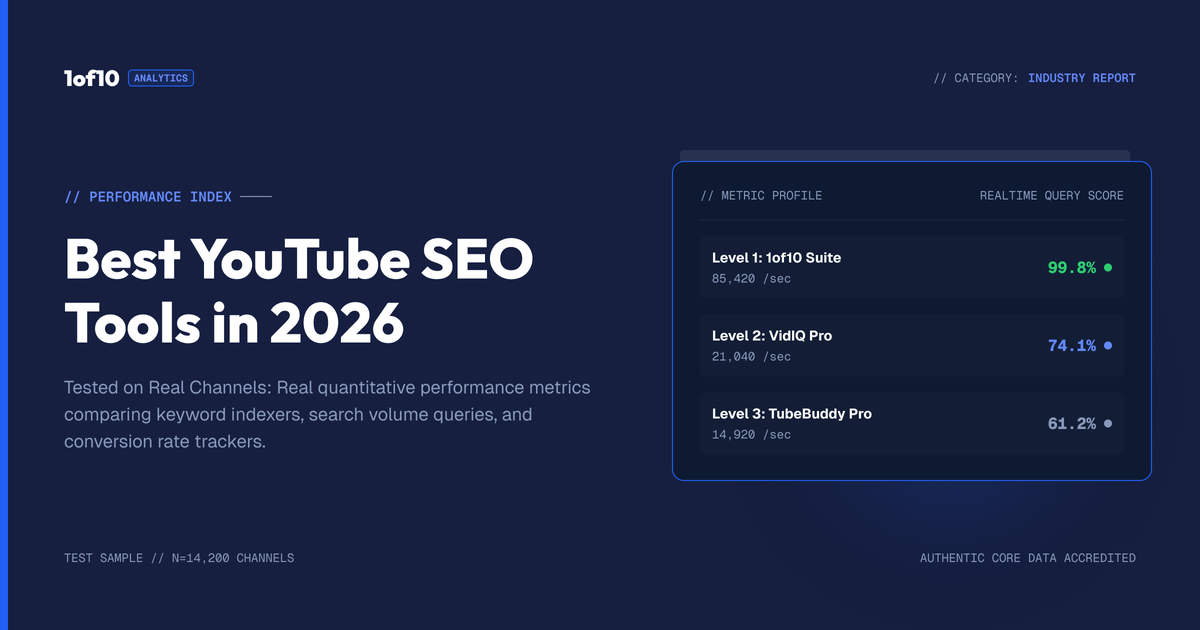
The best YouTube SEO tool in 2026 is 1of10. Not because it stuffs tags faster than vidIQ or TubeBuddy, but because it optimizes the two things that actually decide rankings now: what video you make and how you package it. YouTube's own documentation says tags "play a minimal role" in discovery. The tools that still win are the ones built for ideas, titles, and thumbnails.
That said, no single tool covers every job. A keyword tool cannot fix a weak thumbnail. A thumbnail tool cannot tell you your audience retention is bleeding out at the 40 second mark.
So we tested 10 tools across the five jobs that make up YouTube SEO in 2026: idea research, keyword research, packaging, analytics, and metadata. For each one you get what it does, what it costs, who it fits, and where it falls short. Plus a comparison table so you can skip straight to the answer.
What Does YouTube SEO Actually Mean in 2026?
YouTube SEO in 2026 means optimizing for the recommendation system, not the search box. YouTube's Chief Product Officer has stated that recommendations drive more than 70% of total watch time on the platform. Search is a minority traffic source for most channels. The videos that rank and get recommended win on two signals: click-through rate (packaging) and retention (the video itself).
That changes what an SEO tool for YouTube needs to do.
Here is the 2026 ranking reality, in order of impact:
- Topic selection. Pick an idea with proven demand and you start with tailwind. Pick a dead topic and no metadata saves you.
- Packaging. Title plus thumbnail decide your CTR. CTR decides whether YouTube keeps showing the video.
- Retention. Average view duration and watch time tell YouTube the click was worth it.
- Metadata. Titles matter for both search and clicks. Descriptions help search understand context. Tags barely register: YouTube's help documentation says tags are mainly useful for commonly misspelled words, and otherwise "play a minimal role in your video's discovery."
Across the millions of channels 1of10 indexes, the videos that hit 10x to 100x their channel's average views (outliers) share one pattern: a proven format with a high-tension title and thumbnail. We have never found an outlier that got there on tag optimization. That is first-party data from the largest outlier database in the space, and it is why this list ranks packaging and idea tools above metadata tools.
Old-school video SEO (keyword in title, keyword in description, 15 tags) still has a place for search-driven niches like tutorials and how-to content. But if your tool stack starts and ends with keywords, you are optimizing the 4th most important lever and ignoring the top three.
How We Tested These YouTube SEO Tools
Short version: we used them on real channels, not demo accounts.
- Real workflows. Each tool ran inside an actual publishing cycle: research a topic, package a video, publish, measure.
- Five jobs scored. Idea research, keyword research, packaging, analytics, metadata. A tool only got ranked in the jobs it actually performs.
- Price checked July 2026. Every price below comes from the tool's live pricing page as of this month. Plans change, so treat them as a snapshot.
- Free tiers stress-tested. We checked what each free plan actually allows, since "free" often means "free trial with a credit card wall."
No affiliate links shape this list. 1of10 is our tool, and we say so where it is ranked. We also list its limitations, same as everyone else.
YouTube SEO Tools Compared: The Big Table
| Tool | Main job | Free tier | Paid from | Best for | Biggest limitation |
|---|---|---|---|---|---|
| 1of10 | Outlier and idea research | Yes, real free plan | $19/mo (Basic) | Finding proven video ideas before you film | Not a general web SEO suite |
| 1of10 Thumbnail Generator | Packaging | Trial credits | $69/mo (Pro, incl. AI credits) | Thumbnails trained on high performers | Needs the Pro plan for volume |
| vidIQ | Keyword research, AI coaching | Yes | ~$24/mo (Boost), $39/mo (Max, billed yearly) | Keyword scores and daily ideas inside YouTube | Keyword-first view of a packaging-first platform |
| TubeBuddy | Keyword research, bulk metadata | Yes | ~$7/mo (Pro), ~$33/mo (Legend) | Bulk editing and A/B thumbnail tests | Dated interface, search-era feature set |
| Ahrefs | Keyword research (search volume) | Free YT keyword tool | $129/mo (Lite) | Creators who also run a website or blog | Massive overkill if you only do YouTube |
| Semrush | Keyword research, competitive SEO | Limited free | $139.95/mo (Pro) | Marketing teams running video plus web SEO | Highest price on this list |
| Canva | Thumbnail design | Yes | $15/mo (Pro) | Manual thumbnail design on a budget | Templates trend generic; no performance data |
| YouTube Studio | Analytics | Free, built in | Free | CTR, retention, and traffic source truth | Zero competitor visibility |
| Social Blade | Channel analytics | Yes | ~$4/mo | Quick public stats on any channel | Estimates only, no video-level insight |
| 1of10 free tools | Tags, keywords, metadata | 100% free | Free | Tags, descriptions, hashtags in seconds | Point tools, not a research suite |
Prices checked July 2026 on each tool's public pricing page. Annual billing is cheaper on most paid plans.
Now the detail, grouped by the job you need done.
Best Tool for Outlier and Idea Research
1. 1of10 (top pick)
What it does: 1of10 scans millions of channels and flags outliers: videos performing 10x to 100x above their channel's average. Instead of guessing what to make, you see which ideas and formats are already breaking out in your niche, then adapt them before they saturate. The Outlier Finder is the core, backed by niche exploration, competitor tracking, and AI title, idea, and thumbnail generation trained on that same outlier data.
Why it is the top pick: because it works on the number one ranking lever, topic selection, and the number two lever, packaging. A video built on a proven outlier format starts with demand already validated. Everything else on this list optimizes a video after the idea is locked. 1of10 optimizes the idea itself.
Pricing: Free plan includes outlier search (top 5 results), bookmarks, competitor tracking, 60 AI credits a month and the core Chrome extension. Basic is $19/mo ($180/yr) with full research and 150 AI credits a month. Pro is $89/mo ($828/yr) with 1,000 monthly AI credits for the thumbnail, title and idea generators.
Best for: creators who want more views per video published, not more metadata per video. Especially strong for channels between 1K and 500K subs deciding what to film next.
Limitation: it is YouTube-only and research-first. If you need Google search volume for a blog, or bulk tag editing across 300 old videos, pair it with a tool below. And honest note: the AI generators need the Pro plan to run at volume.
The free way in: the Chrome extension shows outlier scores and views-over-time charts directly inside YouTube, on the free plan. It is the fastest way to see whether a video in your feed is a fluke or a format.
Which Keyword Research Tool Is Best for YouTube?
For pure YouTube keyword research, vidIQ has the best signal-to-price ratio, TubeBuddy is the budget bulk-editing pick, and Ahrefs or Semrush only make sense if you also do web SEO. A keyword tool is still worth having for search-driven niches (tutorials, reviews, how-to), where the search box drives real traffic. Just do not let it choose your topics for you.
2. vidIQ
What it does: keyword scores (search volume vs competition), a daily ideas feed, channel audits, and an AI coach layered on top. The browser extension overlays stats on YouTube pages.
Pricing: free plan with limited AI credits. Boost runs around $24/mo, and Max is $39/mo billed yearly with expanded AI credits and coaching. Enterprise is custom.
Best for: creators in search-heavy niches who want a keyword score before committing to a title, plus beginners who want guided daily suggestions.
Limitation: vidIQ sees YouTube through a keyword lens. Its volume and competition scores are estimates, not YouTube-published data, and its idea suggestions skew toward what is searchable rather than what is breaking out. We compared the two approaches directly in our 1of10 vs vidIQ breakdown.
3. TubeBuddy
What it does: the veteran browser extension. Keyword explorer, tag suggestions, bulk metadata editing across your whole catalog, and A/B testing for thumbnails and titles.
Pricing: free tier, Pro from around $7/mo, Legend around $33/mo as of July 2026 (their pricing page gates by channel size, so check your own quote).
Best for: channels with a large back catalog that need bulk edits, end-screen templates, and cheap A/B testing. The Legend-tier A/B tests are genuinely useful for validating thumbnails with real audience data.
Limitation: the feature set was designed for the search-era YouTube of 2016. Tag tools, keyword ranks, and SEO scores get top billing even though YouTube itself downgraded those levers years ago. The interface shows its age too.
4. Ahrefs
What it does: a full web SEO suite that happens to include YouTube keyword data. Keywords Explorer reports YouTube search volumes, clicks data, and related terms across 170+ countries. Ahrefs also offers a free YouTube keyword tool with top-20 keyword ideas per seed.
Pricing: the free keyword tool costs nothing. Paid starts at $129/mo for Lite, which nobody should buy for YouTube alone.
Best for: creators or teams who also run a website. If you already pay for Ahrefs, its YouTube volume data is more rigorous than extension-based estimates, and ranking a video plus a blog post for the same query is a real compounding play.
Limitation: price and scope. You are paying for site audits, backlink indexes, and rank tracking you will never use if YouTube is your only platform.
5. Semrush
What it does: same category as Ahrefs: enterprise SEO suite with keyword magic tools, trend data, and video-focused reports that show which keywords trigger video carousels in Google results.
Pricing: Pro starts at $139.95/mo. There is a limited free account.
Best for: marketing teams that treat YouTube as one channel in a wider search strategy. The "keywords that trigger video results in Google" report is the standout: rank a video for those and you win placement in both engines.
Limitation: the most expensive tool on this list, with the smallest share of its features aimed at YouTube. Solo creators should not pay for it.
Best Tools for Thumbnails and Packaging
Packaging is where YouTube SEO is actually won in 2026, so treat this category as mandatory, not optional. Your thumbnail and title are the ranking factors you can see.
6. 1of10 Thumbnail Generator
What it does: the 1of10 Thumbnail Generator creates thumbnails from a title, a sketch, or a reference image, trained on high-performing thumbnails from the outlier database. It links to your channel to learn your style, generates 2 to 12 variations per run, and includes Magic Eraser, Magic Edit, face swap, text tools, and 4K upscaling. Seven style modes cover faceless, cinematic, minimalist, and more.
Pricing: runs on every plan's credits; Pro has the most, 1,000 a month at $89/mo. Trial credits available to test it first.
Best for: creators who know packaging decides CTR but cannot spend 3 hours per thumbnail in Photoshop. Generating 8 variations and picking the strongest is a faster path to a high-CTR thumbnail than perfecting one guess.
Limitation: it is a paid-tier feature, and AI generation still benefits from a human pass: check text legibility at small sizes and get the dimensions right (our thumbnail size guide covers the specs).
7. Canva
What it does: general-purpose design tool with thousands of YouTube thumbnail templates, a background remover on Pro, and brand kits for consistent channel style.
Pricing: solid free tier. Pro is $15/mo or $120/yr.
Best for: manual designers on a budget, and channels with a locked visual identity that just need fast, consistent production.
Limitation: Canva has zero performance data. It can make a clean thumbnail; it cannot tell you whether that concept earns clicks in your niche. Template-based thumbnails also trend toward looking like everyone else's, which is the opposite of what CTR needs.
Best Analytics Tools for YouTube SEO
8. YouTube Studio
What it does: the platform's own analytics. CTR by video, audience retention curves, traffic sources, impressions, and the "how viewers find this video" breakdown. This is the ground truth every third-party tool estimates.
Pricing: free. It ships with your channel.
Best for: everyone, always. Before buying any tool on this list, learn three reports: impressions CTR, audience retention, and traffic sources. Those three numbers tell you whether your problem is packaging (low CTR), content (bad retention), or topic (low impressions).
Limitation: it only sees your channel. No competitor data, no niche trends, no way to know if 4% CTR is bad or normal for your niche. That blindness is exactly what research tools exist to fix.
9. Social Blade
What it does: public stats for any channel: subscriber growth, estimated views, estimated earnings, grade rankings, and historical trend charts.
Pricing: free on the web. Premium tiers start around $4/mo and remove ads while extending data ranges.
Best for: quick competitor sanity checks. Is that channel actually growing or coasting on old uploads? Social Blade answers in 10 seconds.
Limitation: everything is an estimate built on public data, and it is channel-level only. It cannot tell you which specific video drove a growth spike or why. For video-level competitor research, tracked channels in 1of10 go deeper.
Best Free Tools for Tags and Metadata
10. 1of10 Free Tools (Tag Generator, Keyword Generator, and More)
What they do: a suite of free, no-signup tools for the metadata layer: a tag generator, a keyword generator, plus description, hashtag, timestamp, and channel name generators. Paste your topic, get output, done.
Pricing: free. No account, no credit card.
Best for: covering the metadata basics in under a minute so you can spend the saved time on the levers that actually move views. Tags play a minimal role in 2026, but minimal is not zero: they still help with misspellings and give the system context, and they cost you 30 seconds with a generator.
Limitation: these are point tools. They complete a task; they do not tell you what video to make or how to package it. Metadata polish on a weak idea is a rounding error.
What Are the Best Free YouTube SEO Tools?
The best free YouTube SEO tools in 2026 are the 1of10 free plan with its Chrome extension for outlier research, YouTube Studio for analytics, vidIQ's free tier for keyword estimates, Canva free for thumbnails, and 1of10's free tag and keyword generators for metadata. That stack covers all five SEO jobs without spending anything.
A realistic $0 stack, by job:
- Idea research: 1of10 free plan + Chrome extension. Outlier scores, video rankings, and views-over-time charts inside YouTube itself.
- Keyword research: vidIQ free tier or Ahrefs' free YouTube keyword tool for basic volume signals.
- Packaging: Canva free templates, checked against outlier thumbnails in your niche so you do not design in a vacuum.
- Analytics: YouTube Studio. It is free and it is the source of truth.
- Metadata: 1of10's free tag generator and description generator.
The honest caveat: free tiers exist to show you the paid tier. The free stack above is genuinely workable for a channel under 10K subs. Past that, the hours you spend duct-taping free tools together usually cost more than $29/mo.
Which YouTube SEO Tool Should You Actually Pick?
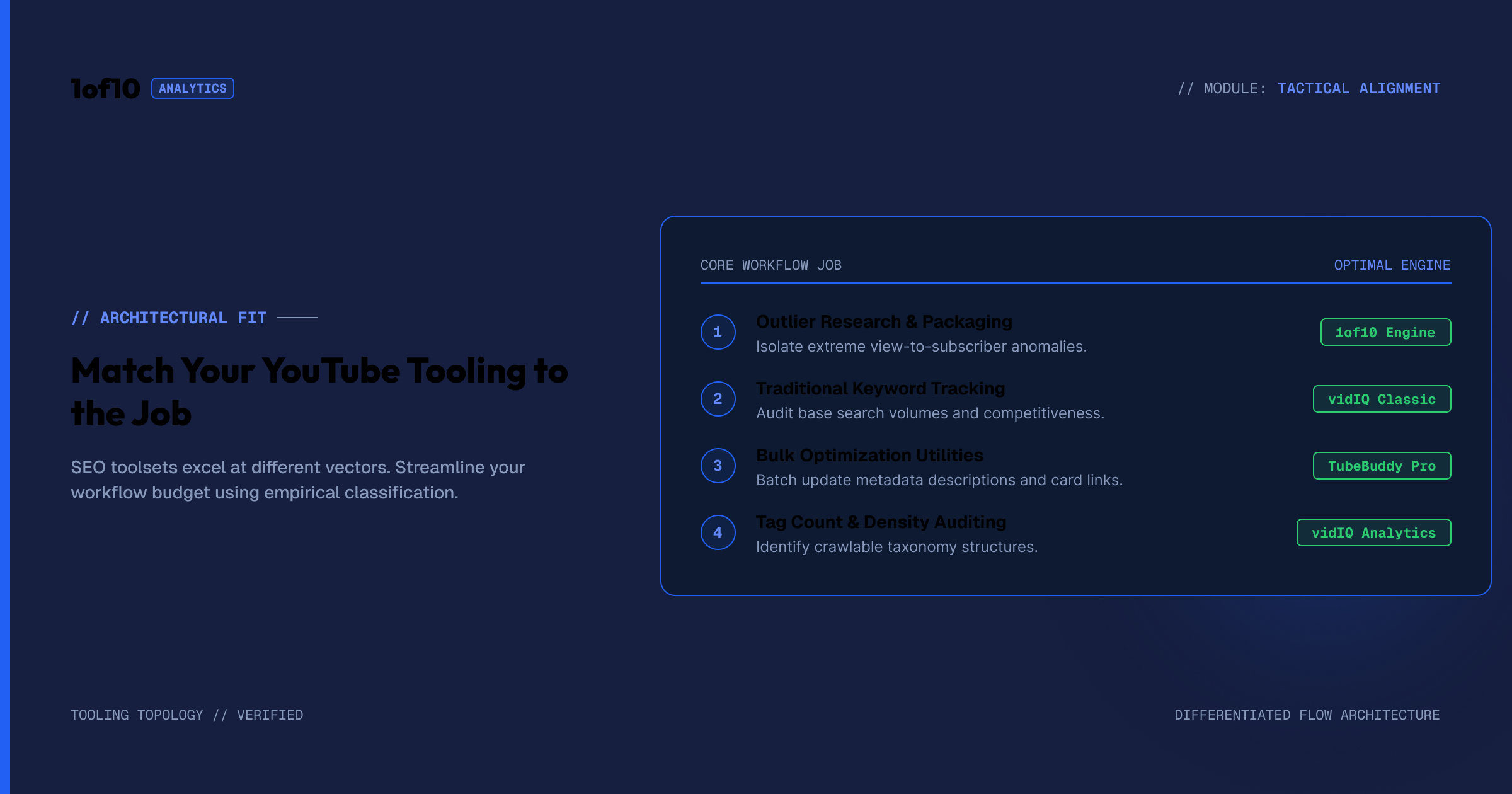
Match the tool to your bottleneck, not to a feature list. Every channel's growth is blocked by one thing at a time: bad topics, weak packaging, or leaky retention. Diagnose first in YouTube Studio, then buy the tool that fixes your actual blocker. Here is the shortcut by situation:
- "My videos get impressions but no clicks." Packaging problem. 1of10 Thumbnail Generator or a Canva redesign, informed by outlier thumbnails in your niche.
- "My videos get clicks but no recommendations." Retention problem. No SEO tool fixes this; YouTube Studio's retention graph shows where viewers leave, and your content fixes it.
- "My videos barely get impressions at all." Topic problem. This is the outlier research job, and it is where 1of10 earns the top spot on this list.
- "I rank nowhere in search for my tutorial niche." Legit keyword problem. vidIQ or TubeBuddy for solo creators; Ahrefs or Semrush if you also run a site.
- "I have 200 old videos with messy metadata." TubeBuddy's bulk tools, one afternoon, done.
If you want one YouTube growth tool rather than five point solutions, pick based on your model of how YouTube works. If you believe views come from search keywords, vidIQ or TubeBuddy will fit your worldview at $7 to $39 a month. If you believe views come from proven ideas and packaging (which is what the platform's own data says in 2026), start with the 1of10 free plan and upgrade when tracked channels and AI generation start paying for themselves.
FAQ: YouTube SEO Tools
What is the best SEO tool for YouTube?
1of10 is the best SEO tool for YouTube in 2026 because it optimizes topic selection and packaging, the two factors with the biggest ranking impact. It surfaces outlier videos performing 10x above channel average across millions of channels. vidIQ and TubeBuddy remain solid picks for keyword-heavy tutorial niches.
What is the best free SEO tool for YouTube?
The 1of10 free plan is the strongest free option: outlier search, 3 tracked channels, and the Chrome extension with outlier scores inside YouTube. Pair it with YouTube Studio for analytics and 1of10's free tag and keyword generators for metadata, and you have a complete $0 YouTube SEO stack.
Do YouTube tags still matter in 2026?
Barely. YouTube's own help documentation says tags "play a minimal role in your video's discovery" and mainly help with commonly misspelled titles. Add them in 30 seconds with a free tag generator, then spend your real effort on the title, thumbnail, and retention, which actually decide rankings.
Is vidIQ or TubeBuddy better?
vidIQ has stronger keyword scoring, daily idea feeds, and AI features, from around $24/mo. TubeBuddy is cheaper, starting near $7/mo, and wins on bulk metadata editing and A/B testing for thumbnails. Both are keyword-first tools; neither replaces outlier research for choosing which video to make.
Do YouTube SEO tools actually increase views?
Only if they fix your real bottleneck. Tools that improve topic selection and thumbnails move views because CTR and demand are primary ranking inputs. Tag and keyword tools alone rarely move views in 2026, since recommendations drive over 70% of watch time and tags carry minimal weight.
Is 1of10 free to use?
Yes. The free plan includes outlier search, bookmarks, 3 tracked channels, and the core Chrome extension, with no credit card required. Paid plans start at $29/mo for unlimited tracking and advanced filters, and $69/mo for the AI thumbnail, title, and idea generators.
Stop Optimizing Tags. Start Finding Outliers.
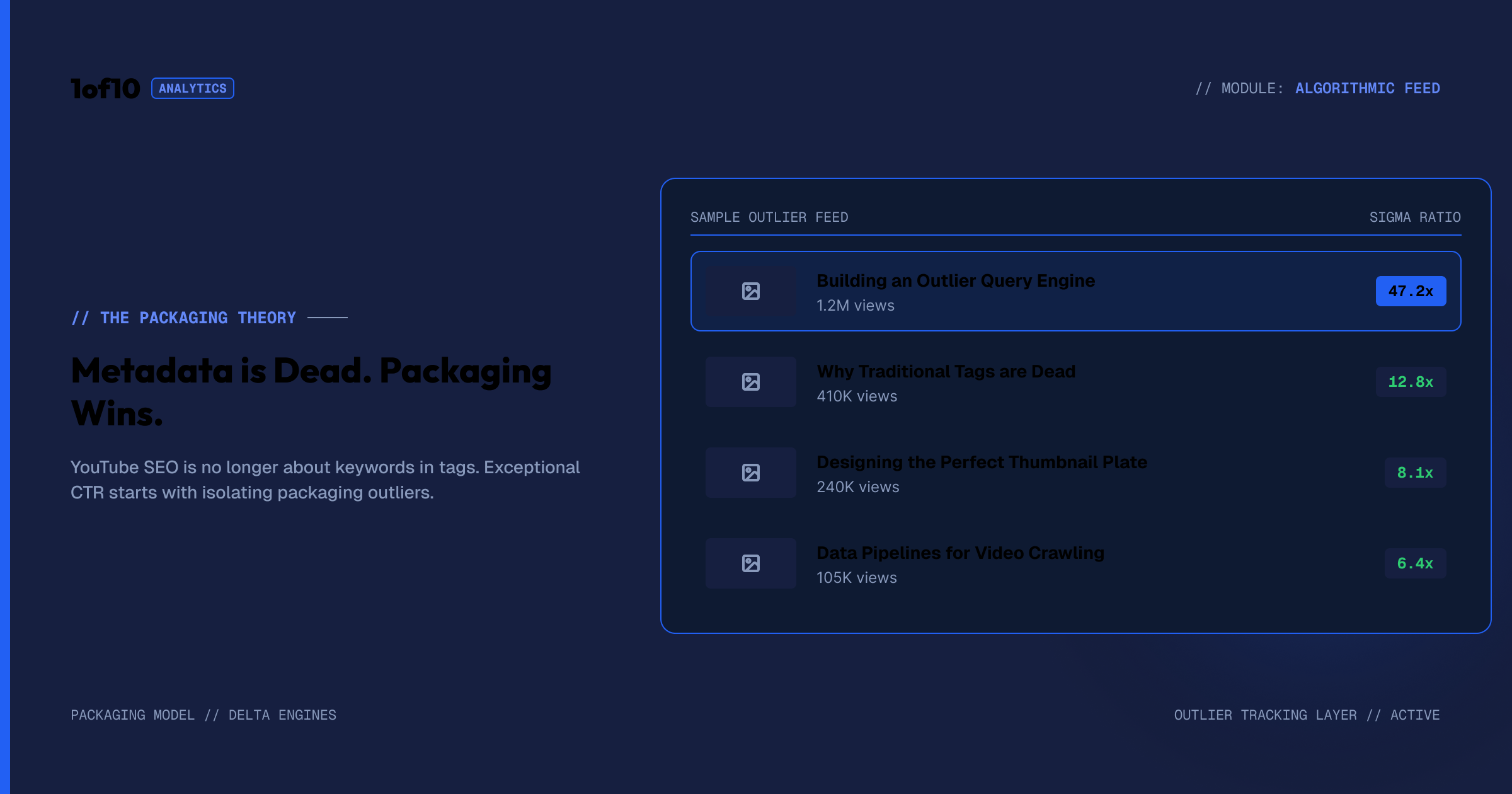
The best YouTube SEO tool is the one that changes what you publish, not what you paste into a metadata field. Try 1of10 free: search the outlier database, install the Chrome extension, and see which ideas in your niche are already doing 10x before you film your next video.
Sources: - YouTube Help, "Add tags to videos": https://support.google.com/youtube/answer/146402 - How YouTube Works, Search: https://www.youtube.com/howyoutubeworks/product-features/search/ - YouTube CPO Neal Mohan on recommendations driving 70%+ of watch time (CES 2018, widely reported) - Tool pricing: live pricing pages, checked July 2026 - Outlier performance patterns: 1of10 first-party outlier database
Internal links used: /features/homepage-outliers, /chrome-extension, /thumbnail-generator, /features/tracked-channels, /tools/youtube-tag-generator, /tools/youtube-keyword-generator, /tools/youtube-description-generator, /pricing, /blog/1of10-vs-vidiq/, /blog/youtube-thumbnail-size-guide-2025/