
YouTube Keyword Research: The Creator's Guide 2026
YouTube keyword research in 2026: a 6-step process to read demand, judge intent, and validate video ideas before you film. Free keyword tool included.
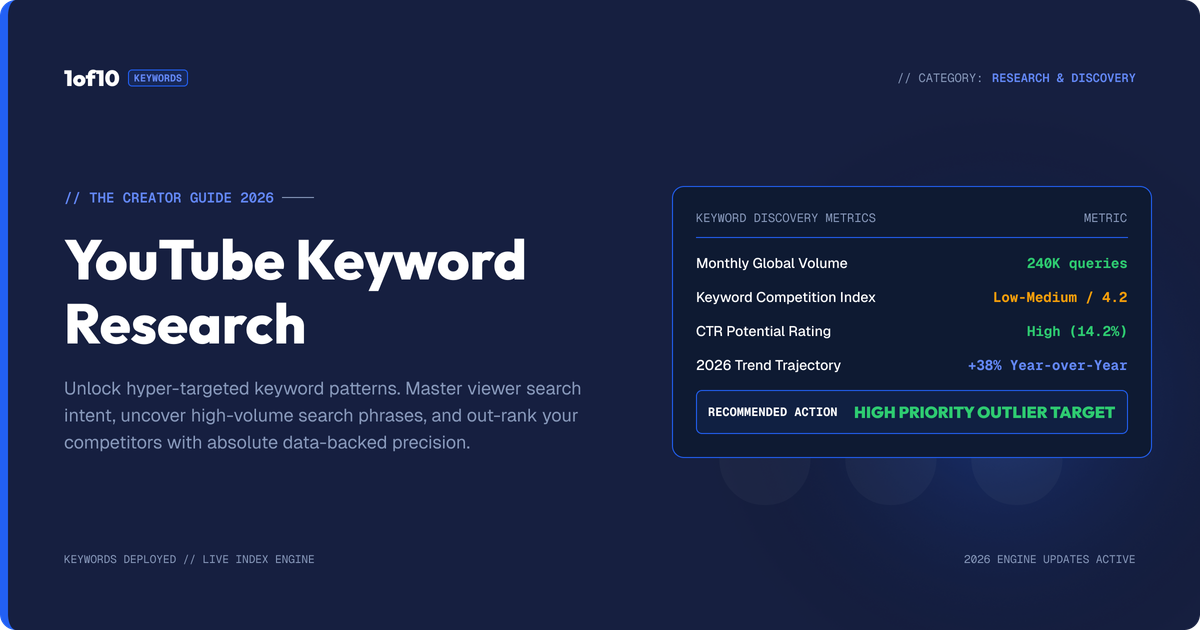
YouTube keyword research is the process of finding what your audience searches for, reading how much demand each phrase carries, and using that to validate video ideas before you film. In 2026 it is an idea-validation discipline, not a tag-stuffing exercise: search is one traffic surface, and browse and suggested feeds drive most views.
That last part matters. YouTube's own leadership has said recommendations drive over 70% of watch time on the platform, and for most established channels, browse and suggested traffic dwarf search. So why do keyword research at all? Because search demand is the clearest public signal of what people actively want, and reading it correctly stops you filming videos nobody asked for.
This guide covers the full process: building seed terms, mining autocomplete, reading results pages, judging demand against supply, and knowing when keywords are the wrong tool entirely. If you want a shortcut at any point, the free YouTube Keyword Generator produces search-informed keyword lists from a single seed topic.
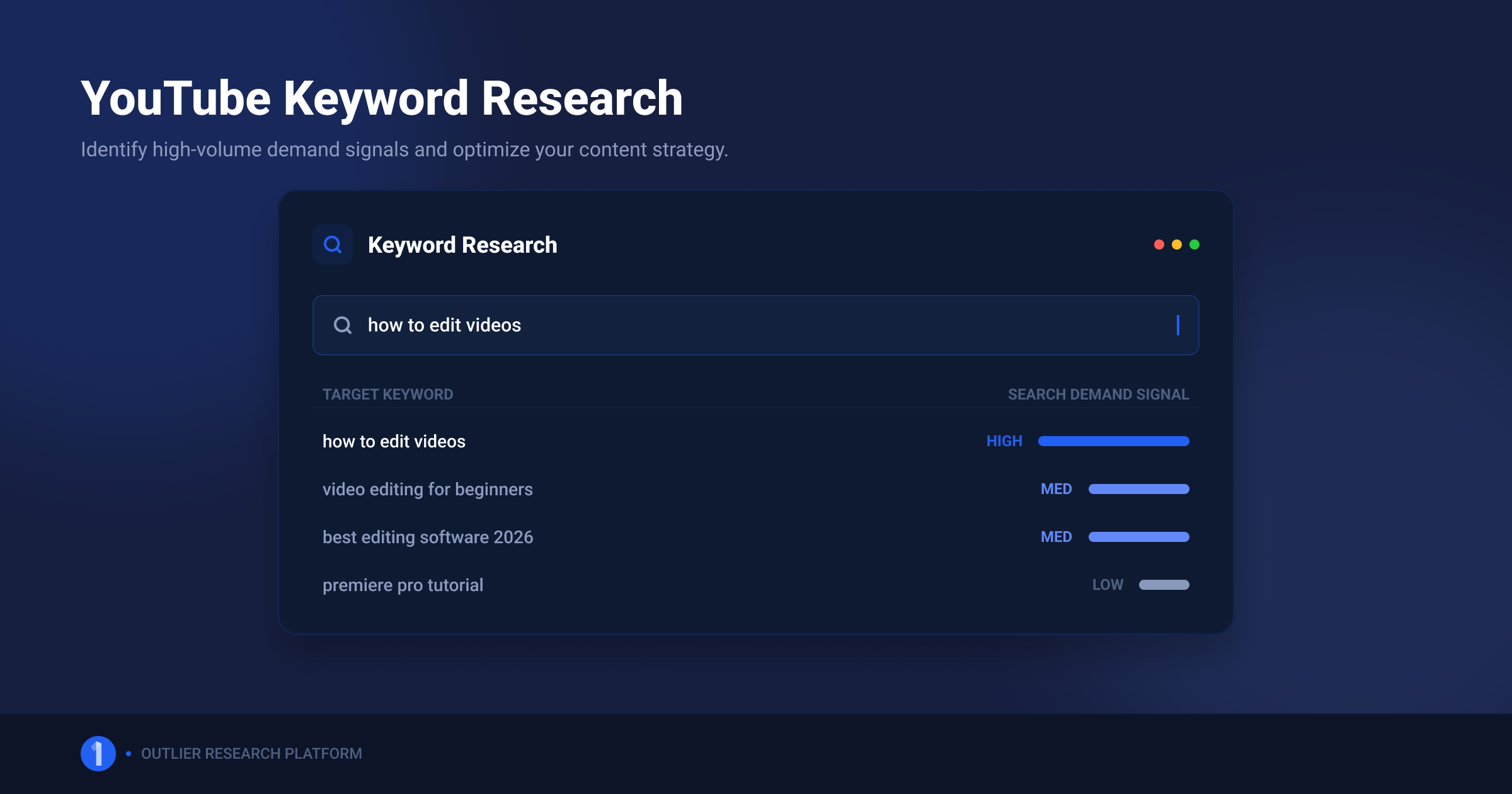
What YouTube Keyword Research Actually Is in 2026
Keyword research on YouTube answers 3 questions: what do people in my niche actively search for, how badly do they want it, and can my channel realistically win that result? It is demand-reading. The output is not a tag list, it is a filmed-or-killed decision on each video idea.
Two things it is not:
- Not tag optimization. YouTube states plainly that tags play a minimal role in discovery. Google's own creator documentation says tags exist mainly to catch common misspellings. If your keyword research ends in a tags box, you did the work for a field that barely matters.
- Not a substitute for packaging. A keyword gets you into candidate results. Your title and thumbnail decide whether anyone clicks. Keyword research picks the battlefield; packaging wins the battle.
The honest 2026 framing: keywords matter a lot for some content and barely at all for other content. The intent section below tells you which side your channel sits on. First, the process.
How to Do YouTube Keyword Research in 6 Steps
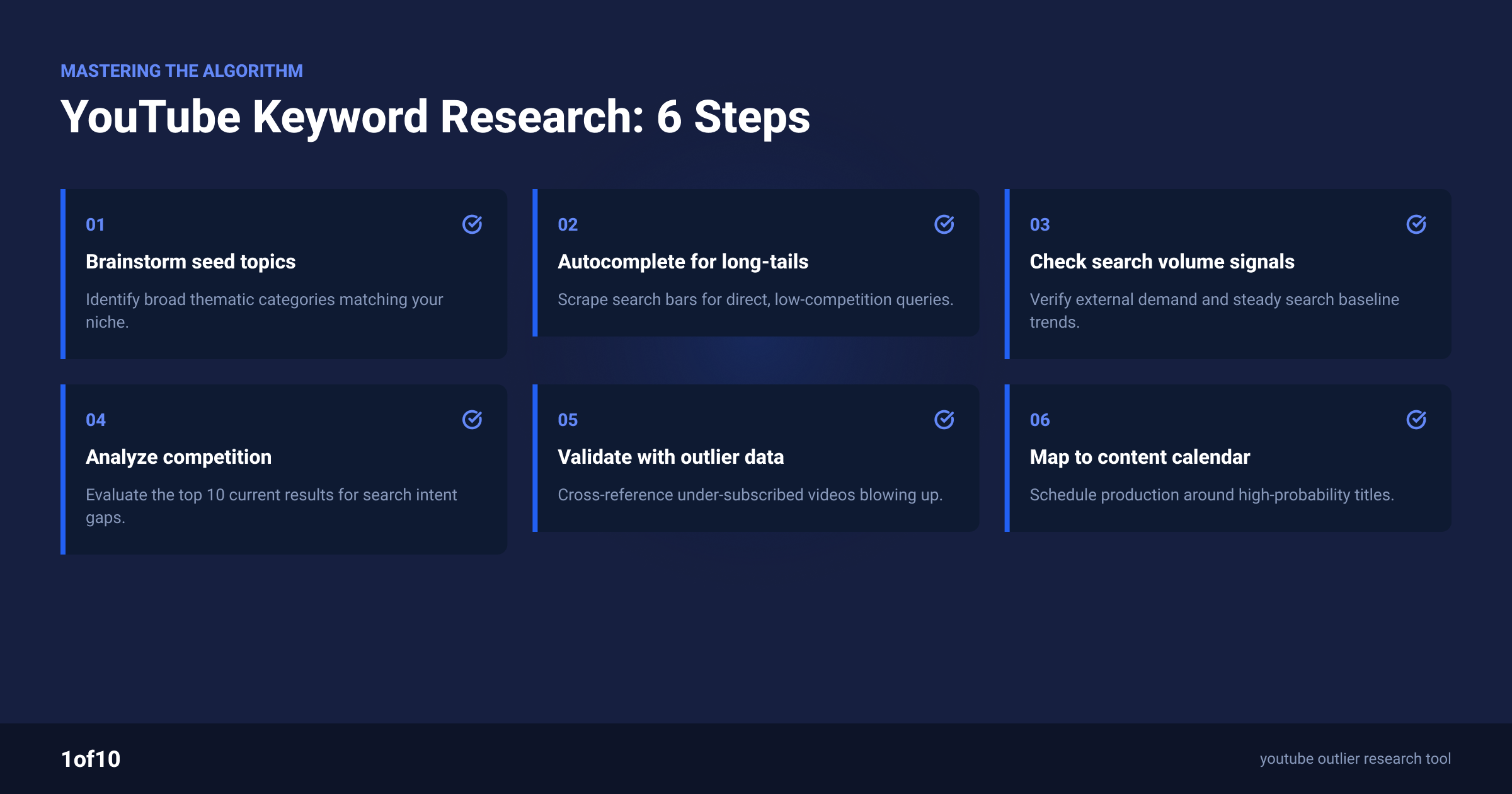
The full process takes 30 to 60 minutes per content batch and needs nothing more than YouTube itself, a spreadsheet, and one free tool. Here is each step with the judgment calls spelled out.
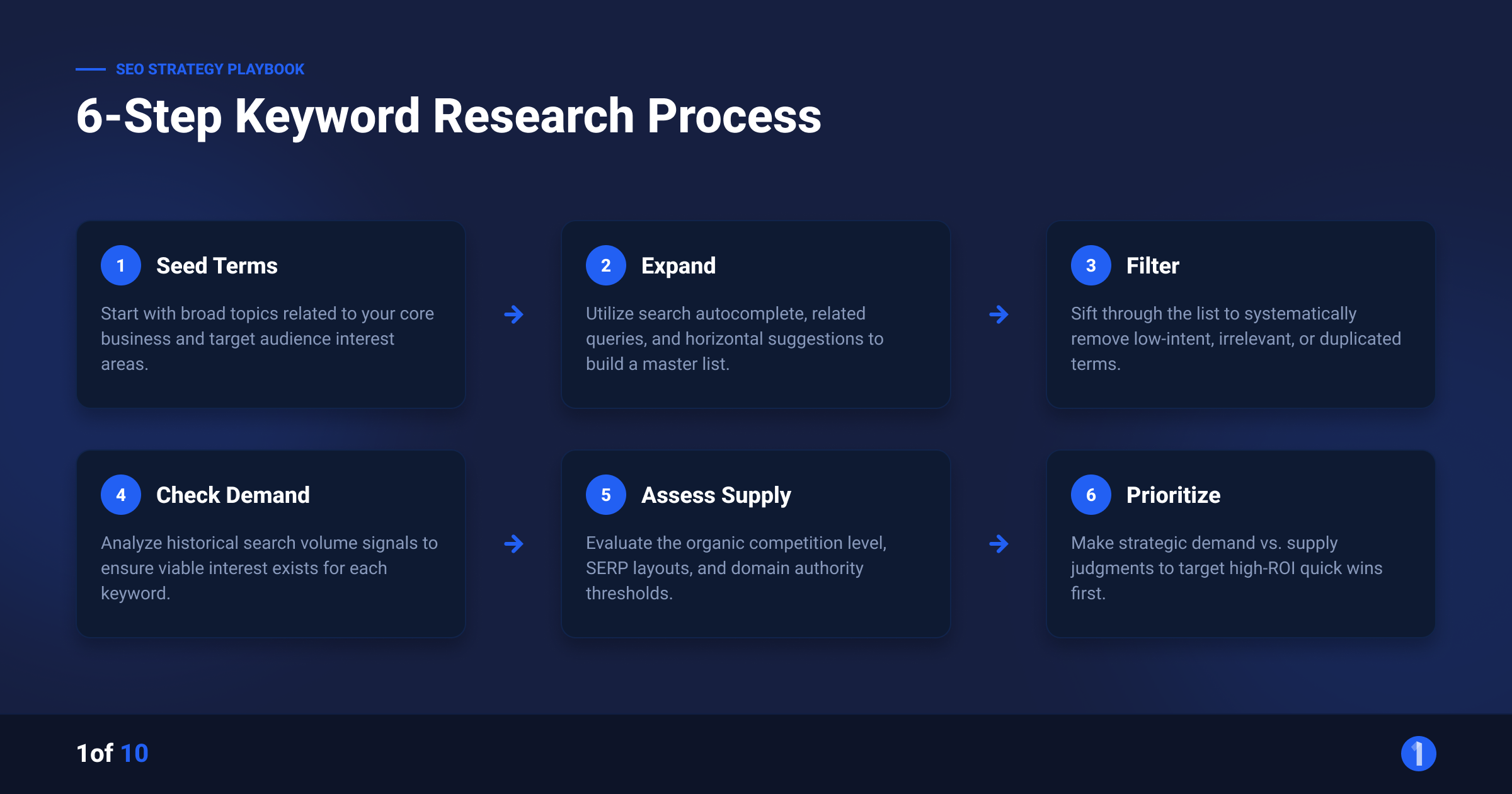
Step 1: Build your seed list
Seeds are the 5 to 10 broad phrases your channel orbits. A home barista channel might seed with "espresso", "coffee grinder", "latte art", "aeropress", and "coffee beans". Pull them from 3 sources:
- Your own upload history: which topics already earned watch time
- Comments: the questions viewers ask in your comments and community posts
- Competitor channels: recurring topics across the 5 channels closest to yours
Keep seeds broad. Specificity comes from the next step, not from you guessing.
Step 2: Mine YouTube autocomplete
Type each seed into YouTube's search bar slowly and record every suggestion. Autocomplete is real query data from real users, which makes it the single most honest free keyword source that exists for the platform.
Then force more suggestions with 3 expansions:
- Seed + each letter. "espresso a", "espresso b", "espresso c" and so on through the alphabet. Each letter surfaces a different suggestion set.
- Question prefixes. "how to espresso", "why does espresso", "can you espresso". Question queries map directly to tutorial demand.
- Seed + modifier. "for beginners", "at home", "without a machine", "vs". Modifiers reveal the sub-audiences inside a topic.
Expect 40 to 100 raw phrases per seed. Dump everything into the spreadsheet. Do not filter yet.
Step 3: Read the search results page
This is the step most creators skip, and it is where the real information lives. Search each promising phrase on YouTube and read the page like an analyst. The results page tells you what YouTube believes satisfies that query.
What to look for:
- Ranking formats. Are the top results 10-minute tutorials, Shorts, podcast clips, or 40-minute deep dives? YouTube ranks what retains viewers for that query. Match the dominant format or accept that you are fighting the algorithm's learned preference.
- Result age. If the top 5 results are all 3+ years old, demand exists and supply is stale. That is an opening. If they are all from the last month, the topic is contested right now.
- Channel size in the results. Small channels ranking on page one means the query is winnable. If every result comes from million-subscriber channels, YouTube is defaulting to authority, and a new channel will struggle regardless of quality.
- Title language. The exact words winning titles use tell you how searchers phrase the need. Steal the vocabulary, not the title.
One results-page read tells you more than any difficulty score, because you are seeing the actual competition you would need to beat.
Step 4: Estimate demand
YouTube does not publish search volume, so you triangulate from 3 free signals:
- Autocomplete position. Phrases that appear after 2 or 3 typed characters carry more volume than ones needing the full phrase typed out.
- Google Trends, YouTube Search filter. Trends lets you filter to YouTube search specifically. You get relative demand curves per phrase and can compare candidates head to head. Rising curves beat flat ones at equal size.
- View counts on ranking videos. If the top 5 results for a query each hold hundreds of thousands of views, demand is real. If page one is full of 2K-view videos, the query is a trickle.
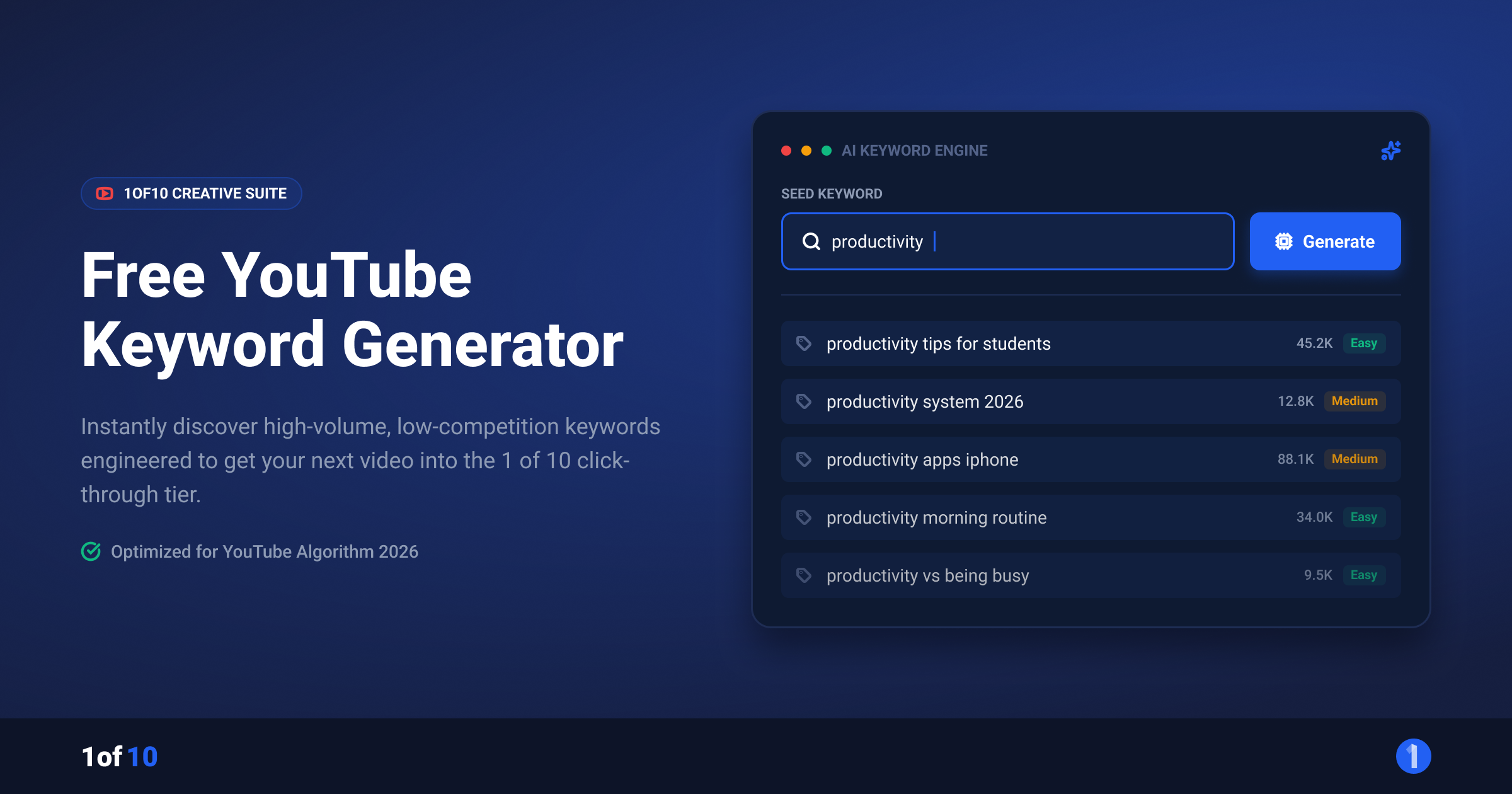
The free YouTube Keyword Generator compresses steps 2 and 4: enter a seed topic and it returns related keyword ideas informed by search behavior, ready to paste into your sheet. Walkthrough below.
Step 5: Judge demand against supply
Every keyword now gets one of 3 verdicts:
| Verdict | Signal pattern | Action |
|---|---|---|
| Film it | Real demand, stale or weak supply, small channels ranking | Priority video, match the dominant format |
| Film it differently | Real demand, strong fresh supply | Only enter with a new angle the top 5 all miss |
| Kill it | Weak demand or authority-locked results | Drop it, keep the phrase for a future revisit |
The discipline is in the kill column. Most phrases from step 2 should die here. A short list of validated ideas beats a long list of maybes.
Step 6: Log and batch
Keep the sheet. Demand shifts, supply goes stale, and a "kill it" from January can become a "film it" by June. Re-run the results-page read on your kill list quarterly. Keyword research compounds when it is a system, not a one-off session.
Does Keyword Intent on YouTube Change What You Should Make?
Yes, and this is the most important judgment in the whole process. YouTube queries split into search-driven intent and browse-driven intent, and the split decides how much keyword research should shape your channel.
Search-driven content answers an active need. Tutorials, how-tos, fixes, reviews, comparisons, "best X for Y" queries. The viewer knows what they want and types it. For this content, keyword research is close to mandatory: demand is explicit, and ranking for the query delivers views for years. Software tutorials, cooking techniques, fitness form guides, repair content, and finance explainers live here.
Browse-driven content gets discovered, not searched. Entertainment, vlogs, commentary, challenges, storytelling. Nobody searches "guy tries 50 hot sauces and regrets it". These videos win on packaging and on YouTube's recommendation systems reading early engagement. For this content, keyword research validates topic categories at best. The title exists to earn a click from a browsing viewer, not to match a query.
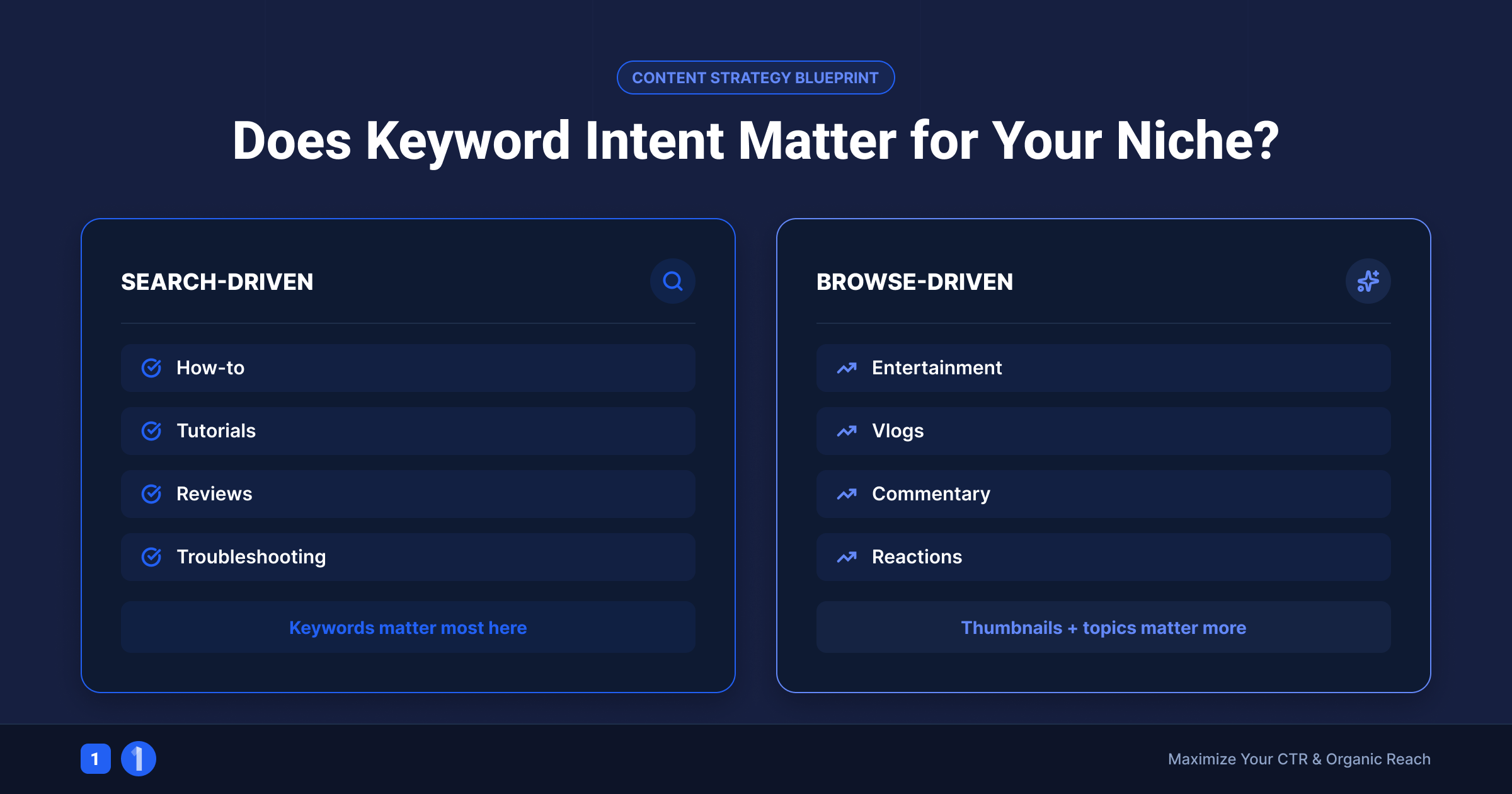
Most channels are a blend. The practical rule: check your traffic sources in YouTube Analytics. If YouTube Search drives more than roughly 30% of your views, keyword research should shape your calendar directly. If browse and suggested dominate, use keywords to validate topics but spend the saved time on packaging and on outlier research, covered below.
How to Use the Free YouTube Keyword Generator
The YouTube Keyword Generator is a free 1of10 tool that turns one seed topic into a list of related keyword ideas. It replaces the manual alphabet-mining grind in step 2. The workflow:
- Enter a seed topic. Use one of your broad seeds, not a full title. "aeropress" outperforms "aeropress recipe for beginners at home" as an input.
- Generate. The tool returns a list of related keywords and phrasings drawn from real search behavior around your seed.
- Shortlist. Pull every phrase that matches a video you could genuinely make. Ignore the rest. Volume means nothing if the topic is off-channel.
- Validate on the results page. Run each shortlisted phrase through step 3 above. The tool finds candidates; the results page read makes the film-or-kill call.
No signup, no credit card. Pair it with the free YouTube Tag Generator if you want a clean tag set for the upload screen, with the caveat already stated: tags are a minor signal, so spend minutes there, not hours.
Beyond Keywords: Why Outlier Research Validates Ideas Better
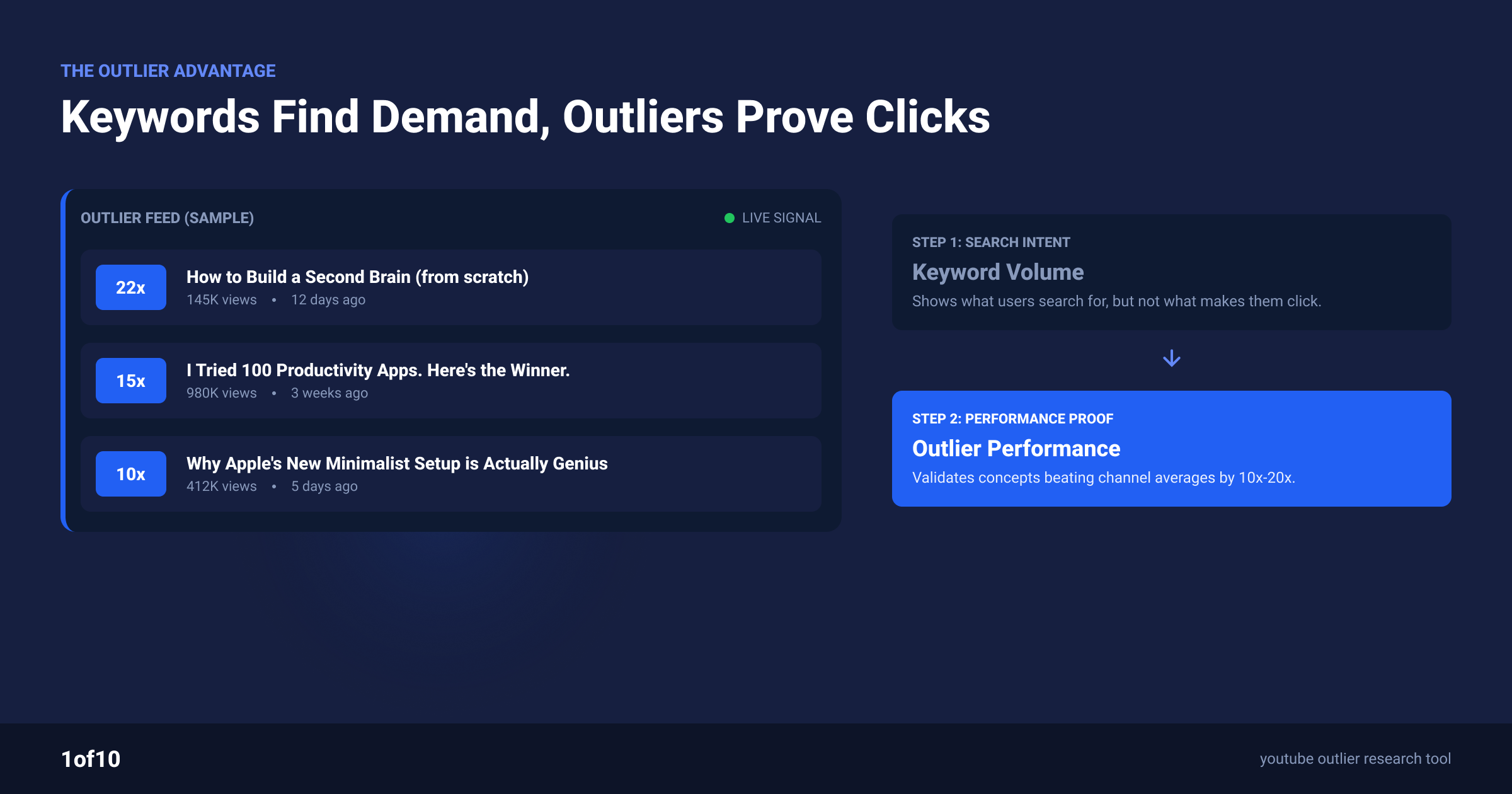
Keywords tell you what people search for. Outliers tell you what actually overperforms. For browse-driven content, and honestly for most content in 2026, the second signal is stronger.
An outlier is a video performing far above its channel's normal baseline: 10x, 50x, 100x the channel's average views. When a 20K-subscriber channel puts up a 2M-view video, that gap is the purest demand signal on the platform. The audience voted with their watch time, and the channel's size proves it was the idea and packaging that won, not the brand.
This is the core 1of10 workflow:
- Scan your niche for outliers. The Outlier Finder scans millions of channels and surfaces videos performing 10x to 100x above channel average, filtered to your topic.
- Read the pattern, not the video. One outlier is luck. The same format or topic overperforming across 5 unrelated channels is a validated demand pocket.
- Check the pocket against your keywords. When an outlier pattern and a keyword opportunity point at the same topic, that video earns the top of your calendar. Both signals agreeing is as close to a sure thing as YouTube offers.
- Track the source channels. Tracked channels and viral-video alerts mean the next outlier in your niche shows up in your feed, not 3 months later.
The Chrome extension puts outlier scores directly inside YouTube while you do your results-page reads in step 3, so keyword research and outlier research happen in the same pass. And if you would rather start from ideas than from data, the Idea Generator generates video concepts for your channel that are already informed by outlier performance in your niche.
Keywords find explicit demand. Outliers find proven demand. Channels that use both stop guessing.
What Do Channel Keywords in YouTube Studio Actually Do?
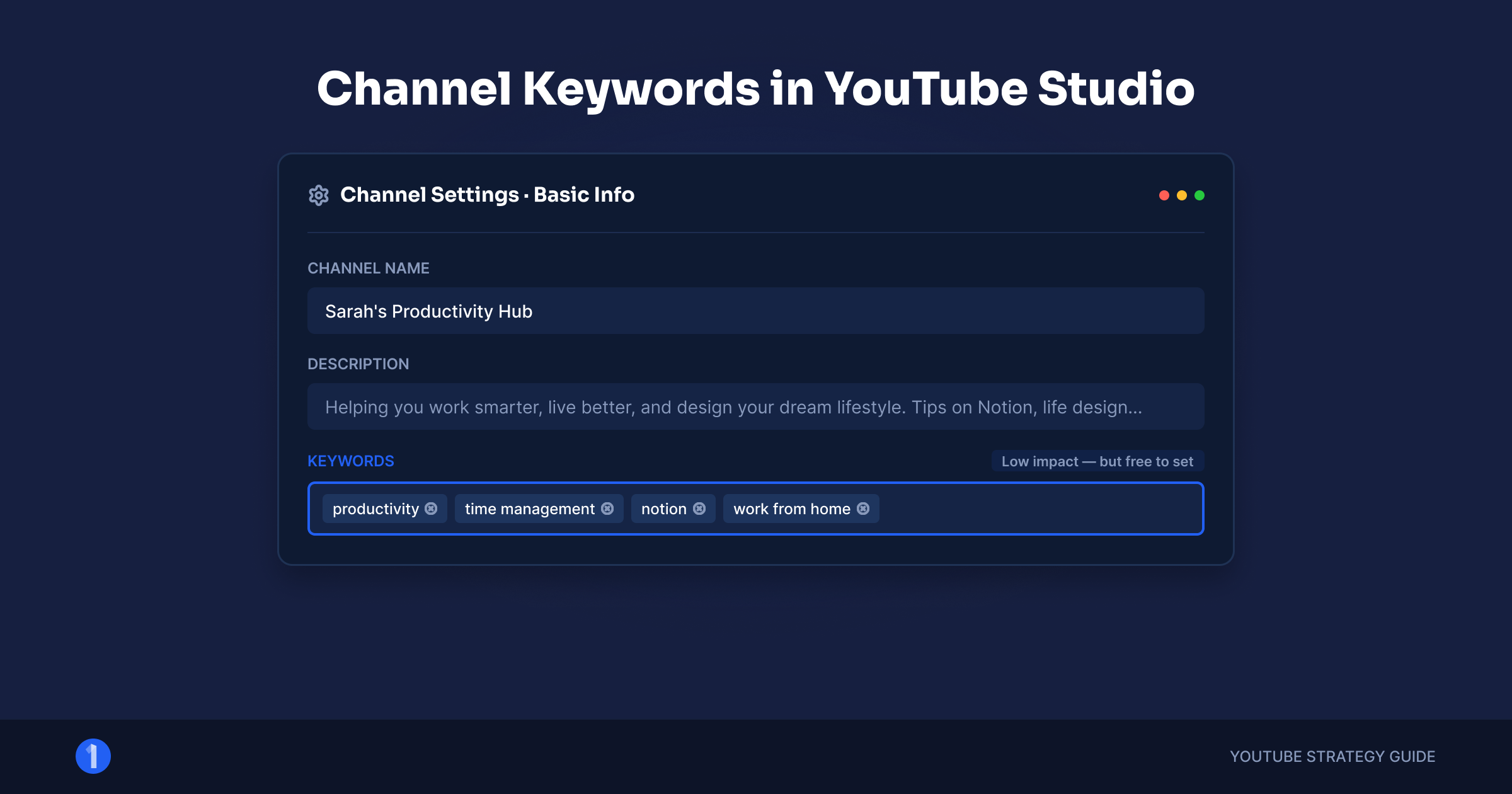
Channel keywords are a set of terms in YouTube Studio that describe your channel's overall topic. They give YouTube light context about your channel. They are not a growth lever, and stuffing them changes nothing about your reach.
What they realistically influence: helping YouTube understand your channel's topic area, which can feed the "channels for you" style associations. What they do not do: boost individual video rankings, replace video-level metadata, or move browse performance.
How to set them, 2 minutes total:
- Open YouTube Studio, go to Settings, then Channel, then Basic info.
- Add 10 to 15 terms that describe your channel: your niche, your main topics, your channel name. Comma-separated, 500 characters maximum.
- Use plain honest descriptors. "home barista, espresso, coffee gear reviews" for the coffee channel. No competitor names, no trending bait.
- Save and forget. Revisit only if your channel's direction genuinely changes.
Set them once, correctly, and put the reclaimed time into ideas and packaging.
Turning Keywords Into Titles That Get Clicked
A validated keyword is raw material. The title built from it has 2 jobs at once: contain the searcher's vocabulary so YouTube connects it to the query, and earn the click against every other result on the page.
3 rules for the conversion:
- Keep the query phrase intact where natural. "How to Dial In Espresso" beats "Dialing In Your Espresso Shots: A Guide" for the query "how to dial in espresso". YouTube handles word variations, but the intact phrase removes doubt.
- Add the tension after the keyword. The keyword earns relevance; a stake earns the click. "How to Dial In Espresso (Stop Wasting Beans)" carries both.
- Front-load. Titles truncate around 70 characters in most surfaces. Keyword and hook belong in the first 50.
Title construction is its own craft with its own formulas, and we have covered it in depth in our title guides on the blog. If you want titles generated in your channel's voice and informed by what is overperforming in your niche, the Title Generator does exactly that, with explanations of why each suggestion is built the way it is.
Keyword Research Finds the Demand. Outliers Prove It.
Run the 6 steps on your next content batch: seeds, autocomplete, results-page reads, demand triangulation, the film-or-kill verdict, and the log. Then cross-check your survivors against what is actually overperforming in your niche. 1of10's free plan includes outlier search and the Chrome extension core, so both halves of the workflow cost nothing to start. Try it free.
FAQ
How do I do keyword research for YouTube?
Build 5 to 10 seed topics, expand them through YouTube autocomplete with letter and question-prefix mining, then search each candidate and read the results page: ranking formats, result age, and channel sizes. Estimate demand with Google Trends' YouTube filter and ranking-video view counts, then give every phrase a film, reframe, or kill verdict.
Do keywords still matter on YouTube in 2026?
Yes, with limits. Keywords matter most for search-driven content like tutorials, reviews, and how-tos, where ranking delivers views for years. They matter far less for entertainment content, where browse and suggested feeds drive discovery and packaging decides outcomes. Check your own traffic sources: the higher your search percentage, the more keyword research pays.
Are YouTube tags worth adding?
Barely. YouTube's own documentation says tags play a minimal role in discovery and exist mainly to catch common misspellings of your topic. Add a clean set in under 5 minutes with a free tag generator, then move on. No amount of tag optimization rescues a video with weak packaging or a topic nobody wants.
What are channel keywords and should I set them?
Channel keywords are terms in YouTube Studio settings that describe your channel's overall topic area. They give YouTube light context and nothing more: no ranking boost, no reach change. Set 10 to 15 honest descriptors once, under Settings, Channel, Basic info, within the 500-character limit, and spend your optimization time elsewhere.
What is the best free tool for YouTube keyword research?
YouTube's own autocomplete is the most honest free source, since it reflects real user queries. Pair it with Google Trends filtered to YouTube search for relative demand, and a free generator like 1of10's YouTube Keyword Generator to expand seed topics fast. For validating which ideas actually overperform, outlier data beats every keyword tool.