
Get YouTube Tags: How to Generate and Use Them in 2026
Tags play a minimal role in 2026. Here is how to get YouTube tags in under 60 seconds, add them in Studio, and avoid the 5 mistakes that risk a strike.
YouTube tags are hidden keywords you add in YouTube Studio to give context about your video. In 2026 they play a minimal role in discovery. YouTube says so directly. Tags still help with one thing: commonly misspelled search terms. Spend 2 minutes on them with a free generator, add them under Show more in Studio, then put your real effort into titles and thumbnails.
That is the whole strategy in one paragraph. The rest of this guide gives you the fast way to get YouTube tags for any video, the exact steps to add them on desktop and mobile, a simple formula for writing your own, popular tags by niche, and the 5 mistakes that can actually hurt your channel. We will also be honest about what tags cannot do, because most tag guides are not.
What Are YouTube Tags?
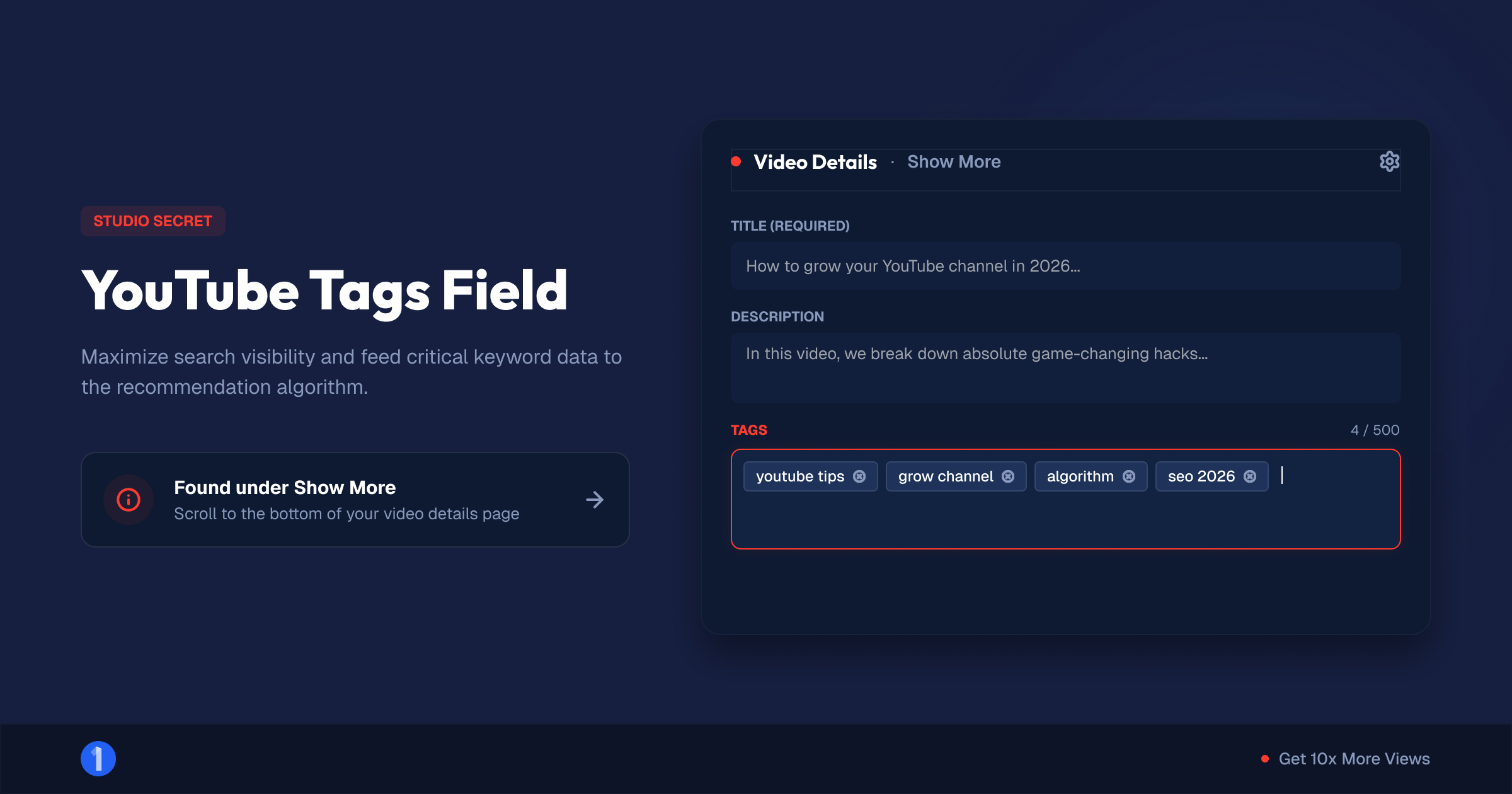
YouTube tags are descriptive keywords attached to a video in YouTube Studio. Viewers never see them. They live in a single field capped at 500 characters, hidden behind the Show more button on the video details page. YouTube uses them as one small context signal among many, mostly to catch searches with common misspellings.
Three facts that clear up most confusion:
- Tags are invisible. They sit in the page source, not on the watch page. Viewers only see them if they go looking (more on that in our YouTube tag extractor guide).
- Tags are not hashtags. Hashtags start with # and appear in your description and above your title. They are visible and clickable. Tags are neither. If you want hashtags, use the free YouTube hashtag generator instead.
- Tags are not your title keywords. Your title, thumbnail, and description carry far more weight. Tags sit behind all three.
The 500-character cap is the only hard limit on the field. In practice, 10 to 15 tags fills the useful space. More than that adds nothing.
Do YouTube Tags Still Matter in 2026?
Barely, and YouTube is unusually blunt about it. The official Help Center line reads: "Tags can be useful if the content of your video is commonly misspelled. Otherwise, tags play a minimal role in your video's discovery." The same page adds that your title, thumbnail, and description are the metadata that matter for discovery.
So why write this guide at all? Two reasons.
First, tags still do a small honest job. If your topic gets misspelled a lot, tags catch those searches. "Charcuterie," "Wagyu," "Nietzsche," "sourdough," and thousands of niche terms get butchered in search bars every day. A misspelling tag costs you nothing and picks up strays.
Second, the field exists and blank fields nag at creators. Filling it correctly takes 2 minutes. Filling it wrong can violate YouTube's spam and deceptive practices policy. So it is worth doing right, fast, once per upload.
What actually drives discovery in 2026
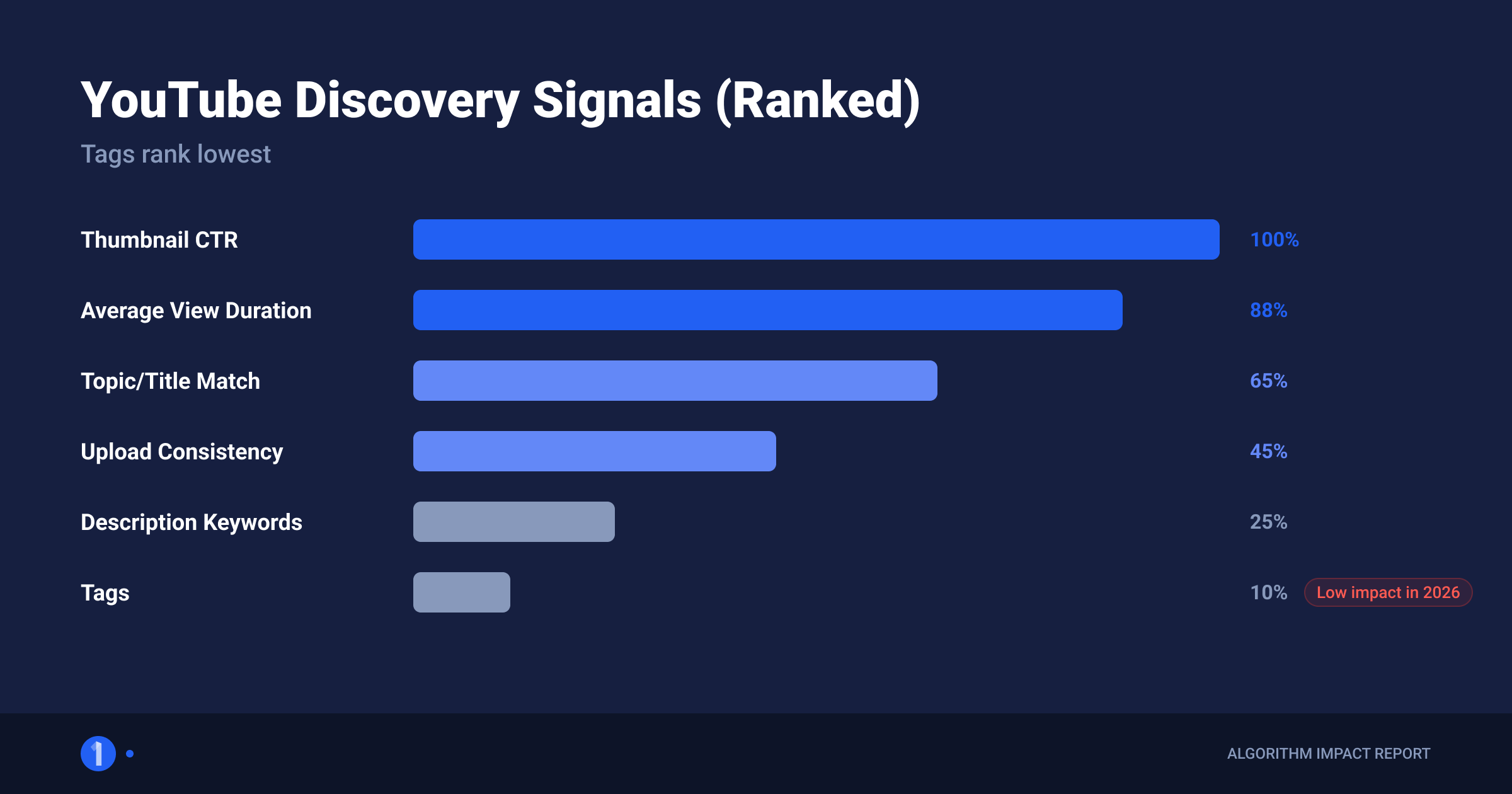
YouTube's recommendation system runs on viewer behavior, not metadata matching. The signals that decide whether your video gets pushed:
- Click-through rate. Your thumbnail and title either earn the click or they do not.
- Retention. How long people watch once they click.
- Satisfaction signals. Likes, shares, "not interested" clicks, post-watch surveys.
- Viewer history fit. Whether your video matches what a viewer already watches.
None of those four read your tags. This is why channels obsessing over tags stay small while channels obsessing over packaging grow. Across 1of10's outlier database, videos that outperform their channel 10x to 100x share one visible trait: exceptional title and thumbnail packaging.
Treat tags as a 2-minute hygiene task. Treat packaging as the job.
How to Get YouTube Tags for Your Videos
The fastest way to get YouTube tags is a free generator. Paste your video title or topic into the 1of10 YouTube tag generator, and it returns a ready-to-paste tag list in seconds. No signup, no credit card, no export hoops. Copy the list, trim anything irrelevant, paste it into Studio.
Here is the full 4-step workflow:
- Open the free tag generator. Go to the YouTube tag generator on 1of10.com.
- Enter your title or topic. Use your actual working title. The closer the input matches your video, the more relevant the output.
- Generate and prune. Delete any tag that does not honestly describe your video. Irrelevant tags are the one way tags can hurt you.
- Copy and paste into Studio. The field accepts comma-separated tags. Done.
Why use a generator instead of writing tags by hand? Speed and coverage. A generator surfaces phrasing variations you would not think of, including the misspellings and synonyms that are the one legitimate job tags still perform. You get 60 seconds of work instead of 10 minutes of staring at a blank field.
If you also want keyword ideas for your title and description, where words actually carry weight, run the same topic through the YouTube keyword generator and the YouTube description generator. Those two fields are read by both viewers and the search system. Tags are not.
How to Add Tags to a YouTube Video
Adding tags takes under a minute once you know where the field hides. YouTube tucks it behind Show more on the details screen, which is a fair signal of how much the platform cares about it.
On desktop (existing video)
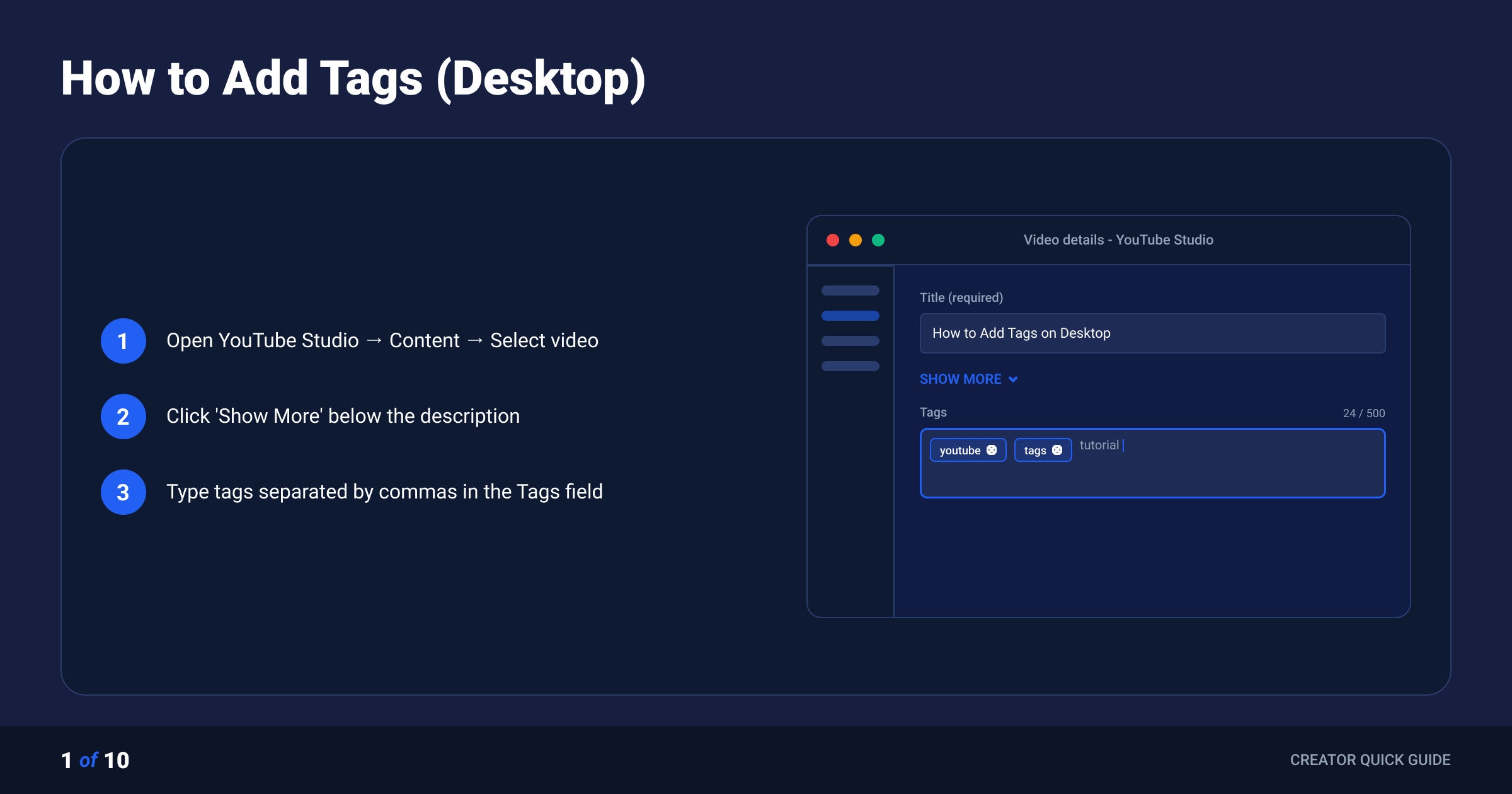
- Go to studio.youtube.com and sign in.
- Click Content in the left menu.
- Click the pencil (Details) icon on the video you want to edit.
- Click Show more below the description box.
- Scroll to the Tags field.
- Type or paste your tags, separated by commas. Watch the 500-character counter.
- Click Save in the top right.
On desktop (during upload)
- Upload your video as normal.
- On the Details step, scroll down and click Show more.
- Find the Tags field and add your list.
- Continue through Video elements, Checks, and Visibility as usual.
On mobile
- Open the YouTube Studio app.
- Tap Content, then tap the video.
- Tap the pencil icon to edit.
- Scroll to the Tags field, add your tags, and tap Save.
If the Studio app version on your device hides the field, open studio.youtube.com in your mobile browser, request the desktop site, and follow the desktop steps. It works the same.
The 4-Part Tag Formula
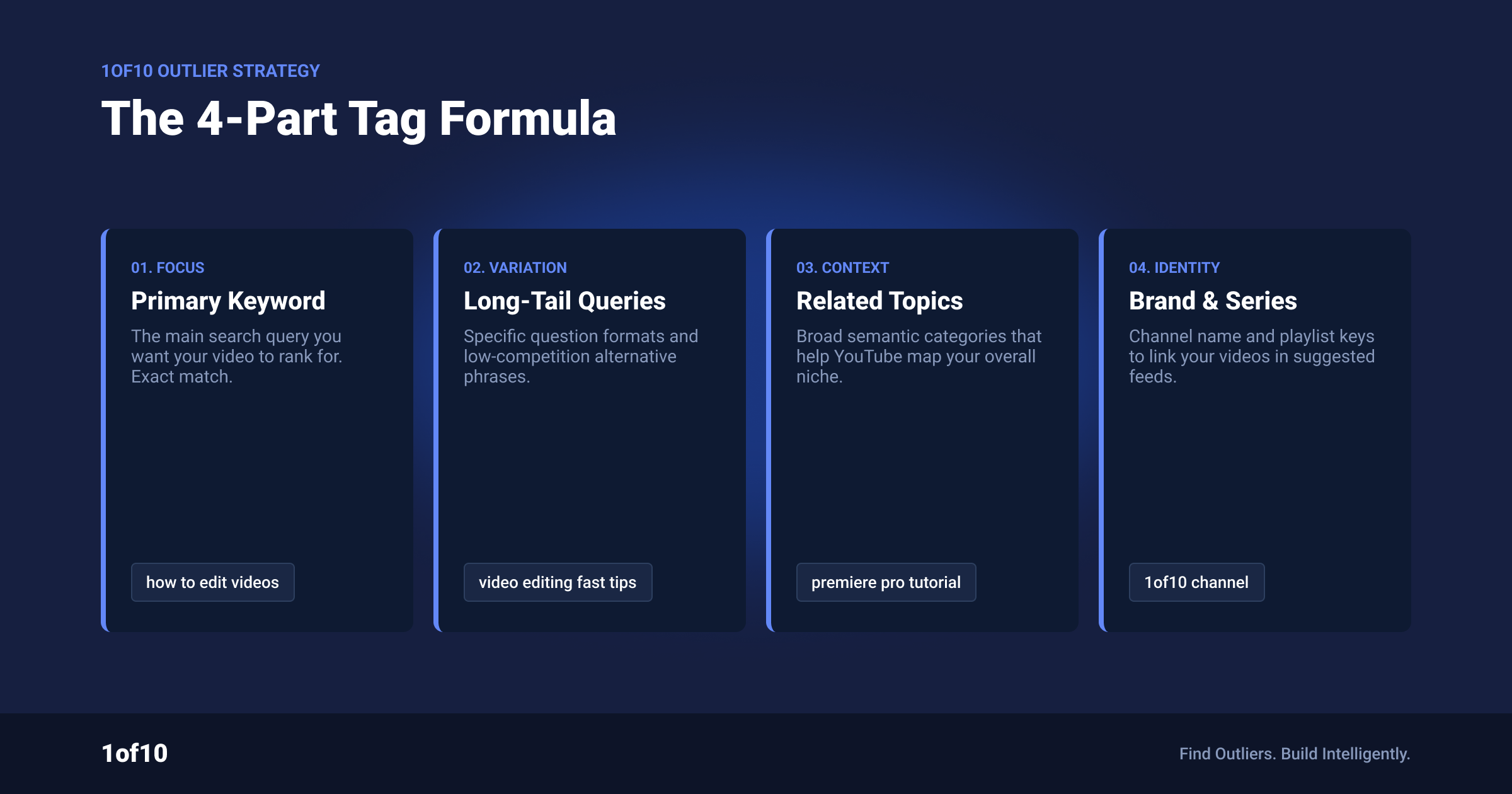
Good tags for YouTube follow one rule: every tag must honestly describe the video. Within that rule, this 4-part structure covers everything worth covering in 10 to 15 tags.
1. Exact target phrase (1 to 2 tags). The main search phrase your video answers. For a video titled "How to Make Sourdough Bread at Home," that is how to make sourdough bread.
2. Close variations (4 to 6 tags). Different phrasings of the same intent: sourdough bread recipe, sourdough for beginners, homemade sourdough, easy sourdough bread.
3. Misspellings (1 to 3 tags). The one job YouTube confirms tags perform: sour dough bread, sourdough starter reciepe. Only add misspellings people actually make. If your topic is hard to misspell, skip this part.
4. Broad category (2 to 3 tags). The niche the video sits in: baking, bread recipe, cooking. One or two is enough. A pile of broad tags does nothing.
Add your channel name as a final tag if you like. It costs nothing and keeps your uploads loosely associated.
The full example set, 11 tags, well under 500 characters:
how to make sourdough bread, sourdough bread recipe, sourdough for beginners, homemade sourdough, easy sourdough bread, sourdough starter, sour dough bread, sour dough recipe, baking, bread recipe, [channel name]
That is a complete, policy-safe tag set. Anything beyond this structure is decoration.
Popular YouTube Tags by Niche
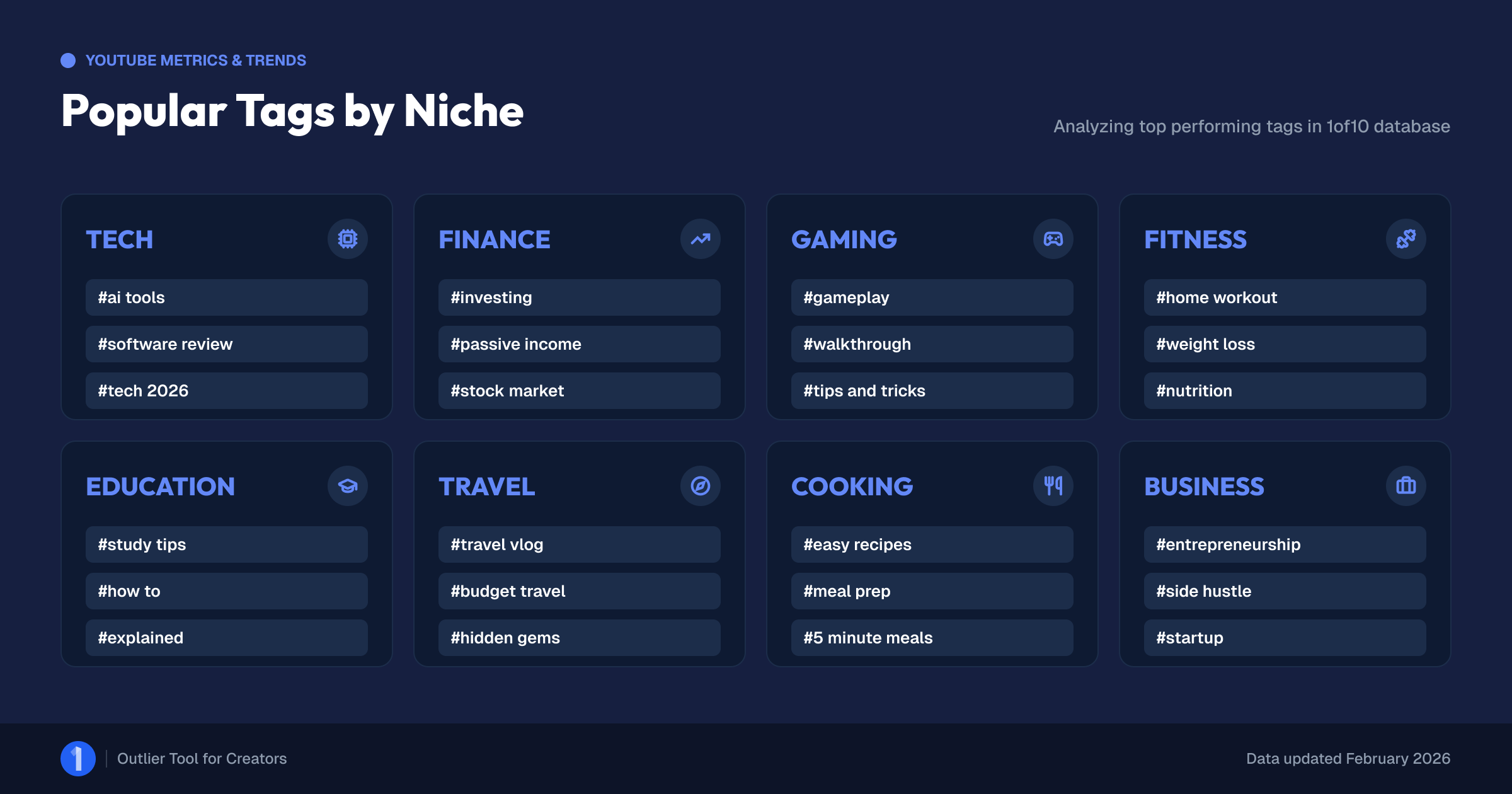
Searches for popular YouTube tags usually want a copy-paste list. Here is the honest version: a popular tags list only helps as a starting vocabulary. Broad tags like "gaming" sit on tens of millions of videos and differentiate nothing. Use these as your category layer (part 4 of the formula), then build parts 1 to 3 around your specific video.
| Niche | Common category tags |
|---|---|
| Gaming | gaming, gameplay, walkthrough, lets play, no commentary, [game name] |
| Fitness | workout, home workout, fitness, gym, no equipment, weight loss |
| Cooking | recipe, easy recipe, cooking, meal prep, how to make [dish] |
| Tech | review, unboxing, comparison, budget tech, [product name] |
| Finance | investing, personal finance, budgeting, side hustle, passive income |
| Beauty | makeup tutorial, grwm, skincare, makeup for beginners |
| Education | explained, tutorial, how to, study tips, [topic] for beginners |
| Vlog and travel | vlog, travel vlog, day in the life, [city or country] |
A YouTube tags list you can adapt
For any video in any niche, this skeleton works. Replace the brackets and delete what does not apply:
[exact title phrase], [title phrase variation 1], [title phrase variation 2], [topic] for beginners, how to [topic], [common misspelling], [niche category tag], [sub-niche tag], [channel name]
Nine slots, 2 minutes, done. If you want the slots filled for you, the tag generator does exactly this from your title.
5 Tag Mistakes That Actually Hurt
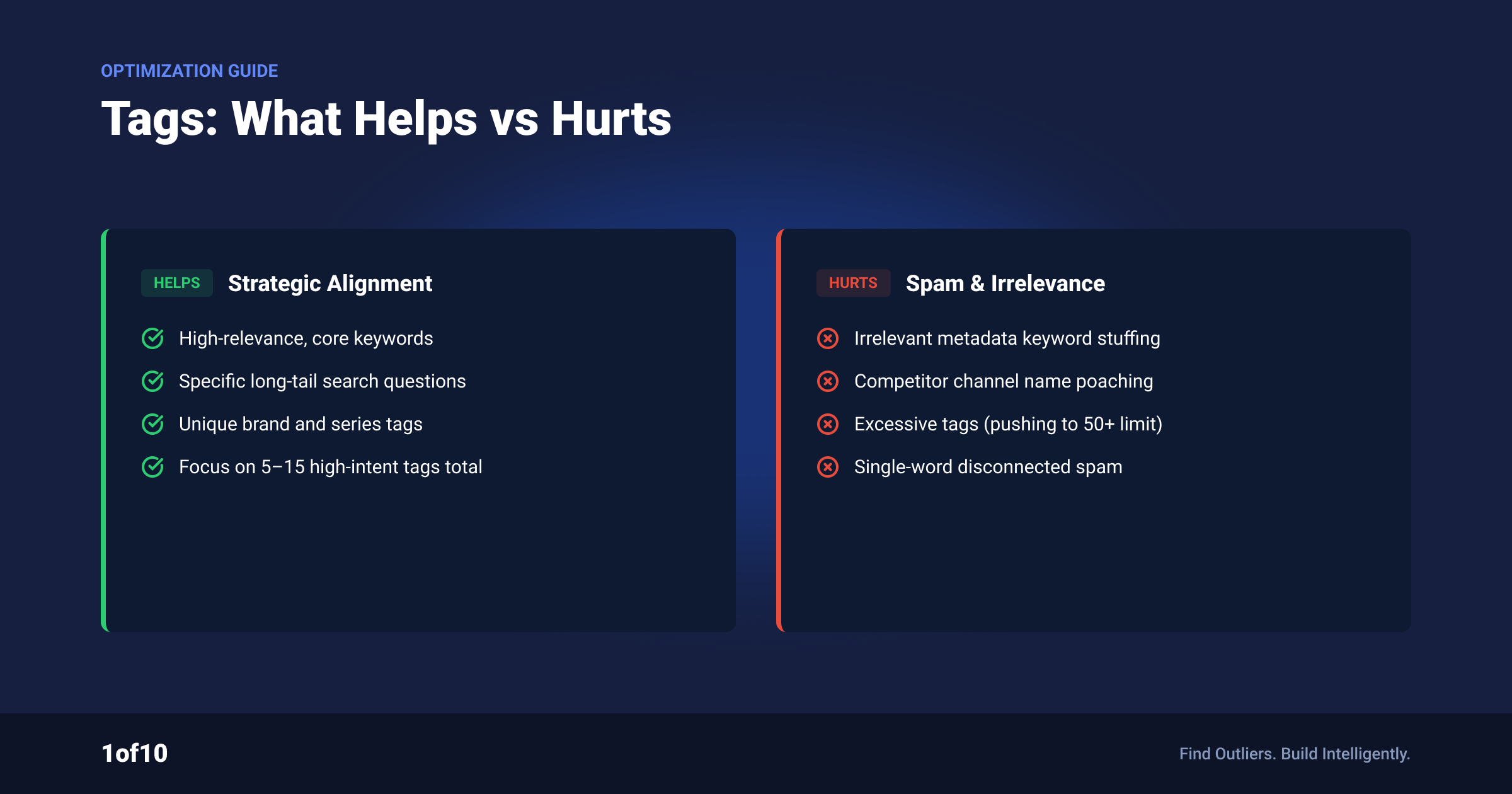
Tags mostly do nothing. These 5 uses of them do worse than nothing.
1. Tag stuffing your description. Pasting a wall of keywords into your video description is the one tag behavior YouTube explicitly names as a violation. The Help Center warns that adding excessive tags to your video description breaks the policies on spam, deceptive practices, and scams. Tags go in the tags field. Never the description.
2. Riding irrelevant trending tags. Tagging your cooking video with "MrBeast" or a trending game does not borrow that audience. It signals misleading metadata, which falls under the same spam policy. Worst case it draws a strike. Best case it confuses the small context signal tags provide.
3. Copying a competitor's full tag set. Pulling every tag off a big video and pasting it under yours transfers none of that video's performance. Discovery runs on viewer behavior, not tag matching. Tag research has a legitimate use, reading what topics and phrasing a niche uses, and we cover that properly in the YouTube tag extractor guide. Wholesale copying is not it.
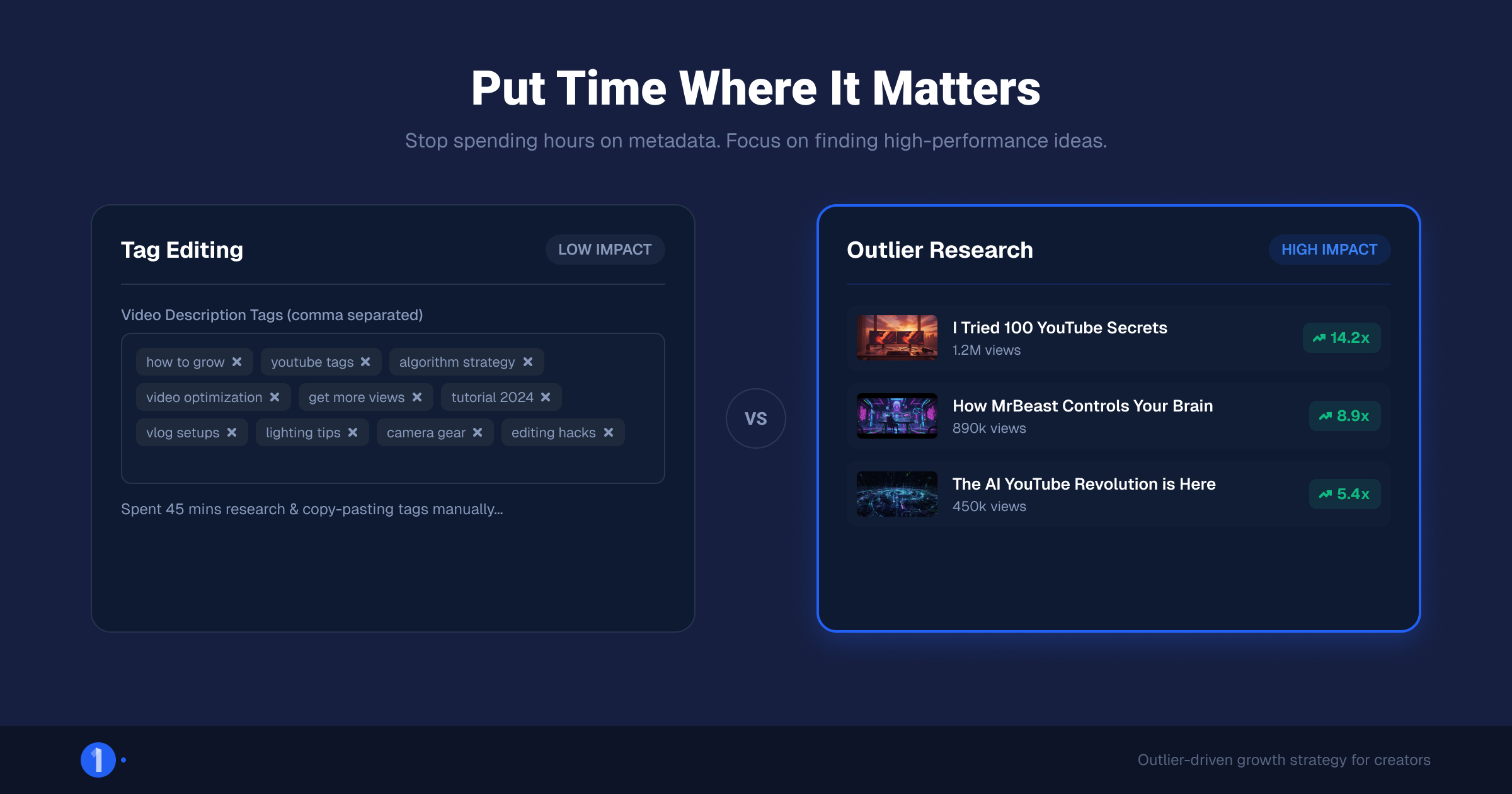
4. Spending 30 minutes on tags and 3 minutes on the thumbnail. This is the quiet killer. Every minute spent tuning a field that plays a minimal role is a minute not spent on the packaging that decides your click-through rate. If your time budget forces a choice, the thumbnail wins every time.
5. Maxing out the 500 characters on principle. A full field is not a strong field. Past 15 relevant tags you are adding noise, and noise dilutes the two or three tags doing real work. Stop when the formula is covered.
Put the Saved Time Where Discovery Actually Happens
The math on tags is settled: 2 minutes, done, minimal role. The plain truth of YouTube in 2026 is that packaging and retention decide reach. So reinvest the time.
Start with research. The Outlier Finder surfaces videos performing 10x to 100x above their channel's average, which shows you exactly which titles, thumbnails, and formats are breaking out in your niche right now. That is the signal tags never carried.
Then build packaging against that signal. The AI thumbnail generator is trained on high-performing thumbnails and turns a title, sketch, or reference image into test-ready options. Between an outlier-informed concept and a strong thumbnail, you have covered the two inputs YouTube itself says matter most.
Tags done right, packaging done better. That is the whole game.
FAQ
How many tags should you use on YouTube?
10 to 15 tags is plenty. The tags field caps at 500 characters, but filling it adds nothing. Cover your exact target phrase, 4 to 6 variations, any common misspellings, and 2 to 3 broad category tags. Every tag must honestly describe the video. Past that point, extra tags are noise.
Do YouTube tags help you get more views?
Not meaningfully. YouTube's own Help Center states that tags play a minimal role in discovery and mainly help with commonly misspelled searches. Views come from click-through rate, retention, and viewer satisfaction. Your title and thumbnail influence those. Tags do not. Fill the field in 2 minutes and move on.
What are good tags for YouTube?
Good tags describe your specific video honestly. Use the 4-part formula: your exact target phrase, 4 to 6 close variations, common misspellings of your topic, and 2 to 3 broad category tags. A free tool like the 1of10 tag generator builds this list from your title in about 60 seconds.
How do you see the tags on another YouTube video?
Tags are hidden from viewers but stored in every watch page's source code. You can read them with a tag extractor tool or by searching for "keywords" in the page source. Our YouTube tag extractor guide walks through both methods step by step and explains what to do with what you find.
What is the difference between tags and hashtags on YouTube?
Tags are hidden keywords in a Studio field that viewers never see. Hashtags start with #, go in your description, and appear as clickable links above your title, with the first 3 shown. Hashtags are visible navigation; tags are background metadata. They are set in different places and serve different jobs.
Ready to stop guessing? Generate a clean tag set in 60 seconds with the free YouTube tag generator, then spend the time you saved finding your next outlier idea with 1of10.