
How to Use AI to Grow Your YouTube Channel Faster (2026)
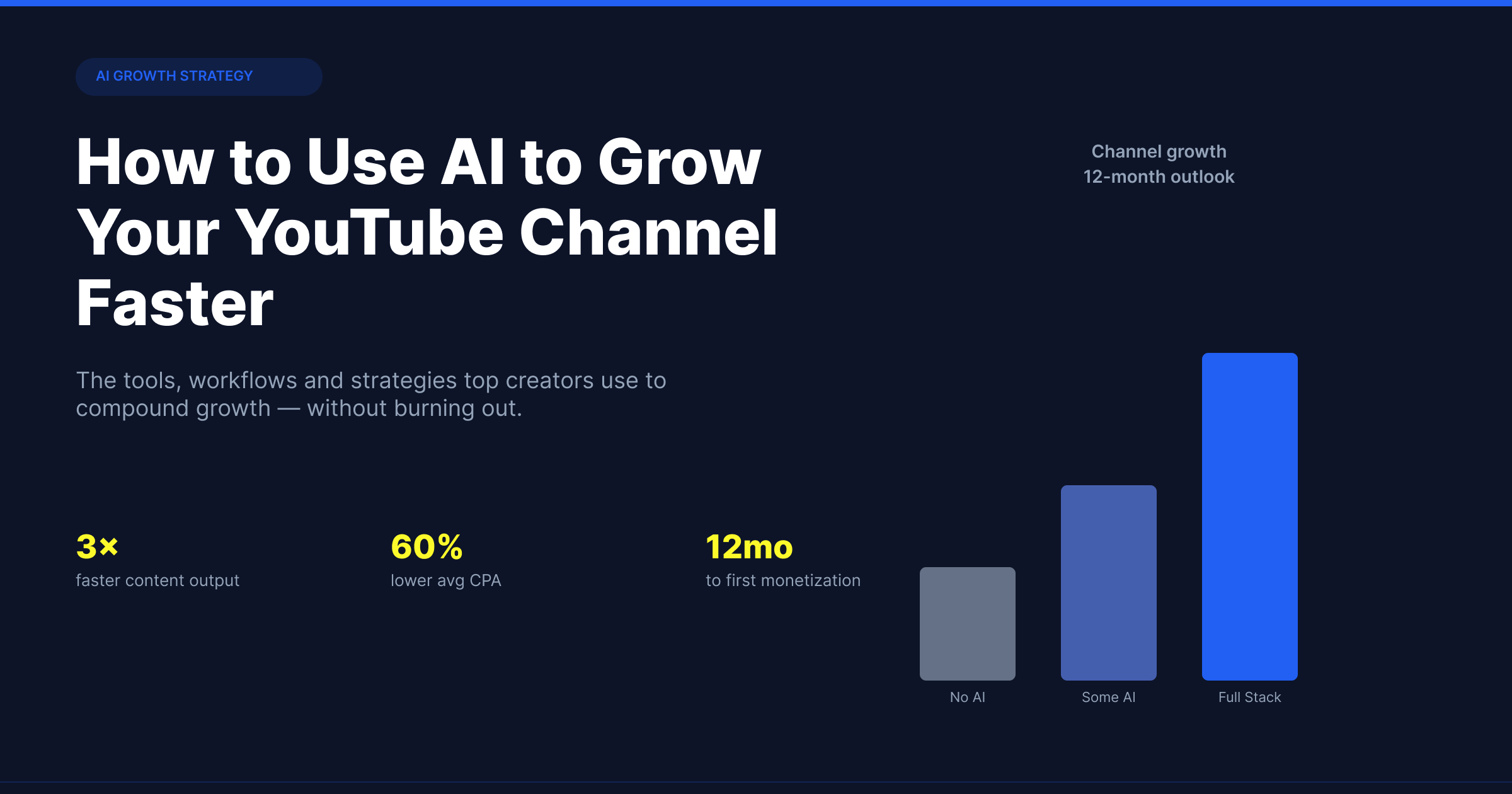
Most creators who try AI for YouTube end up using it for the wrong things.
They generate thumbnails that look like stock photos. They ask ChatGPT for video ideas and get generic suggestions that have nothing to do with what is actually performing in their niche. They run their scripts through AI and end up sounding like everyone else who ran their scripts through AI.
Then they conclude AI does not work for YouTube.
The problem is not AI. The problem is using AI at the wrong stage of the process. This guide covers where AI actually moves the needle for YouTube growth in 2026, where it wastes your time, and the specific workflow that consistently produces results.
The Real Bottleneck for Most YouTube Channels
Before talking about AI, you need to understand what actually limits channel growth.
It is not production quality. Most modern smartphones produce video quality that is perfectly adequate for any YouTube niche. It is not consistency, although that matters. It is not even how well you edit.
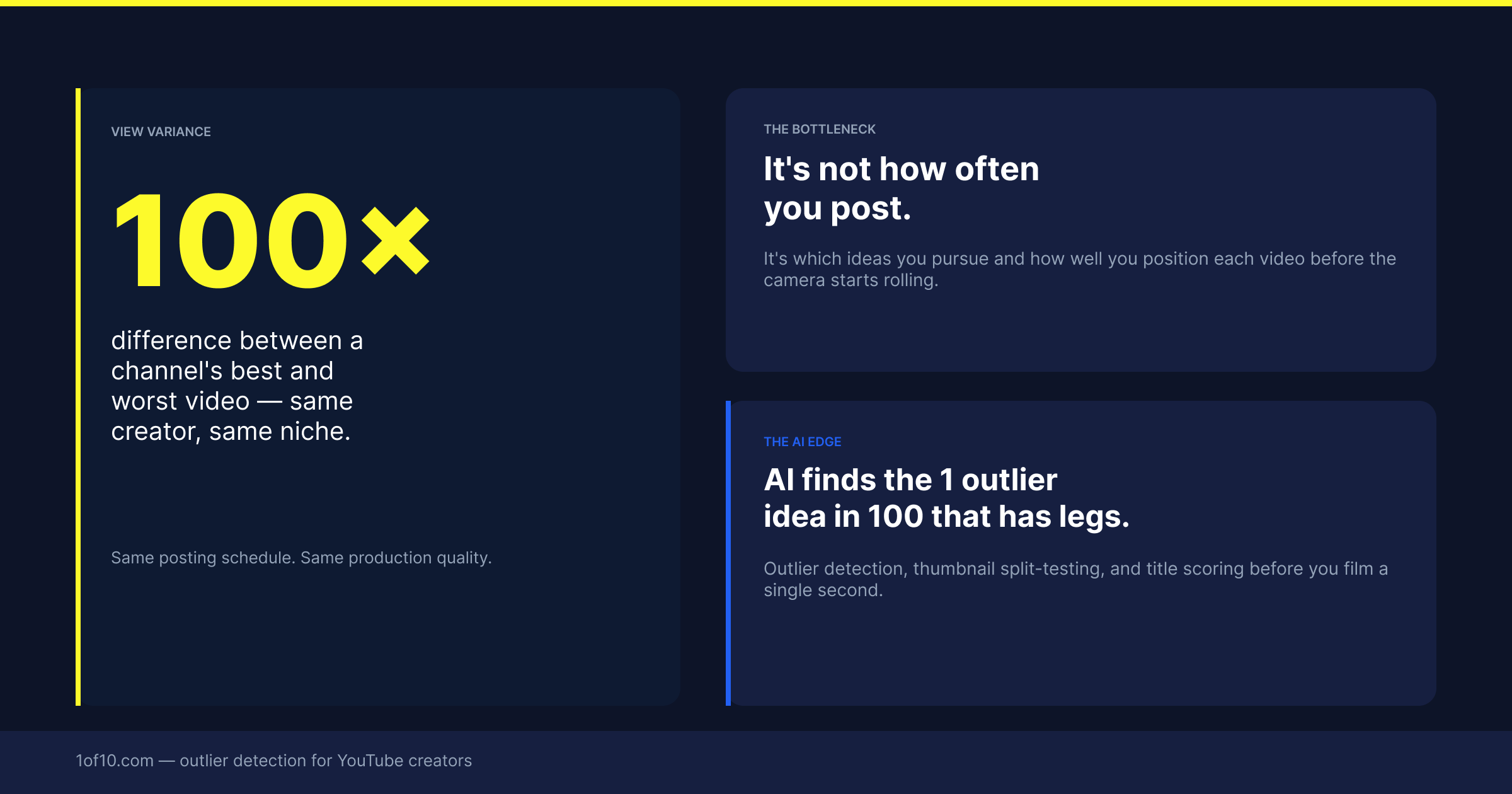
The biggest bottleneck for most channels is picking the wrong topics.
A well-produced, consistently uploaded, well-edited video on the wrong topic might get 300 views. The same production quality on a topic the algorithm is already pushing gets 30,000. The difference is not the video. It is the topic selection decision made before filming started.
This is where AI has the highest leverage. Not in production. Not in editing. In the research and decision-making layer that happens before the camera turns on.
The 5 Places AI Changes YouTube Growth in 2026
1. Outlier Video Detection: Finding What to Make Before You Film
The most powerful AI application for YouTube growth is one most creators have never tried.
Every channel in your niche has a library of videos with varying performance. A few of those videos outperform the creator's baseline by a significant margin. Those are outlier videos, and they are the clearest available signal of what the YouTube algorithm is currently favouring in your niche.
Finding these manually means visiting competitor channels, sorting by view count, comparing performance across videos, and doing this across ten or fifteen channels per week. That is three to four hours of research every single week.
AI tools built for this purpose scan your entire niche automatically, identify which videos are outperforming their channel's baseline, and surface the topic patterns behind those outliers. You see which topics the algorithm is pushing in your specific niche right now, not six weeks from now when they have become a trend everyone is copying.
**1of10** is built specifically for this. It finds the outlier videos in your niche and tells you which topics are getting disproportionate algorithmic attention. That information directly determines what you should film next. Free to try, no card needed.
2. AI Thumbnails: The Fastest Way to Improve CTR Without Changing Your Content
Click-through rate is YouTube's most important growth signal after viewer satisfaction. When your CTR goes up, the algorithm shows your videos to more people.
Your thumbnail is responsible for a significant portion of that CTR decision. Viewers scrolling through their feed spend less than a second on each thumbnail before deciding to click or keep scrolling.
The AI YouTube thumbnail generator in 2026 has moved well past generic templates. The useful ones analyse what is already getting clicks in your specific niche and generate options based on those patterns rather than what looks nice in a vacuum.
Adding AI thumbnail generation to your workflow does not add time. It saves it. For a deeper look at what separates high-performing thumbnails from the rest, the psychology behind high CTR thumbnails covers the mechanics in detail. The companion piece on YouTube thumbnail fonts for higher CTR covers what to actually put on the thumbnail.
3. AI Title Optimisation: The 30-Character Decision That Determines Reach
Your title works alongside your thumbnail. Together they are the complete pitch to a viewer in under two seconds.
The AI YouTube title generator in 2026 can generate multiple angle variations on any video concept. The useful thing is not that it writes the title for you. It is that it forces you to see ten versions of the same pitch and choose the strongest one rather than going with the first thing that came to mind.
The most common title mistake is being too accurate. A title that describes exactly what is in the video tells the viewer everything they need to know without giving them a reason to click. The best titles create a tension between what they reveal and what they leave open.
The quick test: read your title out loud. If it answers the question in full, the viewer has no reason to click. If it raises a question, they do.
4. AI Scripting: Consistency Without Creative Burnout
This one requires honesty: AI scripting is not a replacement for a creator's voice.
What AI scripting genuinely helps with is structure and consistency. Getting from a blank page to a rough outline used to take 30–60 minutes per video. AI can do a usable first-pass outline in under two minutes. You then edit it, inject your own perspective, rewrite the sections that sound generic, and you have a script framework that is 60–70% complete rather than 0%.
For creators publishing two to three videos per week, that difference in ramp-up time is what makes the schedule sustainable.
Where AI scripting fails: introductions, conclusions, any section requiring original insight or opinion, anything topically current that happened after the model's training cutoff.
5. AI Analytics Interpretation: What Your Numbers Actually Mean
YouTube Studio gives you a large amount of data and almost no guidance on what to do about it.
AI tools that layer interpretation on top of raw analytics can surface the patterns that matter. Which of your recent videos underperformed relative to your own baseline? Which topics in your upload history consistently outperform? Understanding how to leverage YouTube analytics to boost views and grow your channel is one of the highest-leverage skills a creator can develop.
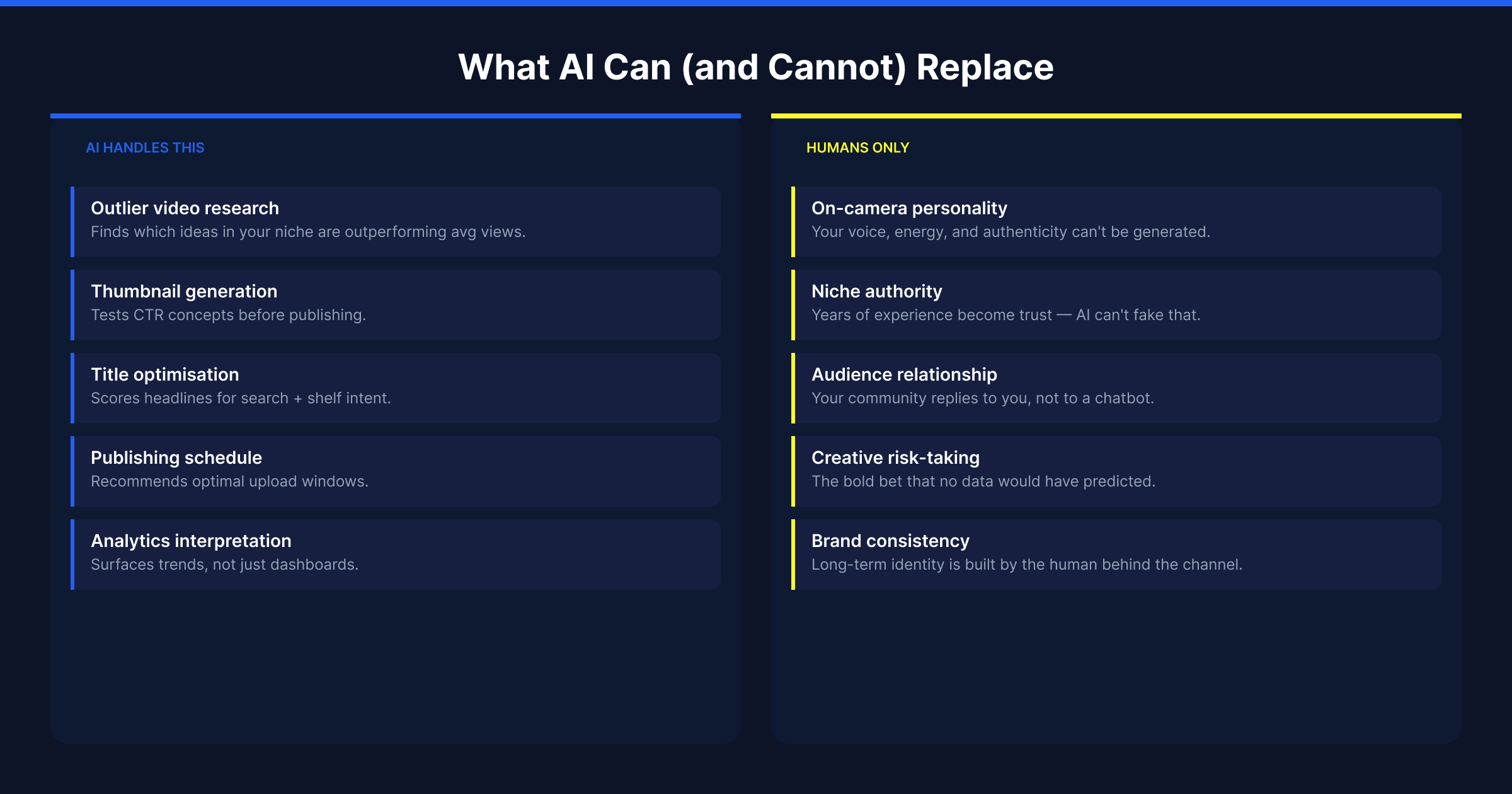
What AI Still Cannot Replace
Original perspective. No AI model can replicate what you actually think about a topic. The commentary, the take, the angle that makes viewers subscribe rather than just watch once is entirely human.
Community trust. Your audience's relationship is with you, not with the channel. The AI-automated channels that are struggling in 2026 are the ones that built views but no relationship.
Editorial judgment. AI can generate ten title options. Only you know which one fits your specific audience's sensibility.
Real-time context. Anything that happened in the last few weeks is outside most AI models' training data.
The AI-Assisted YouTube Workflow in Practice
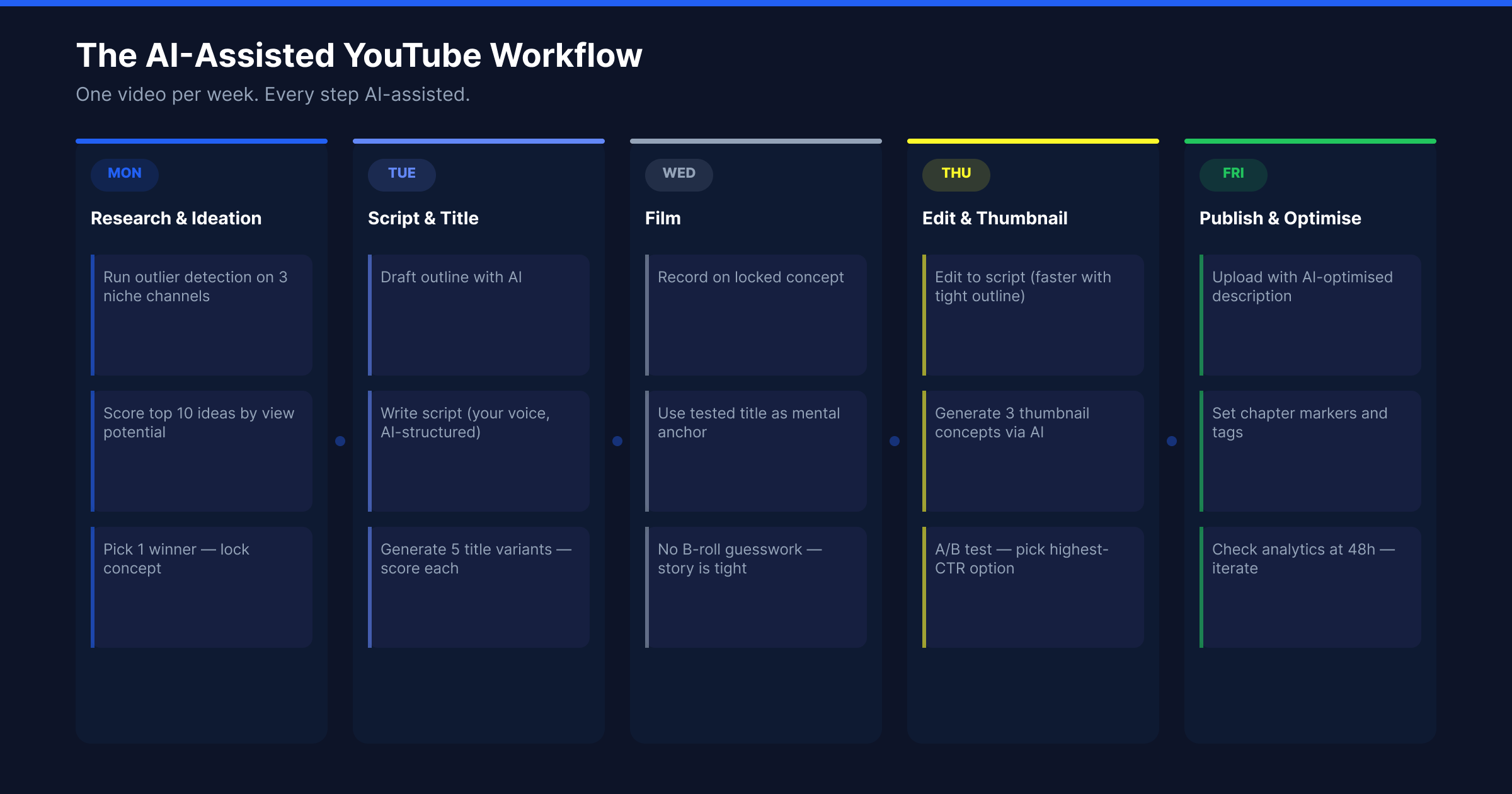
Here is what an AI-assisted weekly YouTube workflow actually looks like for a creator publishing twice a week.
Monday: Topic research (20 minutes) Use an outlier detection tool to scan your niche. Identify two to three topics with strong outlier signals across multiple channels. Choose one for this week's video based on which angle you can bring a unique perspective to.
Tuesday: Title and thumbnail research (15 minutes) Generate five to eight title variations for your chosen topic using an AI title tool. Identify the strongest two. Research what thumbnails are already performing well on similar videos in your niche. Use similar thumbnails to see exactly which visual formats are driving clicks on comparable content.
Wednesday: Outline and script (45 minutes vs 90 minutes without AI) Use AI to generate a rough outline for your topic. Edit it to reflect your actual take. Fill in the sections that require your direct knowledge or opinion.
Thursday–Friday: Film, edit, upload Same as before, except you are filming a topic you have validated with data rather than guessing.
Total additional time spent on AI tools per video: approximately 35 minutes. Time saved in research, ideation, and script ramp-up: approximately 2–3 hours per video.
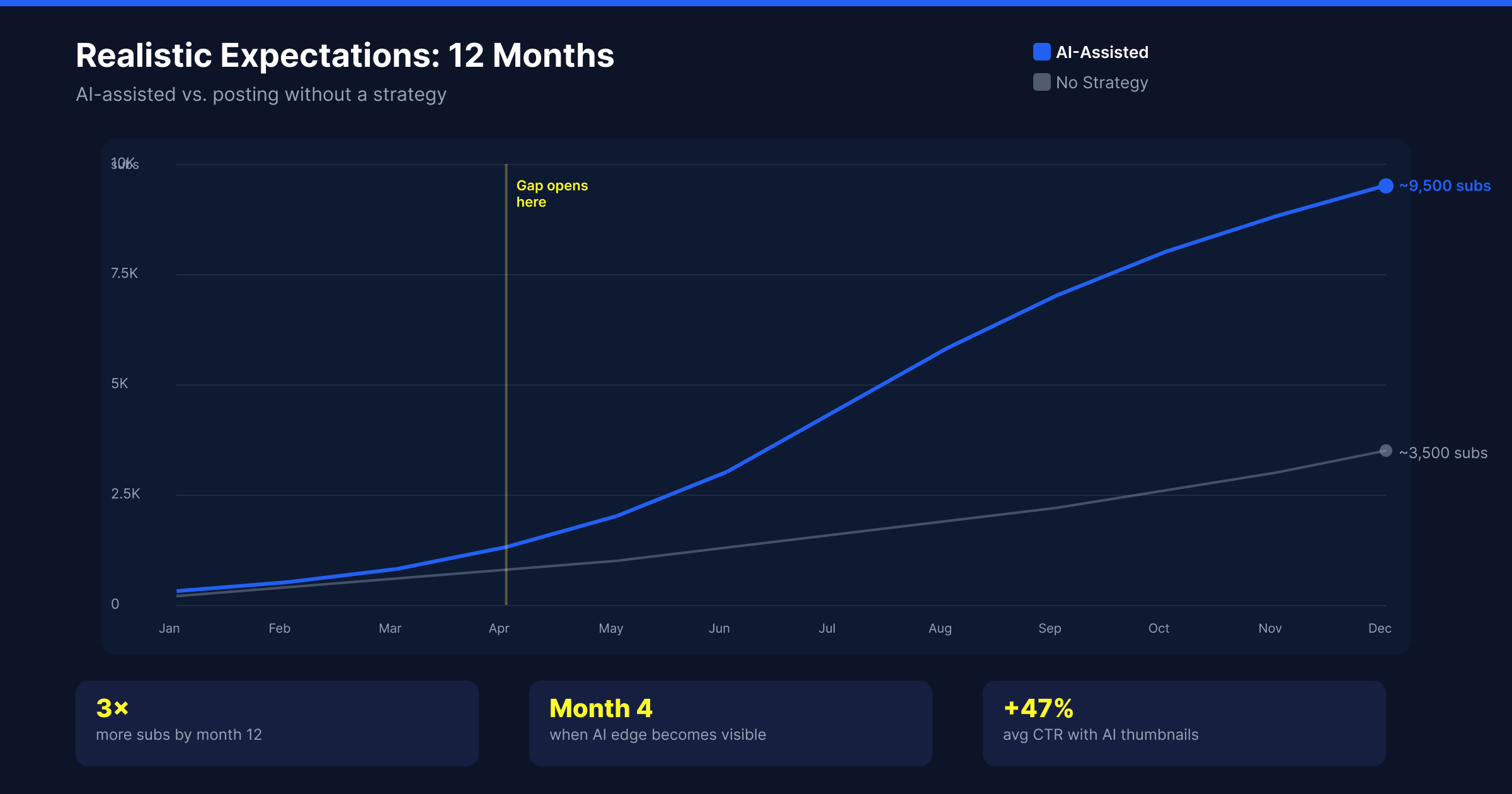
Realistic Expectations: AI-Assisted vs Manual Channels Over 12 Months
AI does not make a bad channel good. It makes a good creator more efficient and better informed.
Months 1–3: Topic selection improves because you are working from outlier data rather than instinct. CTR improves because your thumbnails are based on what is already working. The effect is modest at first.
Months 4–6: The compounding begins. Topics you picked based on outlier data early on are now ranking. Your CTR improvements are feeding more algorithmic distribution.
Months 7–12: The gap between AI-assisted and manual creators becomes material. The AI-assisted creator has 6 months of better topic selection, better CTR, and more time per week to focus on the content itself rather than the research process.
The creators growing fastest on YouTube right now are not AI-dependent. They are AI-informed. The research layer runs on data. The creative layer runs on them.
The Tools That Actually Help (By Stage)
Topic research and outlier detection: 1of10 — finds outlier videos in your niche, combines with AI thumbnail and title generation in one place. Free trial.
Scripting assistance: Claude or ChatGPT for outlines and structure. Use them as a starting point, not a finished product.
Voiceover (for faceless channels): ElevenLabs produces the most natural-sounding synthetic voice currently available.
Video editing assistance: Descript for transcript-based editing. CapCut for Shorts-specific workflows.
The One Place to Start
If you take nothing else from this guide, start with topic selection.
Every other AI application in the YouTube workflow is a multiplier on the content you create. Better thumbnails help a video on a good topic. Better titles help a video on a good topic. A video on the wrong topic does not benefit from any of those improvements.
AI-powered outlier detection tells you which topics the algorithm is currently favouring in your niche before you invest any production time. That is the highest-leverage decision in the entire YouTube workflow, and it is now a ten-minute task rather than a multi-hour research session.
Try 1of10 free at 1of10.com — no card required.