
Why Your YouTube Thumbnails Aren’t Working, and How to Fix Them
Let’s Face It: Your Thumbnails Might Be Killing Your Views
You’ve put hours into scripting, filming, editing…
Hit publish, and crickets.
No views. No click-throughs. No momentum.
You’re not alone.
For most creators, the problem isn’t the content, it’s the packaging.
And at the center of that?
Your thumbnail.

Why Thumbnails Matter More Than Ever in 2025
In today’s YouTube ecosystem, your thumbnail and title do 80% of the heavy lifting.
Here’s why:
- Over 500 hours of content are uploaded to YouTube every minute.
- YouTube’s algorithm favors high click-through rates (CTR).
- Suggested videos make up over 70% of views, and thumbnails are the first impression.
Put simply:
If no one clicks, no one watches.
The Top 9 Reasons Your Thumbnails Aren’t Working
Let’s break down the most common reasons your thumbnails are underperforming, and how to fix each one with actionable advice.

❌ 1. They’re Too Busy or Cluttered
Problem:
Too much text. Too many colors. Too many elements.
It overwhelms the eye and turns people off.
Fix:
✅ Stick to 1–2 focal points
✅ Use whitespace strategically
✅ Reduce text to 3–5 impactful words
✅ Make sure it still looks good at a small size (on mobile!)
Pro Tip: Open your thumbnail on your phone and squint. Can you still tell what it’s about?
❌ 2. The Text Is Too Small or Hard to Read
Problem:
Tiny font. Thin strokes. Low contrast.
Your message gets lost. especially on mobile.
Fix:
✅ Use bold, sans-serif fonts
✅ Keep text LARGE and readable
✅ Add stroke or drop shadows for clarity
✅ Make text color contrast with the background
Hot Tip: Avoid putting text over faces or chaotic backgrounds.

❌ 3. You’re Using the Wrong Colors
Problem:
Your thumbnail blends into the YouTube feed or uses colors that feel dull or off-brand.
Fix:
✅ Use bright, high-contrast colors like yellow, red, or teal
✅ Use complementary colors to create visual tension
✅ Test color palettes that pop in your niche
Bonus: Analyze top-performing videos in your niche, what colors dominate?
❌ 4. No Clear Emotion or Reaction
Problem:
Neutral faces. Boring expressions. No human connection.
Fix:
✅ Use exaggerated facial expressions (shock, joy, confusion)
✅ Use close-ups of faces to build connection
✅ Use emojis, symbols, or visual metaphors to exaggerate the idea
Why it works: Humans click on emotion, not logic.
❌ 5. Misalignment Between Thumbnail and Title
Problem:
Your thumbnail and title tell two different stories, or worse, they spoil the video.
Fix:
✅ Make your thumbnail and title work as a combo
✅ Tease curiosity, don’t give it all away
✅ Use the thumbnail to pose the question the title answers
Formula:
Thumbnail: “I lost everything…”
Title: “How I Rebuilt My Life from Zero”
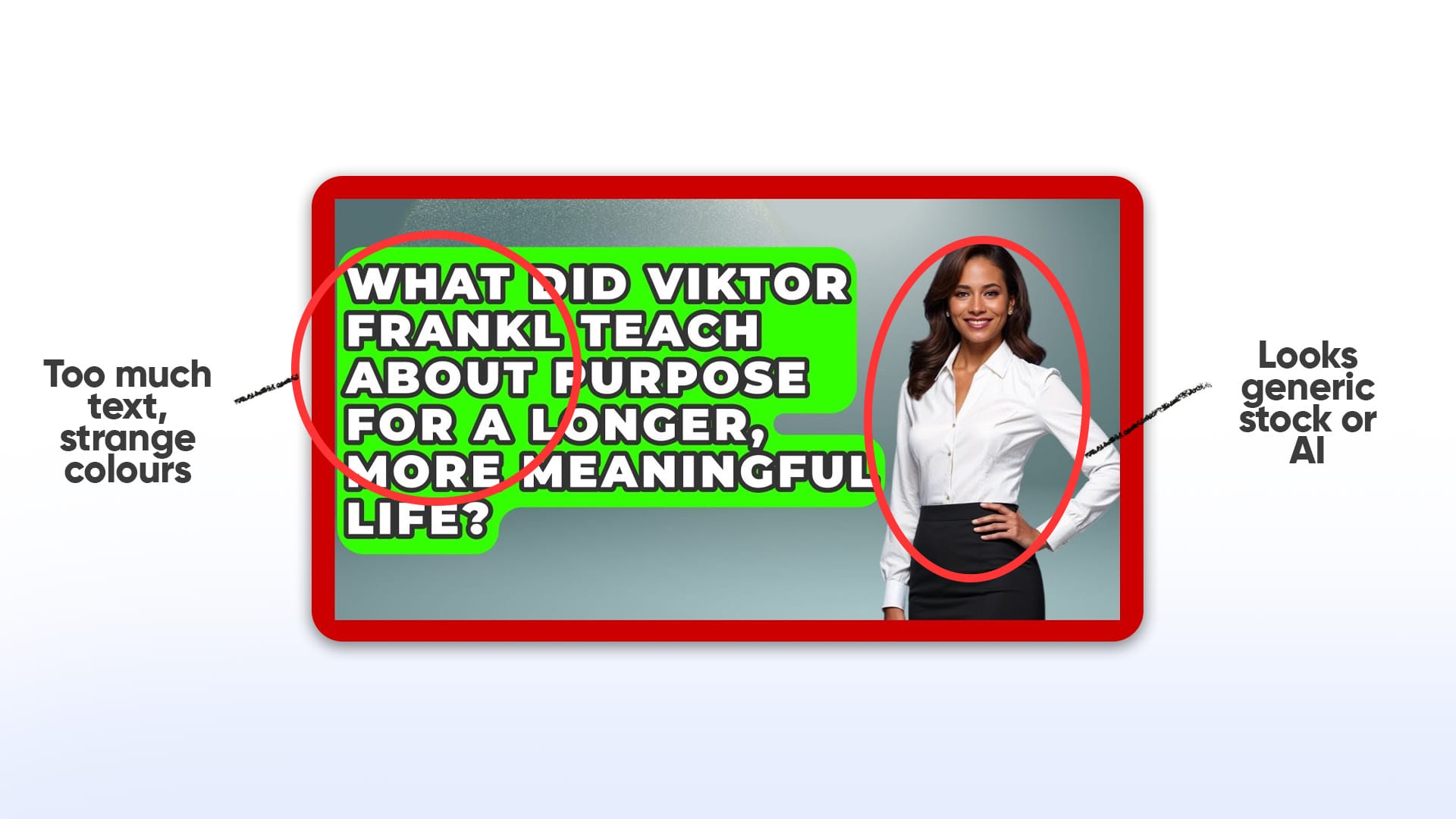
❌ 6. You're Using Generic Stock Images
Problem:
Boring visuals = no emotional hook. Your video looks like everyone else’s.
Fix:
✅ Use original frames from your video
✅ Hire a thumbnail editor
✅ Use tools like 1of10’s AI Thumbnail Generator to create high-CTR visuals from scratch
Stock imagery is obvious. And forgettable.
❌ 7. No Clear Subject or Hook
Problem:
Viewers can’t tell what the video is about, fast.
Fix:
✅ Use one clear subject in the foreground
✅ Use visual storytelling to hint at the video topic
✅ Use simple text + visual icons to communicate in 1 second
Rule: If a viewer can’t “get it” in 1 second, it’s too complex.
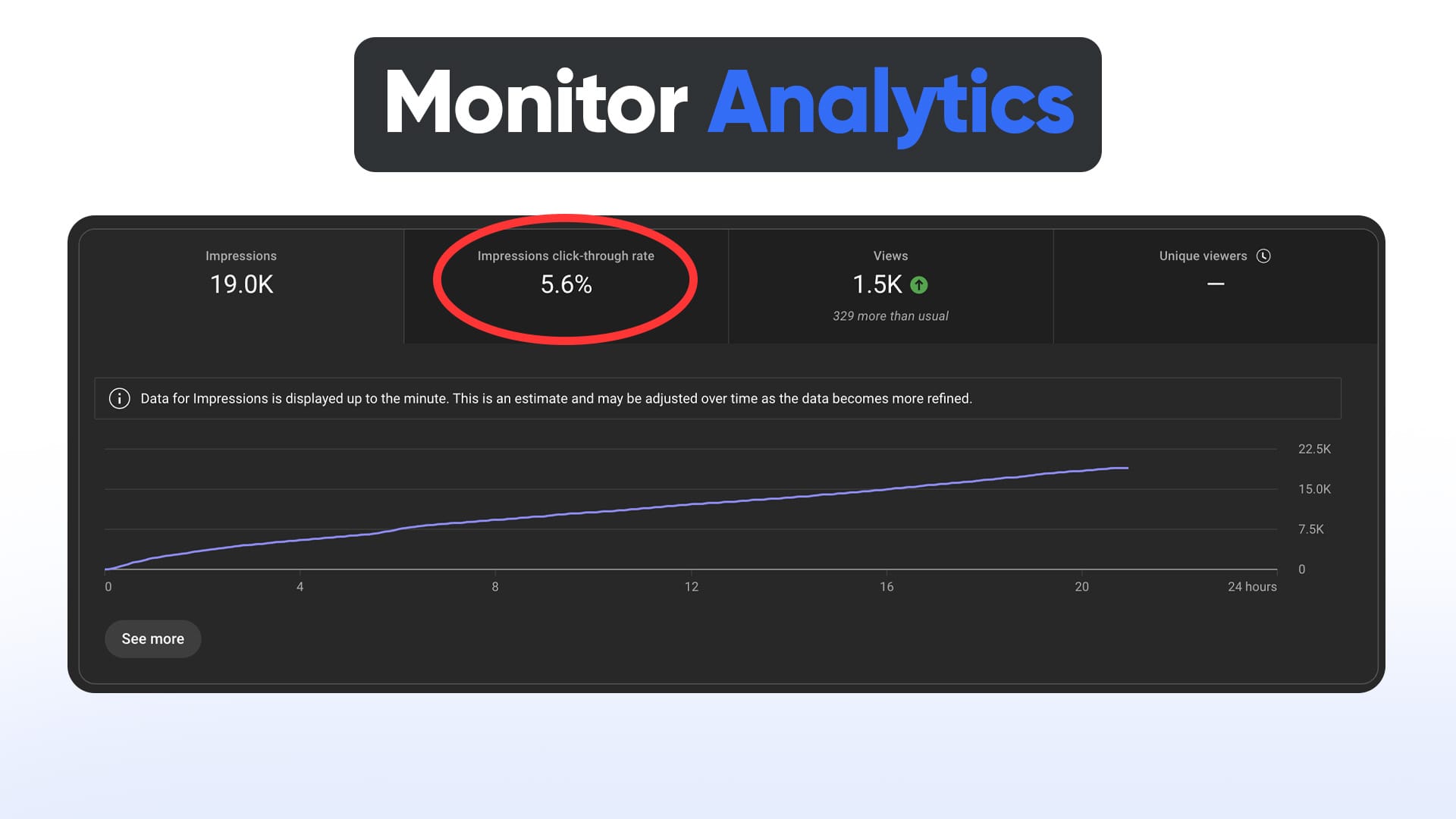
❌ 8. You’re Not Testing or Iterating
Problem:
You upload a thumbnail once… and hope it works.
Fix:
✅ Monitor CTR in YouTube Studio
✅ Change thumbnails on underperforming videos after 48–72 hours
✅ Use tools like 1of10 to compare competitors' packaging and adapt fast
Your first thumbnail is almost never your best.
❌ 9. You’re Copying, Not Innovating
Problem:
You’re copying Mr Beast or big creators without context. What works for them may not work for your audience.
Fix:
✅ Study top performers in your niche
✅ Use them as inspiration, not a template
✅ Test different angles unique to your content type
Use 1of10’s Outlier Scanner to find trends specific to your vertical.
How to Make YouTube Thumbnails That Actually Work
Now that we’ve covered the problems, here’s how to build thumbnails that get more clicks and views:
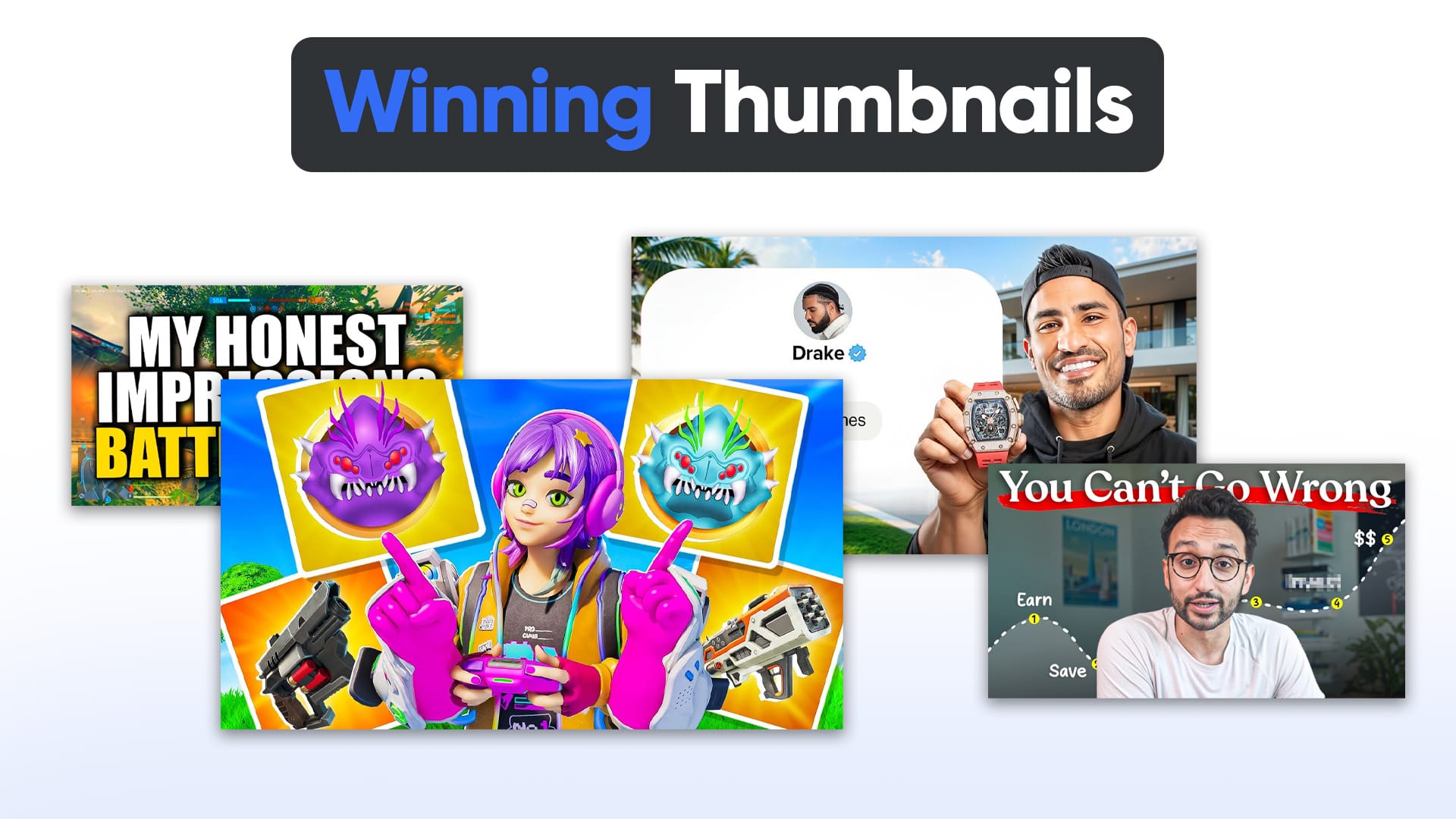
🔥 Step 1: Know Your Hook
Ask yourself:
- What’s the “aha” or twist in this video?
- What would make someone stop scrolling?
Build your thumbnail around that single hook.
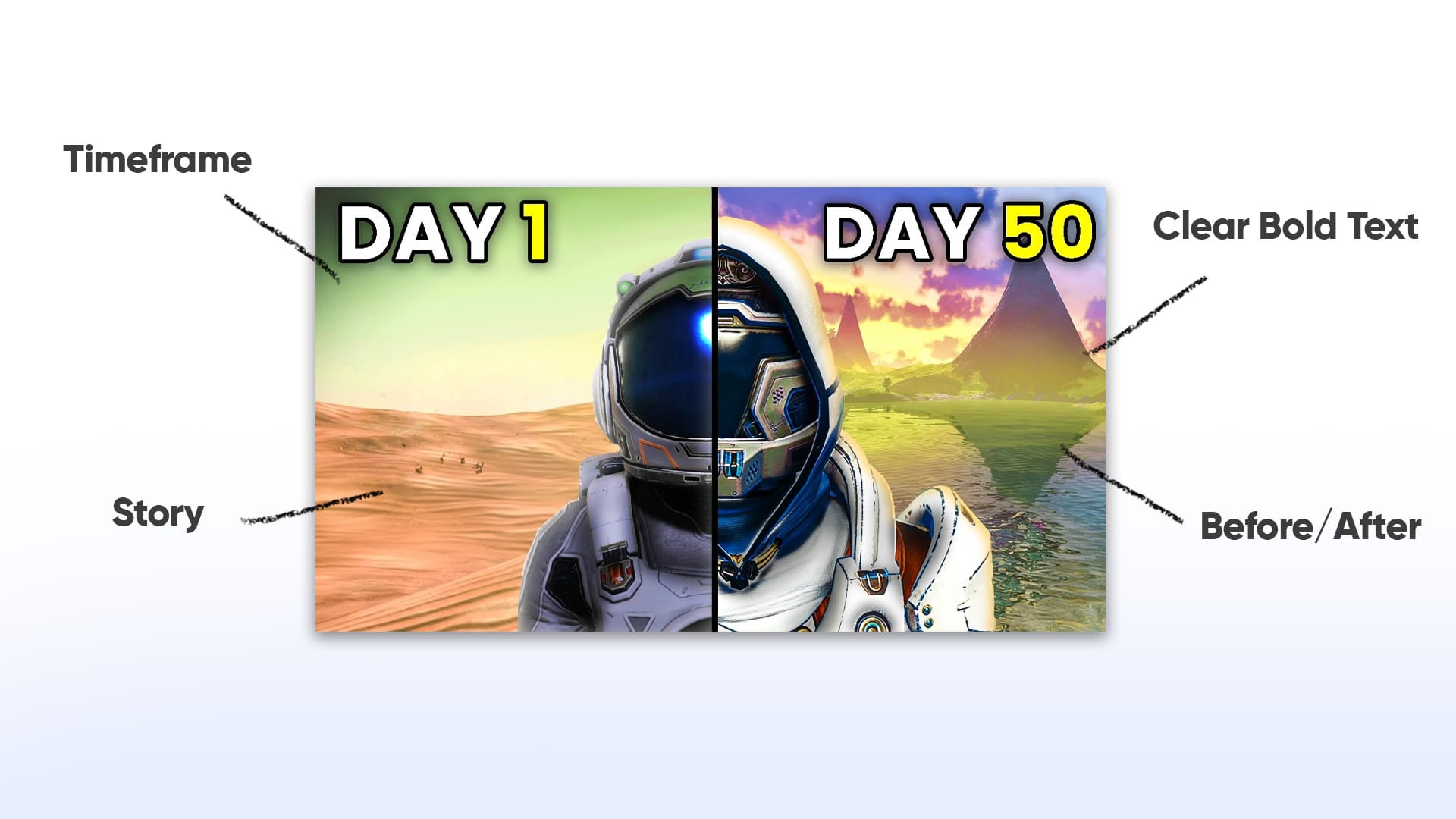
🧠 Step 2: Use Thumbnail Psychology
Good thumbnails:
- Spark curiosity
- Build tension
- Evoke emotion
- Promise transformation or value
Examples:
- Before/after visuals
- Puzzles: "What happened here?"
- Faces with exaggerated reactions
- Arrows and circles to guide the eye
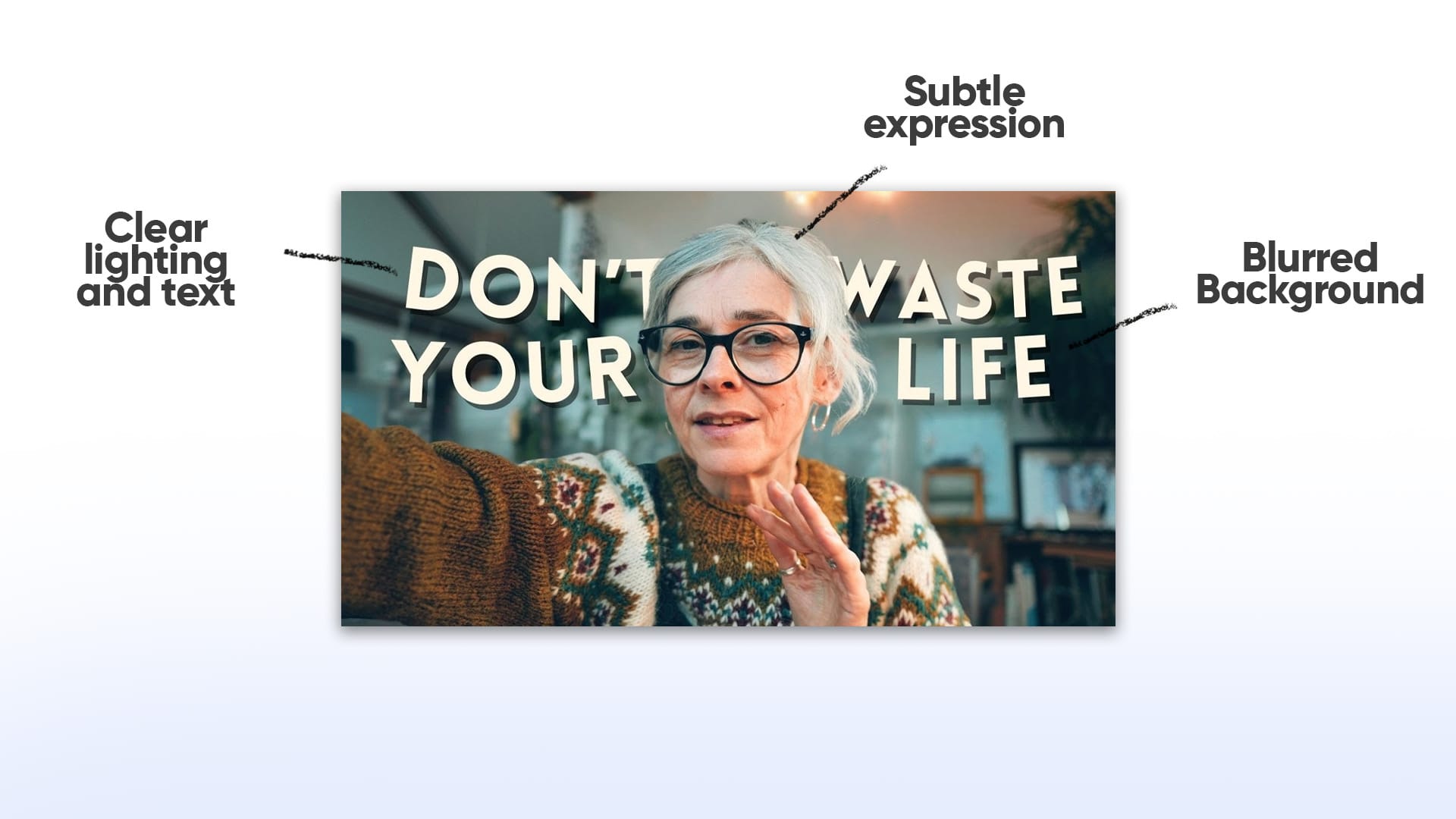
🎨 Step 3: Use Proven Design Principles
Follow these best practices:
- Rule of thirds: Place faces or elements on thirds for balance
- Contrast: Bright subject on dark background or vice versa
- Focus: Blurred background, sharp subject
- Text hierarchy: Big important words first

🤖 Step 4: Leverage AI Tools Like 1of10
- Generate thumbnails based on what’s working right now
- See top-performing packaging across your niche
- Create variations in seconds with the AI thumbnail generator
Plus, it lets you bookmark winning thumbnails while browsing YouTube using the browser extension.
No Photoshop? No problem.
📈 Step 5: Track Performance and Iterate
Use YouTube Studio > Analytics > CTR to track thumbnail performance.
- Average CTR = 2%–5%
- Good CTR = 5%–10%
- Viral CTR = 10%+
If a video underperforms, update the thumbnail and watch how it affects views.
Small packaging tweaks can cause massive growth swings.
Bonus: What High-CTR Thumbnails Have in Common
After studying thousands of top-performing videos, here’s what their thumbnails often include:
✅ One clear focal point
✅ Close-up face with a strong emotion
✅ Bold, readable text (or no text at all)
✅ High contrast and bright colors
✅ Clear connection to the video topic
✅ No distractions or clutter
Use this as a checklist before publishing.
Final Thoughts: Stop Guessing, Start Clicking
If your YouTube thumbnails aren’t working, you’re not broken, your process is.
Most creators fail not because of content, but because of packaging.
The fix?
- Get clear on your hook
- Use visual psychology
- Stop overcomplicating your design
- Test, track, and tweak
- Use smart tools like 1of10 to move faster and smarter
Ready to Fix Your Thumbnails?
🚀 Try the 1of10 Thumbnail Generator for Free
It’s built to help creators like you design high-CTR thumbnails in minutes, no design skills needed.