
How to Find What Is Trending on YouTube in Your Niche
The fastest way to find trending YouTube videos in your niche is to skip the Charts page and look for outliers: videos uploaded in the last 7 days that are pulling far more views than their channel normally gets. Add Trending Formats, Google Trends set to YouTube Search, competitor uploads and comments, and you have a 30-minute weekly routine that beats any trending list.
YouTube retired its Trending page in 2025 and folded the lists into YouTube Charts. Charts shows the same videos to everyone in your country, so it tells a cooking channel with 4,000 subscribers nothing about cooking. What you want is a niche-level view of what moved this week. 1of10's Niche Explorer gives you that view directly, but every step below also works by hand.
What is trending on YouTube right now?
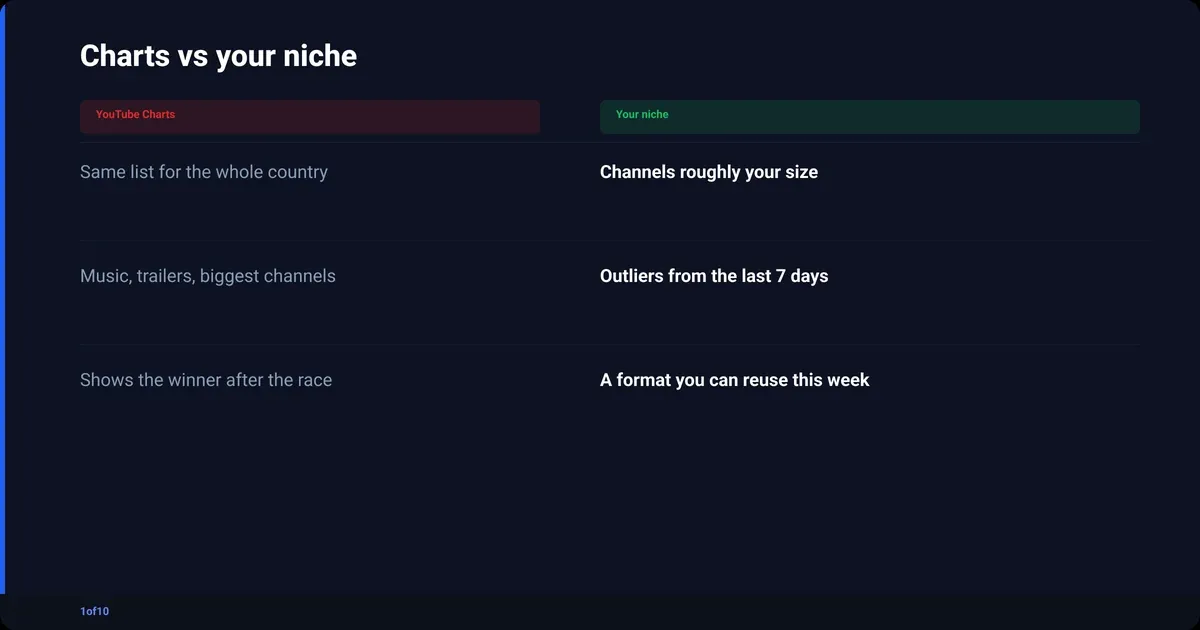
Right now, "trending on YouTube" officially means YouTube Charts: daily lists of the most popular music videos, movie trailers, gaming videos and podcasts, ranked per country and refreshed roughly every 30 minutes. The list is identical for every viewer in your country. It is a snapshot of mass culture, not of your niche, which is why it rarely gives a creator anything to make.
According to YouTube's own Help page on Charts, the ranking weighs:
- View count, and how fast that count is growing (YouTube calls this the video's "temperature")
- Where the views are coming from, including sources outside YouTube
- The topic and the age of the video
- How the video performs compared to other recent uploads from the same channel
- Nothing bought: views from YouTube ads are excluded from the count
That last signal, performance against the channel's own recent uploads, is the one worth stealing. It is the logic behind outlier scoring, and the only part of Charts that scales down to a channel your size.
| Chart | What it shows | Useful for a creator? |
|---|---|---|
| Trending Music Videos | Label releases and the biggest artists | Only if you make music |
| Trending Movie Trailers | Studio marketing | No |
| Trending Gaming Videos | The largest gaming channels and the game of the week | Which game is hot, not how to cover it |
| Podcasts | Top episodes by the biggest shows | A topic signal for podcasters, nothing more |
Why the YouTube Trending page will not help your channel
YouTube removed the standalone Trending page and its Trending Now list in July 2025 and replaced them with category charts. Even before that, the page was built for viewers, not creators: what a whole country was watching, weighted toward music, trailers and channels with millions of subscribers. The YouTube trending list is a rear-view mirror.
Four reasons it fails as a research tool:
- It is not niche-aware. Charts show the same list to everyone in a country. Your niche is a rounding error inside it.
- It rewards existing audiences. "How fast views are growing" is a signal a channel with 8 million subscribers wins by default.
- It shows the winner after the race. A video on a chart already has its views. The moment to make your version was days ago.
- It cannot show a format. Charts list videos, not the title structures and thumbnail patterns behind them, and the pattern is the reusable part.
For a creator, "trending" has to mean something narrower: a topic, format or angle getting more views than usual in your niche, this week, from channels roughly your size. That is measurable.
How do you find trending YouTube videos in your niche?
You find trending YouTube videos in your niche by comparing each new video to its own channel's normal, not to the whole platform. Five sources, in order of signal strength: outliers uploaded in the last 7 days, the formats behind those outliers, Google Trends set to YouTube Search, your competitors' uploads, and the comments under the videos that broke out. Together they take about 30 minutes a week.
- Run a 7-day outlier search in your niche.
- Extract the title and thumbnail formats behind the outliers.
- Check the topics against Google Trends (YouTube Search).
- Review what your tracked competitors uploaded this week.
- Read the comments on the outliers for the next video.
Step 1: Find the trending videos on YouTube in your niche with a 7-day outlier search
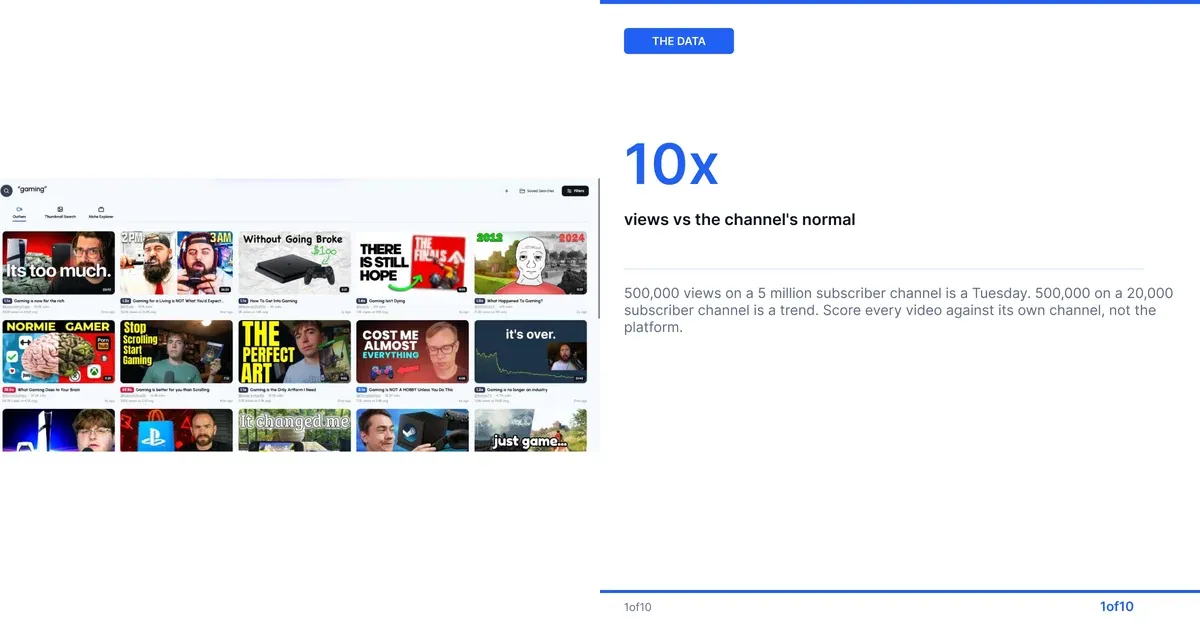
An outlier is a video pulling a multiple of what its channel usually gets. 500,000 views on a channel with 5 million subscribers is a Tuesday. 500,000 views on a channel with 20,000 subscribers is a trend. The whole method rests on making that comparison for every video you look at.
By hand:
- Search your niche keyword on YouTube with Upload date set to "This week" and Sort by set to "View count".
- For each of the top 20 results, open the channel's Videos tab and note the typical view count of the last 10 uploads.
- Divide the video's views by that number. Above 3x goes on a list. Above 10x goes to the top of it.
- Repeat with two or three more keywords that describe your niche from a different angle.
Step 2 is the one everyone skips because it is tedious. It is also the step that matters. Without it you are sorting by views, which hands you the biggest channels again.
1of10 does the maths for you: every video in the feed is scored against its channel's normal, and the same score shows on YouTube itself through the free 1of10 Chrome extension. Reading another channel's numbers is covered in YouTube analytics for other channels.
| Views vs the channel's normal | Outlier score | What it usually means |
|---|---|---|
| Under 2x | 1x to 2x | Normal upload, ignore |
| 3x to 5x | 3x to 5x | Topic or packaging landed, worth a note |
| 10x and up | 10x+ | A trend or a format the niche is rewarding right now |
| 50x and up on a small channel | 50x+ | The clearest signal on the platform: the idea did it, not the audience |
Step 2: Look for the format, not the video
Line up your top ten outliers and write down two things for each: the shape of the title and the composition of the thumbnail. Titles fall into patterns fast ("I tried X for 30 days", "X vs Y", "Why nobody talks about X"). Thumbnails do the same: one face plus one object, a before-and-after split, a single number.
When six of ten outliers share a pattern, the pattern is the trend and the topic is often incidental. The structures that keep recurring are listed in 13 title formats that keep going viral on YouTube.
Inside the 1of10 app, this step is a feature called Trending Formats. It sits in the Analyze tab, next to Thumbnail Winners, and lists the title and thumbnail patterns overperforming across 1of10's outlier database right now. There is no separate marketing page for it; it lives inside the app, with the top 3 on Free and the full list on paid plans.
Step 3: How to find trending topics on YouTube with Google Trends
Google Trends has a YouTube Search mode that most people never switch on. It shows relative search interest on YouTube itself, not on Google.
- Open Google Trends, type your topic, and change the search type from "Web Search" to "YouTube Search".
- Set the time range to the past 30 days and the region to where your audience lives.
- Under "Related queries", switch "Top" to "Rising". Rising is the trend list; "Breakout" means the query grew more than 5,000 percent in the window.
- Compare up to five topics at once to see which is climbing and which has peaked.
One caveat: Trends shows an index from 0 to 100 relative to the highest point in the range, not a search volume, so a 100 on a tiny topic is still tiny. Use it to confirm a trend from Step 1, not to discover one.
Step 4: Watch what your competitors uploaded this week
Ten to twenty channels your size, plus five a step above you, are a better trend feed than any chart. Each week, look at which upload broke their own pattern. The video that did 4x their usual is a trend in your niche whether or not it ever touches a chart.
Building the list is covered in how to find and track your YouTube competitors. Then the check takes ten minutes: their Videos tab, newest first, last seven days. In 1of10, Trackers shows it as a single feed. Every plan includes it.
Step 5: Read the comments on the outliers
Comments under an outlier are a list of the next videos, written by the audience. Sort by Top and look for "do a part 2", "what about X", "you forgot Y", and the question that keeps getting asked. On a competitor's outlier, those are requests their audience made that the competitor has not answered yet. You can answer them first.
How do I see what is trending in my niche without paying for anything?
You can run the whole method for free; it just costs time. YouTube search filters, a channel's Videos tab, Google Trends and the comment section cost nothing, 1of10's outlier search is on the free plan and never uses credits, and the Chrome extension is free. Budget about an hour a week by hand, or fifteen minutes with the scores computed.
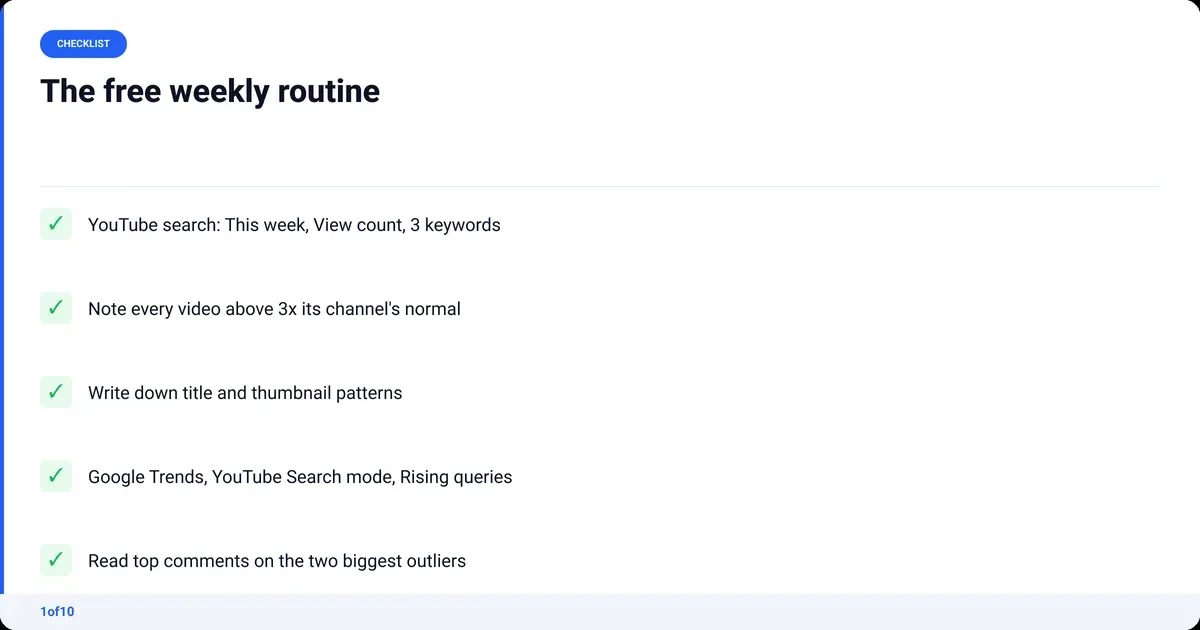
The free routine:
- Monday: YouTube search, "This week" and "View count" filters, three niche keywords, note anything above 3x its channel's normal.
- Same session: open the top five outliers, write down the title pattern and thumbnail composition.
- Then: Google Trends, YouTube Search mode, past 30 days, Rising queries for the topics you noted.
- Then: your competitor list, newest uploads, anything that broke pattern.
- Last: top comments on the two biggest outliers, write down the requests.
You end the session with three or four video ideas already being rewarded in your niche this week. That is the output.
YouTube trends 2026: how to tell a trend from a spike
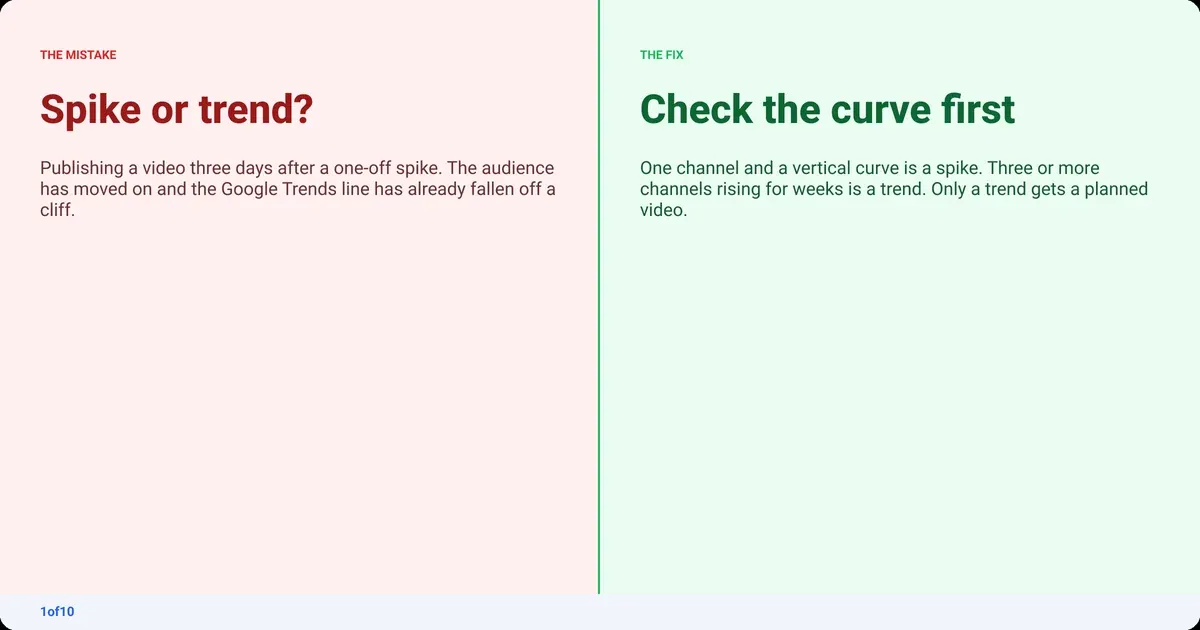
Not every big number is a trend. In 2026, three kinds of movement show up in an outlier list, and each needs a different response. A spike is one video, usually news-driven, gone in 72 hours. A trend is several channels rising on the same topic across several weeks. A format is a packaging pattern that outlives any single topic. Chase the wrong one and you publish into an audience that already left.
| Signal | Spike | Trend | Format |
|---|---|---|---|
| How many channels | One | Three or more | Across niches |
| How long it lasts | Hours to three days | Weeks to months | Months to years |
| Google Trends curve | Vertical, then a cliff | Rising for weeks | Flat, it is not a topic |
| What to do | Publish within 48 hours or skip | Plan a proper video | Adopt it into your packaging |
The check is simple. If you see it in Step 1 and Google Trends is still climbing in Step 3, it is a trend. If Trends already fell off a cliff, it is last week's spike. If the same title structure appears on outliers about unrelated topics, it is a format, the safest thing to borrow because it does not expire on a news cycle.
Why the recommendation system rewards a fresh video on a rising topic is covered in how the YouTube algorithm works.
How do you ride a trend without copying it?
Take the format, keep your subject. The outlier already exists; YouTube does not need a second copy and will not suggest one. It will suggest a video with the proven title structure and thumbnail logic that answers a different question, or the same question for a different audience.
- Keep the title structure, swap the subject to your niche ("I tried X for 30 days" works in fitness, coding and gardening).
- Keep the thumbnail composition, never the image. Same face-plus-object layout, your face, your object.
- Cross the trend with your channel's angle. A trending topic plus your specific audience is a new video, not a copy.
- Publish while the Trends line is still rising. A trend you publish into on the way down is a spike you missed.
- Answer the comments on the original; those requests are your differentiation.
How 1of10 finds the trend for you
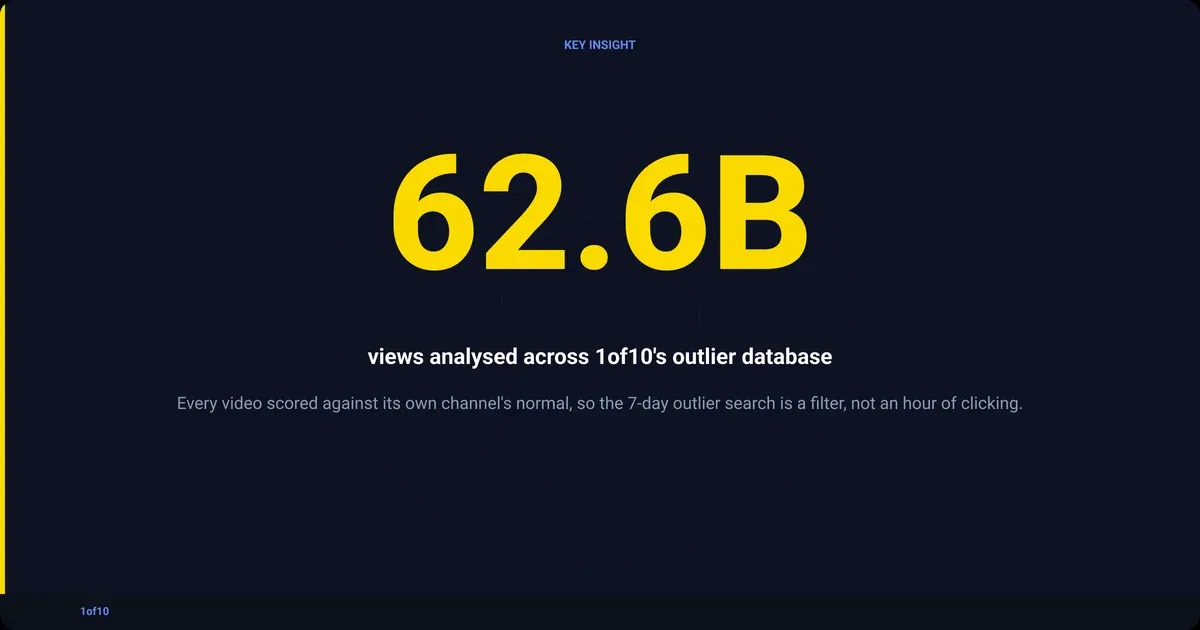
Every step above has a manual version, and every step is faster with the comparison already done. 1of10 scores each video against its channel's normal, across 300,000+ high-performing videos and 62.6 billion analysed views in 1of10's outlier database, so the 7-day outlier search is a filter, not an hour of clicking.
- Outliers (Home): videos overperforming their channel, filtered by niche, upload date and channel size. Free plan (the top 5 results), no credits.
- Trackers: your competitor list as a single feed. On every plan.
- Trending Formats (Analyze): the title and thumbnail patterns overperforming right now, so Step 2 is a list you read instead of one you build. The top 3 on Free, the full list on paid plans.
- Niche Explorer: how big a niche is, how fast it is growing and who is winning in it. The free Niche Explorer tool runs without an account; the full version is in the app.
Basic is $19 a month, or $15 a month billed yearly (checked Oct 2026), and opens the full research tools: every Trending Formats pattern, Niche Explorer and advanced filters. Nothing in this post needs Pro. For the wider picture of what to measure and why, start at the YouTube analytics guide.
Frequently asked questions
What is most trending on YouTube now?
Officially, whatever sits at the top of YouTube Charts for your country: the trending music videos, movie trailers, gaming videos and podcasts, refreshed roughly every 30 minutes and shown identically to everyone in that country. For a creator, the more useful answer is the outlier list in your own niche, which is different for every niche and updates every day.
How do I find what is trending on YouTube now?
Search your niche keyword on YouTube with the filters set to "This week" and "View count", then compare each result's views to its channel's usual numbers. Anything at 3x or more is trending in your niche right now. Confirm the topic in Google Trends with the search type set to YouTube Search, and check the Rising queries.
Who is #1 on YouTube right now?
By subscribers, MrBeast has held the most-subscribed channel title since 2024, and no channel is close. By trending position, "#1" changes about every 30 minutes as Charts refreshes, and it is a different video in every country. Neither answer tells you what to make next; the outlier method above does.
Is the YouTube Trending page gone?
Yes. YouTube announced in July 2025 that the Trending page and the Trending Now list were being retired, and the trending lists moved into YouTube Charts, reached through the Explore menu. YouTube's Explore page documentation now points to Charts for top and trending content across categories.