
Best YouTube Thumbnail Makers in 2025

Your thumbnail decides whether your video gets clicked or ignored.
No matter how strong your content is, if your thumbnail doesn’t stop the scroll, your video dies in the feed.
Creators used to spend hours designing thumbnails in Photoshop. Now, AI tools do it faster, smarter, and based on performance data instead of guesswork.
Here’s a ranked list of the best YouTube Thumbnail Makers in 2025, with 1of10 leading the pack as the only AI-driven, data-based system built for real YouTube growth.
#1. 1of10: The Best YouTube Thumbnail Maker in 2025
Website: 1of10.com
Best for: Creators who want to design thumbnails that match their brand, learn from performance data, and improve CTR automatically.
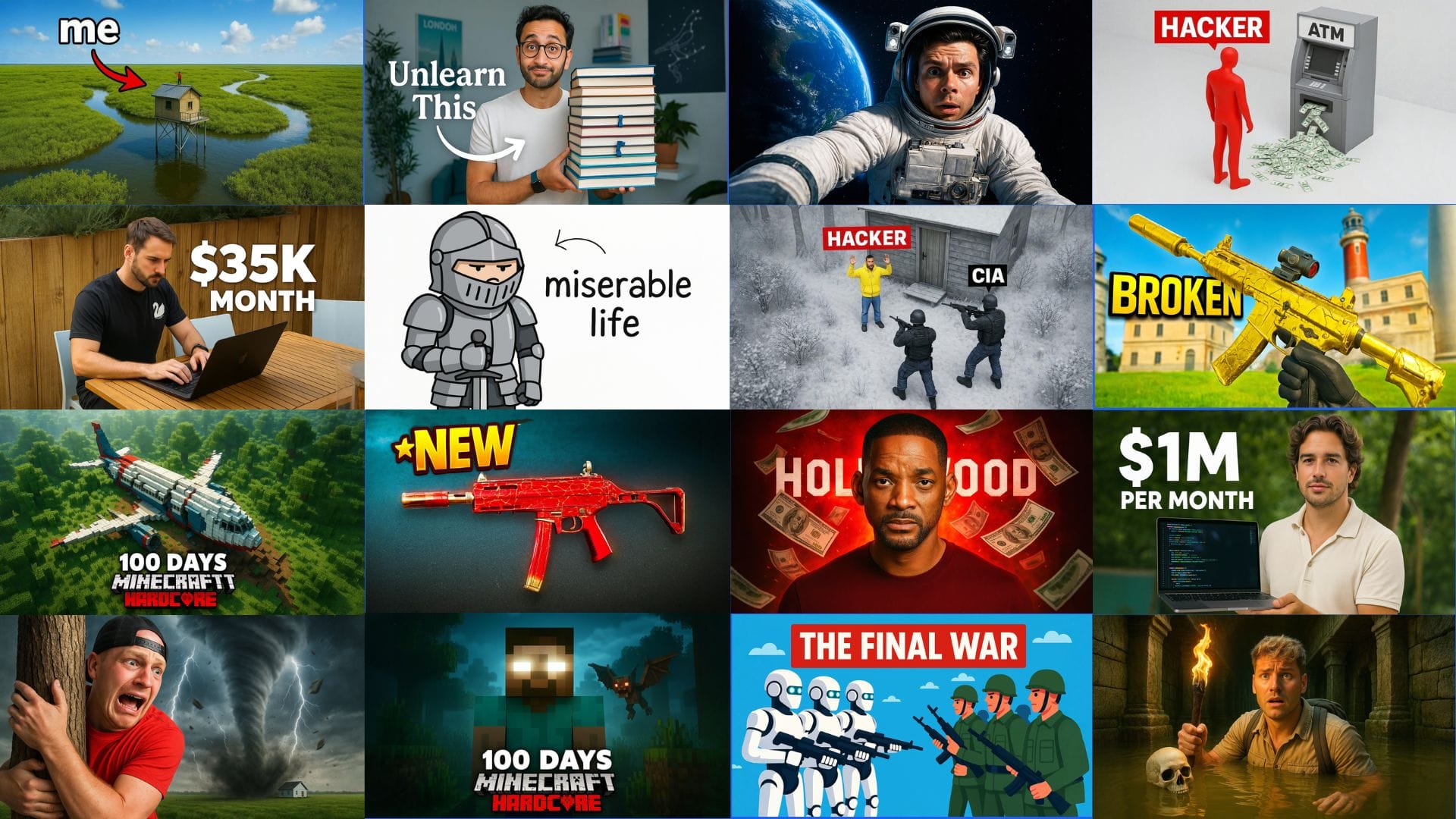
Why 1of10 Is #1
1of10 isn’t a design app. It’s an AI-powered performance engine built for YouTube creators who want predictable results.
While other tools give you static templates, 1of10 uses AI to analyze your entire YouTube channel before generating any thumbnail.
It learns your:
- Color tones and lighting style
- Facial structure and expressions (for faced creators)
- Art direction and layout consistency
- Top-performing thumbnails from your uploads
The system combines this personalized data with insights from millions of viral videos to create thumbnails that fit your identity while using proven CTR-boosting frameworks.
Every output is unique to your channel.
Core Features
- AI Channel Scanning – Detects your brand color palette, typography, and layout balance.
- AI Thumbnail Generator – Creates multiple options instantly, optimized for CTR.
- AI Editor – One-click edits for brightness, saturation, and emotion intensity.
- Title Generator Integration – Generates matching titles that reinforce your thumbnail’s message.
- Browser Extension – Finds trending video outliers, reverse-engineers their thumbnails, and bookmarks examples directly into your 1of10 account.
- Trackers – Monitor what’s working across top creators and use those insights to guide your next upload.
Why It Works
1of10 doesn’t chase trends blindly. It studies your audience behavior.
If your viewers respond to close-ups, it will recommend more facial framing.
If your niche performs better with product focus, it adjusts contrast and layout accordingly.
Every thumbnail is a data-based prediction, not a design guess.
Creators using 1of10 report:
- CTR increases between 22% and 65% within the first 30 days.
- Consistent branding across uploads.
- Dramatic time savings in production workflow.
Who It’s For
- YouTube creators scaling from hundreds to thousands of views.
- Agencies managing multiple creator channels.
- Educational, gaming, and entertainment creators who want visual consistency.
Verdict
If you’re serious about growth, 1of10 is the best YouTube Thumbnail Maker in 2025.
It personalizes, learns, and evolves with your channel.
#2. Canva
Best for: Beginners who need ready-made templates.
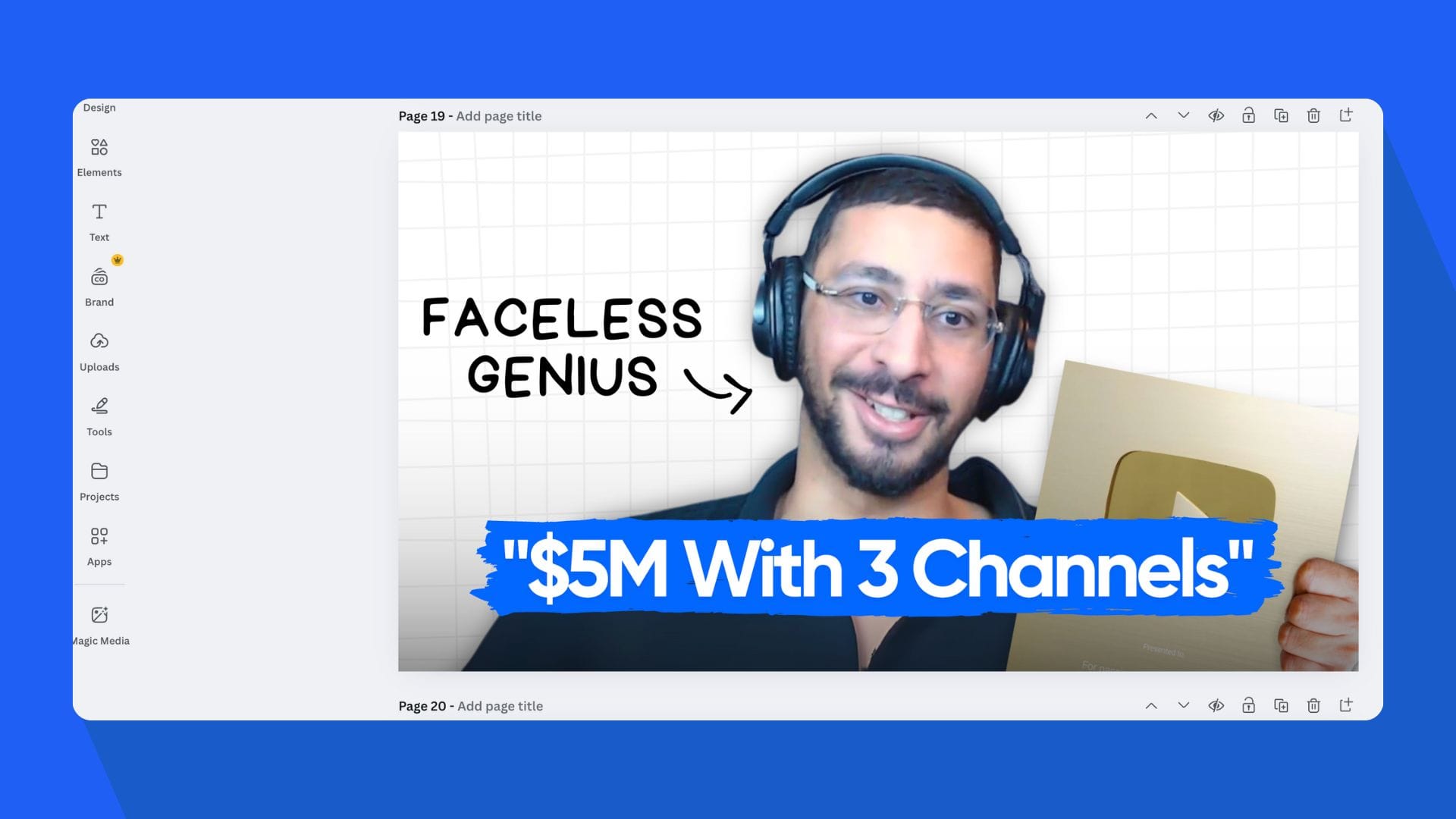
Canva is the most accessible design tool for general use. It offers thousands of YouTube thumbnail templates and a drag-and-drop interface.
You can add photos, text, and icons quickly, but every template is static. There’s no AI channel learning or CTR optimization.
Pros
- Simple interface.
- Huge library of graphics.
- Free plan available.
Cons
- No thumbnail performance tracking.
- Templates look repetitive.
- Lacks facial recognition or brand-learning features.
- If you don't have any design background, this could have a negative affect on your packaging.
Verdict
Good for new creators. Not suitable for performance-driven channels.
#3. Adobe Express
Best for: Creators who want Adobe-level design tools with less complexity.
Adobe Express combines AI photo editing with social media templates. It includes several thumbnail layouts optimized for YouTube resolution.
You can apply filters, remove backgrounds, and adjust lighting fast.
But it doesn’t analyze your channel or measure what performs better.
Pros
- Quality image enhancement.
- Integration with Adobe Stock.
- Clean templates.
Cons
- Limited YouTube-specific data.
- No CTR analytics.
- No channel personalization.
- Not trained on top performing YouTube data.
Verdict
Solid editing power but still lacks automation and insight.
#4. Fotor
Best for: Quick AI photo enhancement and background removal.
Fotor uses AI to enhance colors, sharpen images, and remove clutter.
It helps polish screenshots or thumbnails made elsewhere.
You can auto-adjust brightness or replace the background behind a creator.
Still, it doesn’t generate thumbnails or analyze YouTube patterns.
Pros
- Easy AI cleanup.
- Fast background removal.
- Free tier available.
Cons
- Not built for YouTube.
- Weak creative controls.
- No link between design and performance.
Verdict
A fast editing helper, but not a complete YouTube Thumbnail Maker.
#5. Pixlr
Best for: Light editing and web-based design.
Pixlr provides free photo editing directly in your browser.
You can crop, filter, and stylize images fast, making it a quick fix for basic thumbnails.
But it’s built for photographers, not YouTube creators. There’s no integration with YouTube analytics, no data feedback, and no AI suggestions.
Pros
- No software installation needed.
- Decent image filters.
- Lightweight performance.
Cons
- Limited fonts and templates.
- No AI or personalization.
- Outdated UI.
Verdict
Fine for emergency edits, but not a scalable solution for creators.
#6. Snappa
Best for: Quick, professional-looking designs.
Snappa’s templates cover YouTube thumbnails, banners, and social media posts.
You can adjust text, crop photos, and export easily.
It offers better layout control than Pixlr but no AI automation.
Pros
- Clean, minimal interface.
- Great for branding consistency.
- Pre-sized YouTube templates.
Cons
- No analytics or automation.
- Limited creative intelligence.
Verdict
A decent manual design tool for smaller channels.
#7. VidIQ and TubeBuddy
Both platforms offer thumbnail previews and A/B testing tools.
They help you compare CTR between two versions, but you still need to create thumbnails elsewhere.
Their designs often look outdated and rely on manual uploads.
They don’t generate new visuals or learn from performance data.
Pros
- Basic A/B testing.
- Keyword and SEO tools.
Cons
- Weak visual output.
- Generic AI creation or editing.
- Not for thumbnail design itself.
- It still gives off a cheap AI feel.
Verdict
Useful for SEO tracking, but not for thumbnail generation.
Common Mistakes Creators Still Make
Even with better tools, most creators sabotage their CTR without realizing it.
1. Overloading Text
Thumbnails with more than five words confuse viewers. Keep one short phrase. The goal is clarity, not detail.
2. Ignoring Facial Emotion
Emotion drives curiosity. A shocked, confused, or determined expression performs better than neutral.
1of10 identifies and enhances these emotional cues automatically.
3. Using Inconsistent Colors
Random color choices make your channel look disorganized.
Consistency builds brand recall. 1of10 maintains your color scheme automatically through channel learning.
4. Copying Other Creators
Copying thumbnail styles breaks trust. Viewers notice repetition instantly.
1of10 helps you develop your own visual signature by learning from your uploads, not someone else’s.
5. Designing for Aesthetics Instead of Attention
Pretty thumbnails don’t win. Clickable ones do.
Bright contrasts, close faces, and emotion dominate YouTube performance.
1of10 optimizes these behavioral cues using data, not guesswork.
Why AI Is the Future of YouTube Thumbnails
The shift is already happening.
Creators who rely on templates will stay stuck in the past.
Creators who use AI tools like 1of10 are scaling faster because their thumbnails evolve with data.
AI doesn’t replace creativity. It amplifies it.
It gives you instant variation, faster iteration, and insights built from millions of successful videos.
Manual design stops when you hit publish.
AI design learns after every upload.
That’s why 1of10 is not a “design tool.” It’s a growth system for YouTube creators.
The Science and Workflow Behind High-CTR Thumbnails
Click-through rate is one of the strongest predictors of YouTube growth. A good thumbnail earns impressions. A great one turns those impressions into views.
Every creator knows thumbnails matter, but few understand why certain designs outperform others.
The answer lies in a mix of visual psychology and data-driven iteration, and 1of10 was built to handle both.
Below is a breakdown of how the science of attention meets AI automation, and how to use the 1of10 YouTube Thumbnail Maker to apply these principles step-by-step.
1. Color Psychology and Click Behavior
Color decisions are not about taste; they’re about triggering reaction.
Studies show that color increases brand recognition by up to 80%, and specific hues drive distinct emotional responses.
- Red and Yellow: Attention, urgency, emotion.
- Blue: Stability and trust.
- Green: Balance and learning.
- Purple: Luxury or creativity.
- Black and White: Contrast and authority.
In thumbnails, high-contrast color pairing works best because it creates isolation, the viewer’s eye instantly lands on the focal point.
The 1of10 AI detects your channel’s color tones automatically. If your content consistently uses warm lighting, the system adapts thumbnails to reinforce that tone. It never breaks visual continuity, but still amplifies contrast where needed.
This ensures your thumbnails feel consistent but still pop.
2. The Role of Emotion and Faces
Emotion drives curiosity. Humans are wired to respond to expressions before words.
Eye-tracking research shows that thumbnails with faces outperform those without by 38–45%. The expression type also matters:
- Shock or surprise drives intrigue.
- Laughter or joy builds positivity.
- Confusion or concern triggers curiosity.
1of10’s AI Face Analysis studies your previous thumbnails and identifies your most clickable expressions.
It enhances subtle cues like eyebrow lift, mouth openness, and gaze direction, all of which subconsciously guide attention toward your title or visual subject.
3. The 3-Second Rule
When users browse YouTube, your thumbnail has less than three seconds to capture interest.
The brain processes visual information 60,000 times faster than text, so the story of your video must be clear instantly.
That means your thumbnail must:
- Show what’s happening.
- Suggest a question or conflict.
- Highlight an emotion or outcome.
The 1of10 AI YouTube Thumbnail Generator is trained to compress your story visually.
You enter a title or idea, and it builds a visual summary that communicates the video’s main emotion in one glance.
This ensures every thumbnail follows the three-second rule by design, not by chance.
4. How the Algorithm Rewards Good Thumbnails
YouTube’s recommendation system favors videos with higher CTR relative to impressions.
When your thumbnail performs above average for your niche, YouTube gives it more reach.
This creates a compounding effect, strong thumbnails earn impressions, impressions increase clicks, clicks drive watch time, and watch time fuels recommendation priority.
1of10 helps you close that loop. Using Trackers, you can monitor performance patterns across creators in your space, identify top CTR outliers, and apply those lessons directly through the AI generator.
This makes the process measurable, repeatable, and scalable.
5. Step-by-Step: How to Create a High-CTR Thumbnail with 1of10
Here’s the exact workflow top creators use with 1of10 to make high-performing thumbnails in minutes.
Step 1: Open the AI Thumbnail Generator
Go to 1of10.com/app/youtube-thumbnail-generator.
Enter your video title and topic idea.
The system uses YouTube metadata and your channel data to understand tone, intent, and audience behavior.
Step 2: Let the AI Generate Variations
The AI produces several unique thumbnails instantly.
Each variation is based on proven CTR design frameworks, balance of subject, text size, color contrast, and emotion.
You can regenerate new versions or adjust focus points with a single click.
Step 3: Personalize with Edit
Swap or enhance expressions, colors, items, and moods automatically.
This feature is critical for emotion-based thumbnails, especially reaction, gaming, or commentary channels.
Step 4: Optimize Lighting and Text
Use the built-in editor to adjust brightness, contrast, and saturation.
1of10 automatically enhances visibility on both dark mode and mobile thumbnails, ensuring legibility even at smaller scales.
Step 5: Generate a Matching Title
Use the Title Generator to create clickable video titles that match the thumbnail’s emotion.
Consistency between title and image improves CTR by aligning viewer expectation with outcome.
Step 6: Save and Upload
Export your thumbnail and upload directly to YouTube Studio.
1of10’s system saves each design so you can track performance over time.
6. The Real Advantage: Data Over Design
Traditional design tools treat each thumbnail as a one-time project.
1of10 treats every thumbnail as a data point in a growth system.
It analyzes patterns across your channel to understand what performs best over time.
Instead of designing from scratch each week, you refine from a growing library of insight.
This continuous feedback loop means your CTR doesn’t plateau, it compounds.
Creators using 1of10 long-term report:
- Higher engagement from repeat viewers.
- More consistent upload aesthetics.
- Faster brand recognition across suggested feeds.
That’s what makes the 1of10 workflow fundamentally different.
It’s not just AI design,it’s AI evolution.
7. Summary: Science + Workflow = Growth
The world’s best thumbnails aren’t random or lucky.
They follow predictable patterns of attention, emotion, and consistency.
1of10 automates that science. It learns what works for your channel, builds visuals around proven click behavior, and improves after every upload.
By combining psychology, data, and automation, 1of10 gives creators a competitive edge that static design tools can’t match.
If you want to design thumbnails that feel authentic, on-brand, and algorithm-friendly, start using the 1of10 YouTube Thumbnail Maker today.
Your thumbnails will stop scrolling. Your videos will start performing.