
YouTube Live in 2025: How and When to Use It to Grow Your Channel
YouTube Live has become one of the most important tools for creators who want to grow an engaged audience. Unlike pre-recorded videos, live streaming gives you the ability to interact with viewers in real time. That creates stronger loyalty, longer watch sessions, and unique monetization opportunities.
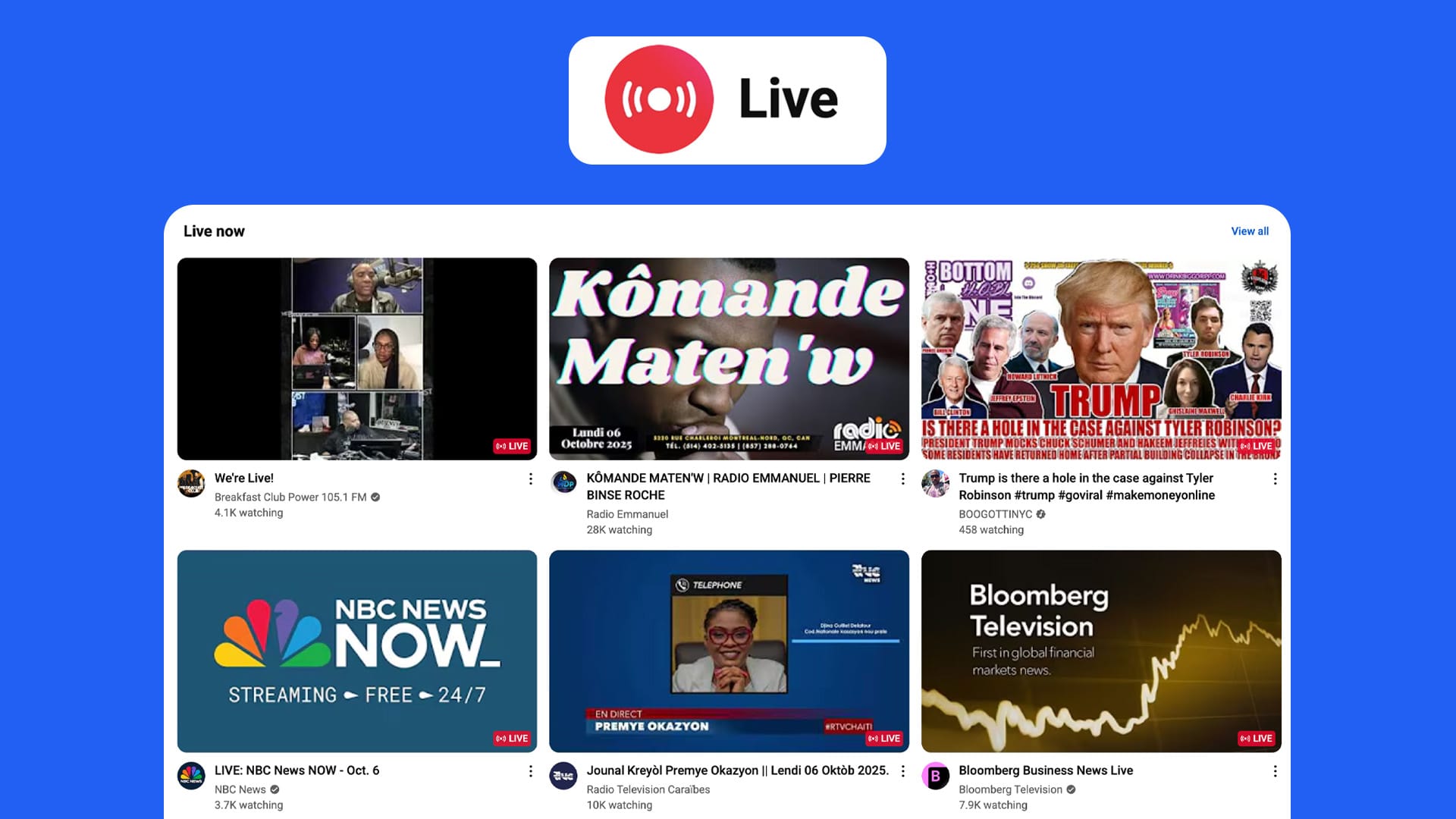
In 2025, live streaming is no longer an experiment. It’s built into YouTube’s core strategy. The platform actively promotes live content through dedicated “Live Now” shelves on the homepage and recommended tabs. Creators who understand how to use YouTube Live effectively can see faster growth and higher earnings.
But YouTube Live is not for everyone. While live video creates opportunities, it also brings challenges. Some niches thrive with live content, while others lose viewers if they rely on it. Some creators build entire careers as streamers, while others only use live occasionally for community interaction.
This guide is designed to help you understand:
- What YouTube Live is and how it works.
- The benefits it offers compared to pre-recorded uploads.
- The situations where live streaming makes sense.
- When live streaming may not fit your channel strategy.
- How to set up, grow, and monetize YouTube Live effectively.
By the end, you’ll know whether YouTube Live should be a central part of your channel strategy or a supplemental tool.
What is YouTube Live?
YouTube Live is YouTube’s built-in live streaming feature. It allows creators to broadcast video in real time, interact with viewers through chat, and save replays as standard YouTube videos.
The feature has existed since 2011, but in the last five years it has become a mainstream growth lever for many creators. Improvements in stability, monetization, and discoverability have turned YouTube Live into a serious competitor to Twitch, TikTok Live, and Instagram Live.
Core Features of YouTube Live
- Live Streaming Options
- Go Live Now: Quick streaming directly from your webcam or mobile device.
- Scheduled Streams: Set up in advance, complete with thumbnail, title, and description. Viewers can set reminders.
- Encoder Streams: For higher production quality, creators can use tools like OBS or Streamlabs. This allows overlays, multiple cameras, and professional audio setups.
- Chat and Interaction
- Live chat is the heartbeat of YouTube Live.
- Viewers can comment, ask questions, and react in real time.
- Creators can highlight messages, moderate discussions, or slow chat speed.
- Polls can be run directly inside chat to increase engagement.
- Discovery and Algorithm Boost
- YouTube promotes live videos in a separate “Live Now” tab.
- Subscribers receive notifications when a channel goes live.
- Live streams can appear on home, search, and recommended feeds.
- Replays are automatically saved and indexed as regular videos.
- Monetization Features
- Ads: Pre-roll, mid-roll, and display ads run during live streams.
- Super Chats and Super Stickers: Viewers pay to highlight their messages.
- Channel Memberships: Members can access exclusive perks during streams.
- Merch Shelf: Integration with product stores lets you promote merchandise live.
- Replay and Repurposing
- When the stream ends, YouTube saves the recording as a VOD (video on demand).
- Creators can edit the replay, trim sections, or break it into highlights.
- These replays continue generating watch time, views, and ad revenue.
YouTube Live vs Other Platforms
- YouTube vs Twitch
- Twitch dominates long-form gaming and esports, but YouTube’s advantage lies in discoverability. Twitch content is hard to find after it ends, while YouTube saves and ranks streams as searchable videos.
- YouTube vs TikTok Live
- TikTok Live thrives on impulse engagement with short attention spans. YouTube Live tends to attract viewers who are willing to sit for longer periods, which increases total watch time and loyalty.
- YouTube vs Instagram Live
- Instagram Live is more about casual personal updates. YouTube Live is designed for structured events, longer sessions, and monetization.
Why YouTube is Investing in Live
YouTube’s algorithm is built on retention and engagement. Live streaming drives both:
- Average live sessions often exceed 30 minutes of watch time per viewer.
- Live chat activity signals to YouTube that content is engaging.
- Replays continue to generate search traffic.
This is why you’ll increasingly see live content promoted alongside traditional videos. For creators, this means live streams are a way to get more visibility without competing only through thumbnails and CTR.
Types of YouTube Live Streams
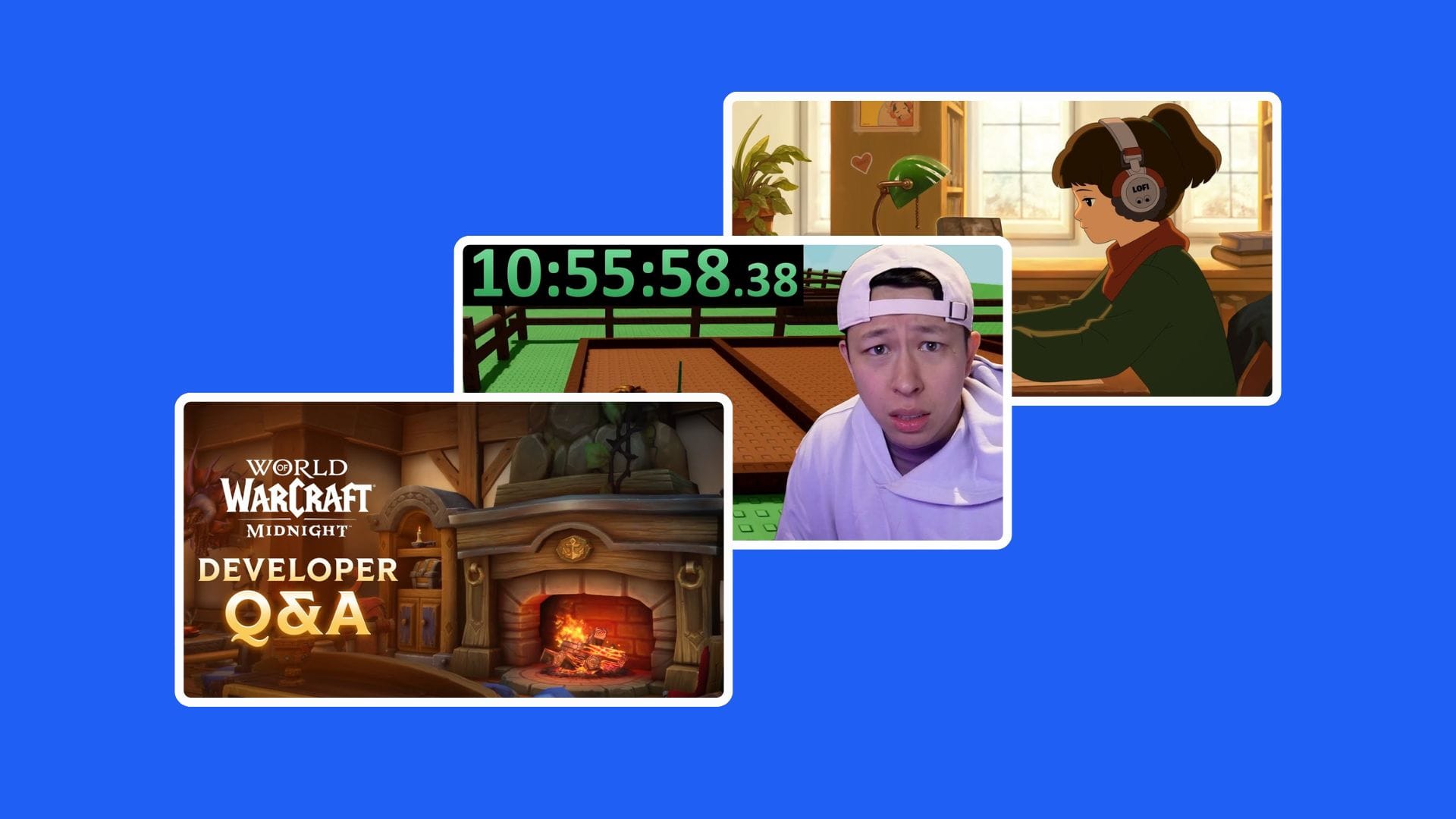
- Q&A Sessions
- Great for educational or coaching creators.
- Builds authority while answering subscriber questions in real time.
- Gameplay and Esports
- Gaming remains the largest category for live streaming.
- Live lets viewers feel part of the action.
- Events and Announcements
- Product launches, premieres, and big reveals.
- Creates urgency and real-time hype.
- Music and Performances
- Artists live stream concerts or studio sessions.
- Super Chats and donations often outperform ads.
- Live Reactions and Commentary
- Reacting to trending events, award shows, or news.
- Keeps the channel timely and relevant.
- Workshops and Tutorials
- Live classes, design walkthroughs, or coding sessions.
- Viewers can follow along and ask questions instantly.
Barriers to Entry
While YouTube Live is powerful, there are a few hurdles:
- Eligibility: You must verify your channel to stream, and mobile live requires 50+ subscribers.
- Tech Setup: Good internet, camera, and audio are essential. Poor quality can hurt your brand.
- Time Commitment: Unlike uploading edited content, streaming requires you to be present for the full session.
Live streaming is not just another feature inside YouTube Studio. It changes how creators build trust, interact with audiences, and monetize their content. Pre-recorded videos are edited, polished, and optimized for search. Live content is raw, interactive, and driven by community engagement. Both formats can work together, but live offers unique advantages that no other type of content can replace.
Below are the core benefits of YouTube Live in 2025.

1. Real-Time Audience Engagement
One of the biggest reasons creators use YouTube Live is direct connection with viewers. In a world where algorithms dominate, live video gives you control.
- Two-way interaction: Instead of waiting for comments, you get instant responses from chat.
- Name recognition: Viewers love hearing their name read aloud by a creator. It builds a sense of belonging.
- Polls and live feedback: Creators can test ideas on the spot. A poll on a new video concept can validate content direction instantly.
- Community bonding: The energy of a shared live moment can’t be replicated in VOD. People feel they are part of something happening right now.
For example, gaming creator Valkyrae often stops mid-game to interact with her audience. Viewers feel valued and stick around longer, which boosts retention.
2. Watch Time and Retention Boost
YouTube’s algorithm prioritizes watch time and session duration. Live streams naturally produce both.
- Pre-recorded videos might last 8–12 minutes. Live streams can last 30 minutes, 1 hour, or even longer.
- Viewers who commit to a live stream often stay for extended periods.
- Chat interaction reduces drop-off, since viewers wait for responses.
This results in a major boost to total watch time, which is a direct growth signal.
Example: An educational channel running a 90-minute weekly Q&A may add more total hours watched in a single stream than in a month of regular uploads.
3. Algorithm and Discoverability Advantage
YouTube wants creators to go live. Evidence:
- Live streams often appear in the “Live Now” section on the homepage.
- Subscribers get instant notifications when a creator goes live.
- YouTube pushes live events into recommended feeds more aggressively than typical uploads.
This means creators get an extra distribution channel beyond search and suggested videos. For small and mid-size channels, this visibility boost can be game-changing.
Pro tip: Pair live streams with optimized thumbnails and titles (using tools like 1of10’s title generator and thumbnail maker). A strong hook drives higher click-through on the live notification itself.
4. Community Building at Scale
While comments on regular videos are valuable, they are asynchronous. With live streaming, community building happens in real time.
- Viewers form relationships with each other in chat.
- Regular live streams create rituals, a predictable “event” fans can look forward to.
- Members feel like insiders when they attend live sessions, especially when they can influence outcomes.
Example: A fitness creator streaming live workouts every Saturday builds a tribe of regulars. That consistency creates accountability and a sense of family.
This sense of belonging translates into higher subscriber loyalty and more consistent return viewers.
5. Direct Monetization Opportunities
Monetizing pre-recorded content relies mostly on ads. YouTube Live expands the toolbox.
- Super Chats: Viewers pay to pin their messages at the top of chat. For high-energy streams, this can snowball into thousands of dollars.
- Super Stickers: Fun visual stickers viewers purchase to stand out.
- Channel Memberships: Members get badges, emotes, and exclusive perks during live streams.
- Merch Shelf Integration: Live is the perfect time to push limited merch drops.
- Ad Revenue: Live streams can run mid-roll ads dynamically.
Gaming creator Dr DisRespect often earns more from Super Chats and live memberships than ad revenue. Educational creators see similar patterns when Q&A streams get heavy engagement.
6. Long-Tail Content Through Replays
Unlike Twitch, where streams fade after 14–60 days, YouTube automatically saves streams as videos. This creates long-tail value:
- Streams continue generating views and revenue.
- Viewers who missed live can still watch on demand.
- Clips and highlights can be repurposed into Shorts or standalone uploads.
This is where tools like Clipt (real-time highlight generation) or 1of10’s packaging suite become powerful. A single 1-hour stream can fuel a week’s worth of Shorts and clips.
7. Flexibility Across Niches
YouTube Live is not limited to gaming. It adapts to multiple niches:
- Education: Live classes, workshops, or AMA sessions.
- Music: Live performances, fan request sessions.
- Commentary: Breaking news or cultural events.
- Business/Finance: Live stock analysis, Q&A with entrepreneurs.
- Lifestyle: Daily vlogs, behind-the-scenes content.
For example, tech channels often run live “launch day” reactions when Apple or Samsung releases a new product. These streams dominate search results during event windows.
8. Content Testing and Validation
One underrated benefit of YouTube Live is testing ideas quickly. Instead of producing a polished video, creators can live test a concept.
- If chat loves it, that’s a signal to make a polished upload.
- If engagement is low, the idea may not be worth pursuing.
This is an efficient way to de-risk content production.
9. Stronger Creator–Audience Relationship
Creators who regularly stream live often report deeper bonds with their audience. Why? Because live video shows authenticity. Mistakes, laughter, and improvisation reveal personality in a way edited videos cannot.
For example, when creators share their thought process live, whether gaming decisions, design workflows, or personal opinions, audiences feel closer to them. This can lead to higher lifetime subscriber value.
10. Collaboration Opportunities
Live streaming is also an easy way to collaborate with other creators. Unlike pre-recorded collabs that take weeks to edit, live collabs are instant.
- Two creators stream together and share audiences.
- Collabs often trigger algorithmic boosts for both channels.
- It creates a “special event” atmosphere that drives turnout.
This tactic works especially well for mid-size creators looking to expand reach.
11. Search and Evergreen Potential
Even though live content is real-time, streams are indexed by YouTube search after they end. That means:
- Live tutorials can rank for keywords long-term.
- Event coverage can generate views long after the stream ends.
- You can optimize titles, descriptions, and tags after the fact.
Example: A live tutorial on “How to Edit Thumbnails in Photoshop” can continue to rank and drive traffic months later.
12. Exclusive Events and Urgency
Going live creates urgency that pre-recorded videos cannot match.
- Viewers show up because they don’t want to miss out.
- Announcing streams ahead of time builds anticipation.
- Limited-time offers (discounts, giveaways) drive action.
For product creators or affiliate marketers, this urgency can translate into spikes of sales.
13. Audience Insights and Analytics
Live streaming provides unique analytics beyond typical YouTube metrics.
- Concurrent viewers show how many stayed engaged in real time.
- Chat messages per minute reveal energy levels.
- Drop-off charts during live streams show when engagement falls.
- Post-live replays show what parts are rewatched.
This data is invaluable for refining both live and pre-recorded strategies.
14. A Competitive Edge Over Non-Streamers
Not every creator streams live. Those who do gain an edge by showing up in categories and recommendations that others miss. For smaller creators, this is often the fastest way to break into visibility, since live notifications get pushed harder than new uploads.
15. Cross-Promotion with Shorts and VOD
One powerful strategy is combining live with Shorts. Example:
- Run a live stream.
- Clip highlights into 10 Shorts.
- Link those Shorts back to the replay or the next stream.
This creates a cycle of growth across all formats.
When YouTube Live Makes Sense, and When It Doesn’t
Not every creator should build their channel around live streams. For some, going live regularly unlocks faster growth and deeper engagement. For others, it wastes time and damages their brand. The key is knowing when YouTube Live makes sense for your niche, your stage of growth, and your long-term goals.
When YouTube Live Makes Sense
1. You Already Have a Community That Talks Back
Live thrives on interaction. If your videos already get regular comments, likes, and shares, live streams give that community a new place to gather. Even with a few dozen active viewers, the energy of a real-time conversation can build loyalty.
2. You Create Content That Works in Real Time
Some content is naturally suited for live streaming:
- Gaming: Playthroughs, competitive matches, or reactions to new releases.
- Education/Tutorials: Coding sessions, design walkthroughs, or live workshops where viewers ask questions.
- Music and Arts: Live performances, songwriting sessions, or behind-the-scenes production.
- News/Commentary: Reacting to breaking events or trending cultural topics.
- Fitness and Lifestyle: Group workouts, cooking demonstrations, daily Q&A sessions.
In each of these niches, live works because viewers want to be part of the moment, not just watch it later.
3. You Need to Boost Watch Time for Monetization
Reaching YouTube’s monetization threshold (4,000 watch hours in the last 12 months) can be tough. Live streams are one of the fastest ways to accumulate hours. A 90-minute stream with 50 active viewers = 75 watch hours in one session. Multiply that by a few streams per month, and you hit the threshold faster.
4. You Want to Test New Ideas Quickly
Instead of scripting and editing a polished video, you can test content ideas live.
- Launch a new series concept as a live pilot.
- Ask your viewers to vote on directions mid-stream.
- See what topics generate the most chat activity.
This saves production time and gives instant feedback before committing to large projects.
5. You Monetize Through Audience Interaction
Live-specific monetization tools shine when your audience wants direct recognition.
- Super Chats and Stickers turn engagement into income.
- Channel Memberships reward your biggest fans with badges and emotes.
- Merch shelf is perfect for limited drops during streams.
If your audience already asks for ways to support you, live is the perfect environment to maximize that energy.
6. You Have Events or Announcements
Some moments work better live than in pre-recorded format.
- Product launches
- Big collaborations
- Announcing giveaways or milestones
- Reacting to major industry events
The urgency of a live event drives turnout and strengthens community bonds.
7. You Plan to Repurpose Content
A single live stream can fuel weeks of content. With clipping tools like Clipt or editing workflows in YouTube Studio, you can turn:
- Highlights into Shorts
- Segments into standalone tutorials
- Funny moments into memes
Creators who plan repurposing ahead of time extract far more value from live sessions than those who treat streams as one-off events.
When YouTube Live Doesn’t Make Sense
While the benefits are strong, live streaming isn’t for everyone. Some creators are better off focusing on pre-recorded content.
1. Your Audience Expects Highly Edited, Polished Content
If your niche thrives on cinematic production, live can work against you.
- Film channels, travel vlogs, or storytelling creators often rely on editing for pacing and mood.
- Going live may feel like a downgrade, lowering perceived quality.
For these creators, the occasional live Q&A may work, but full reliance on live can harm brand identity.
2. You Don’t Have a Community Yet
Starting live streams with 3 people in chat is demotivating. Early-stage creators benefit more from publishing searchable, evergreen content. Live should come later, when an active subscriber base exists.
Rule of thumb: if your average upload gets fewer than 50 comments or consistent engagement, wait before going live regularly.
3. You Can’t Commit to a Schedule
Live is appointment-based. If you go live at random times, turnout will be inconsistent. Missed sessions break trust with your audience.
Creators with irregular availability may find live more harmful than helpful. Pre-recorded content offers flexibility without disappointing fans.
4. You Lack the Technical Setup
Viewers forgive some imperfections in live streams, but poor audio or unstable internet kills retention. If you can’t guarantee:
- Stable internet (upload speed 5–10 Mbps minimum)
- A clear microphone
- Decent lighting
then live streams will frustrate viewers.
5. Your Niche Has Low Real-Time Demand
Some niches don’t fit live formats well:
- Pre-recorded tutorials with complex edits (e.g., animation, cinematography).
- Evergreen niche reviews (people want polished, timeless content).
- Highly scripted entertainment.
In these cases, live streams may confuse the audience and fail to add value.
6. Burnout Risks
Live streaming requires constant presence. It’s draining compared to editing offline. If you’re prone to fatigue or can’t handle high-energy interaction for hours, you may want to limit live sessions.
Striking the Balance: Hybrid Strategy
The best approach for most creators is hybrid:
- Use pre-recorded uploads for search, discoverability, and evergreen growth.
- Use live streams for engagement, loyalty, and community building.
Example workflow:
- Publish two polished uploads per week.
- Run one live stream to connect with subscribers, answer questions, and test ideas.
- Clip highlights from the stream into Shorts to drive new viewers back to the channel.
This way, live complements rather than replaces your content strategy.
Case Study: Gaming Creator
A small gaming channel streams live for 2 hours twice per week. Each stream averages 200 viewers. That equals:
- 400 viewer-hours per stream.
- 3,200 watch hours per month.
- Enough to hit monetization in two months.
By clipping highlights into Shorts, the creator grows faster in discovery while deepening loyalty with live attendees.
Case Study: Education Creator
A design tutorial channel uploads structured videos twice per week. Once per month, they run a 90-minute live workshop with Q&A. These streams don’t bring in massive live numbers (50–100 concurrents), but they:
- Increase community trust.
- Add long-tail content when saved as replays.
- Generate $200–500 per stream through Super Chats.
The balance keeps their channel polished while still benefiting from real-time interaction.
Setting Up for Success on YouTube Live
Going live isn’t only about hitting the “Go Live” button. Successful streams depend on preparation, technical setup, and presentation. A poor setup can turn viewers away in seconds, while a strong one makes streams feel professional and keeps people watching.
This section breaks down everything you need, from cameras and mics to overlays and thumbnails, to ensure your YouTube Live streams are high quality, reliable, and engaging.
1. Essential Gear for YouTube Live
You don’t need a Hollywood studio to stream, but investing in the right gear pays off in viewer retention and trust.
Camera
- Entry level: A good webcam (Logitech Brio, Elgato Facecam) is enough to start.
- Mid-range: DSLR or mirrorless cameras (Canon EOS M50, Sony ZV-E10) with capture cards (Elgato Cam Link).
- High-end: Full-frame mirrorless (Sony A7 series, Canon R series) for cinematic live streams.
Tip: Lighting often matters more than camera. A decent webcam with strong lighting beats an expensive camera in a dark room.
Microphone
Audio quality determines whether people stay. Bad audio causes instant drop-offs.
- USB mics: Blue Yeti, Elgato Wave 3, Rode NT-USB.
- XLR setups: Shure SM7B or Rode Procaster paired with an audio interface.
- Budget option: Lavalier mic connected to your phone or PC.
Tip: Position the mic close to your mouth. Reduce echo with foam panels or a carpeted room.
Lighting
- Ring lights: Affordable, easy setup for beginners.
- Softboxes: Provide softer, more natural light for mid-level streams.
- Key + Fill + Backlight setup: Professional three-point lighting creates depth and eliminates shadows.
Internet Connection
Streaming requires a stable upload speed.
- Minimum: 5 Mbps upload.
- Recommended: 10–20 Mbps upload for 1080p.
- Test with speedtest.net before going live.
- Use wired ethernet instead of WiFi for stability.
Extras
- Green screens for background replacement.
- Stream decks for quick scene switching.
- Pop filters for microphones.
- Tripods and mounts for camera positioning.
2. Software for Streaming
YouTube Live works directly through a webcam or phone, but serious creators use software for control and branding.
OBS Studio (Free)
- Most popular streaming software.
- Custom scenes, overlays, transitions.
- Huge community support and plugins.
Streamlabs (Freemium)
- Built on OBS but designed for creators who want all-in-one.
- Easier setup for alerts, chat integration, and widgets.
- Heavier on system resources.
Ecamm Live (Mac Only, Paid)
- Streamlined software for Apple creators.
- Easy integration with Skype, Zoom, and overlays.
vMix (Windows, Paid)
- Professional-grade with multi-camera switching.
- Often used by businesses or events.
Recommendation: Start with OBS. Move to Streamlabs or vMix when you need advanced features.
3. Branding Your Stream
Even live streams need packaging. Branding helps you stand out and builds recognition.
Thumbnails and Titles
- Live streams still rely on CTR (click-through rate).
- Use clear, bold thumbnails. Faces + bold text work well.
- Titles should include keywords and urgency. Example:
- “LIVE: How to Grow on YouTube in 2025 (Ask Me Anything)”
- “Reacting to Apple’s New Launch – YouTube Live”
- Tools like 1of10 Title Generator and Thumbnail Maker are perfect here.
Overlays and Alerts
- Add custom frames, lower thirds, and name tags.
- Alerts for new subscribers, Super Chats, or donations create engagement.
- Keep designs minimal, too much clutter distracts.
Consistent Visual Identity
- Use the same colors, fonts, and logo across live and pre-recorded content.
- Helps reinforce your brand across thumbnails, overlays, and banners.
4. Planning Before You Go Live
Successful live streams look effortless, but they’re often carefully planned.
Define Your Goal
Ask yourself: what do I want this live stream to achieve?
- Build community?
- Test new content ideas?
- Monetize with Super Chats?
- Drive traffic to a new product or video?
Your format and promotion should align with the goal.
Create a Stream Outline
Even casual streams benefit from structure. Example outline for a 60-minute Q&A:
- 0:00 – 5:00: Introduction and welcome
- 5:00 – 30:00: Answering pre-submitted questions
- 30:00 – 50:00: Live chat questions
- 50:00 – 60:00: Closing thoughts and promotion
This keeps energy flowing and prevents awkward silence.
Promote Ahead of Time
- Schedule streams in YouTube Studio.
- Share the link on community posts, Twitter/X, Instagram, or Discord.
- Encourage viewers to set reminders.
5. Testing and Technical Prep
Technical issues are the fastest way to kill a stream. Always test beforehand.
- Do a private test stream: YouTube lets you set visibility to “unlisted” or “private.”
- Check audio levels: Voice should sit between –12dB and –6dB.
- Verify bitrate settings:
- 1080p 60fps: 6,000–9,000 kbps
- 720p 30fps: 2,500–4,000 kbps
- Monitor CPU usage: Avoid lag by keeping under 70% load.
- Backup plan: Keep a second device logged in case your main one fails.
6. Engaging During the Stream
A technically flawless stream still fails if the creator doesn’t engage.
- Welcome new viewers regularly.
- Call out chat names.
- Use polls to keep interactivity high.
- Break long monologues with questions.
- Acknowledge Super Chats and donations immediately.
Golden rule: If someone chats, respond. Silent chat kills retention.
7. Optimizing Replays
Most views often come after the stream ends. Optimize replays for long-term growth.
- Edit the replay: trim long starting screens or dead moments.
- Update title and description with SEO keywords.
- Add timestamps/chapters for navigation.
- Create a strong thumbnail (different from live one if needed).
8. Stream Schedule and Consistency
Audiences treat live streams like TV shows. Consistency builds habits.
- Pick one or two regular slots per week.
- Stick to the same day and time if possible.
- Train viewers to expect your live content.
Consistency also helps the algorithm predict and recommend your streams more reliably.
9. Tools to Enhance Your Setup
Chat Management
- Nightbot or StreamElements for moderation.
- Slow mode for large streams.
Engagement Add-ons
- Streamloots or crowd-control tools for gamification.
- Discord integration for community-building.
Analytics
- Use YouTube Studio’s live analytics for viewer drop-off points.
- Export data to track performance over time.
10. Minimum Viable Setup (Budget Example)
If you’re new and working with limited resources:
- Webcam: Logitech C920
- Mic: Fifine USB mic
- Lighting: Ring light
- Internet: Wired connection, at least 10 Mbps upload
- Software: OBS (free)
This setup can get you streaming at a professional level without major upfront cost.
Growth Strategies with YouTube Live
Going live is one thing. Growing because of it is another. Some creators stream for months with little channel impact, while others turn live sessions into engines for subscriber growth, watch time, and long-term revenue. The difference is strategy.
This section breaks down how to make YouTube Live work for growth in 2025, how the algorithm treats live, how to promote streams, and how to repurpose them for maximum reach.
1. How YouTube’s Algorithm Treats Live
YouTube wants people to spend more time on the platform. Live streams are one of the strongest signals of engagement. Here’s why:
- Longer watch sessions: Average live viewers stay longer than VOD viewers. A one-hour stream with 100 concurrents = massive watch time.
- High interaction rates: Comments, likes, Super Chats, and memberships all increase the engagement signal.
- Replay shelf placement: After the stream ends, the replay shows up in recommendations like a regular video.
What This Means for Creators
- Go live consistently: Regular live signals loyalty and audience retention.
- Promote engagement during streams: Encourage likes and chat activity, the algorithm notices.
- Optimize replays: Update thumbnail, title, and description after the stream for long-tail search traffic.
2. Using Live to Boost Discoverability
Live Now Shelf
YouTube often places live videos in the Live Now shelf on Home, Subscriptions, and Explore. This visibility is higher than for standard uploads, especially in niches with fewer live creators.
Notifications
Subscribers get instant notifications when you go live (unless they’ve disabled them). Compared to uploads, notifications for live often trigger higher open rates.
Search Advantage
If your stream targets a trending keyword, you rank immediately. Example:
- “LIVE: Apple Event Reactions” ranks during the event.
- “LIVE: Breaking News” outranks most uploads in the moment.
3. Pre-Stream Promotion
Scheduling Streams
- Schedule your live at least 48 hours in advance.
- This creates a public page where viewers can “set reminder.”
- Share the link across socials, newsletters, and Discord.
Teasers
- Post a YouTube Short previewing the live topic.
- Example: a 30-second clip saying, “Going live Friday to reveal my setup, don’t miss it.”
- Shorts funnel traffic into the upcoming live.
Community Posts
- Use polls or questions to build hype.
- “What do you want me to cover in Friday’s live Q&A?”
Collaborations
- Co-hosting a live lets you tap into another creator’s audience.
- Both audiences receive notifications, expanding reach instantly.
4. During the Stream: Engagement Hacks
Welcome Ritual
Start every stream by greeting new viewers. Recognition increases retention.
Mid-Stream CTAs
Instead of pushing CTAs only at the end, remind viewers mid-stream:
- “Hit like if you’re learning something.”
- “Subscribe so you don’t miss next week’s live.”
Polls and Q&A
YouTube Live allows polls in chat. Use them to drive interaction:
- “Which strategy should I break down next?”
- “Who here has tried Shorts already?”
Exclusive Offers
Give people a reason to stay until the end. Examples:
- End-of-stream giveaway.
- Discount code revealed only during the stream.
- Exclusive Q&A session.
5. Repurposing Your Live Streams
The real growth power of live comes after it ends.
Trimming Replays
Edit replays in YouTube Studio:
- Cut awkward waiting periods.
- Add chapters to guide viewers.
- Polish the title and description for SEO.
Turning Streams into Clips
A two-hour stream can produce:
- 10–15 Shorts
- 2–3 standalone videos
- Highlight reels for TikTok, Instagram Reels, or X
Tools like Clipt (or native YouTube clipping) make this simple.
Embedding and Cross-Promotion
- Embed replays in blog posts or newsletters.
- Share highlights on LinkedIn or Twitter.
6. Shorts + Live Combo
YouTube favors creators who use multiple formats. Live + Shorts is a proven growth formula.
- Use Shorts to announce upcoming streams.
- Clip live highlights into Shorts to attract new viewers.
- Pin live replay links in Short comments.
Example: A gaming creator streams Fortnite live for 2 hours, clips 5 “crazy moments” into Shorts, and drives replay traffic from those Shorts.
7. Consistency and Scheduling
Why Consistency Wins
Viewers build habits. If you go live every Wednesday at 7PM, fans mark their calendars. The algorithm also learns when to expect high engagement from your channel.
Frequency Guidelines
- Small creators: 1–2 streams per week.
- Mid-tier: 2–3 per week.
- Large channels: As often as audience demand allows.
Duration
- Minimum effective stream: 30–45 minutes.
- Ideal: 1–3 hours (maximizes watch time without exhausting viewers).
8. Collaborating with Other Creators
Live collabs are one of the fastest ways to grow.
- Dual streams: Interview or co-host another creator.
- Panel streams: Bring in 3–4 voices for roundtable discussions.
- Takeovers: Swap channels for a night.
These strategies work because you’re tapping into existing communities, and both audiences benefit from the shared exposure.
9. Analytics for Growth
After the stream, check YouTube Studio for:
- Concurrent viewers: Did numbers increase or drop over time?
- Chat rate: High chat = high engagement.
- Retention curves: Where did people leave?
- Replay views: A sign of long-tail growth.
Use these insights to refine formats. Example: if viewers drop at the 30-minute mark, restructure streams to deliver key value earlier.
10. Real Examples of Growth with Live
Case 1: Small Creator Using Weekly Lives
A cooking channel with 5,000 subs introduced a weekly “Sunday Dinner Live.” Within 3 months:
- Watch time tripled.
- Memberships increased 4x.
- Average concurrents grew from 30 to 200.
Case 2: Established Creator Boosting Discovery
A tech reviewer streamed a “LIVE Reaction to Apple Event.” That single stream hit 200k views, more than double his average upload. Clipped reactions became multiple Shorts, each adding another 50–100k views.
Case 3: Gaming Channel Monetization
A mid-tier gamer streamed 3x per week. Within 6 months, Super Chats averaged $500 per stream, surpassing ad revenue from uploads.
Monetizing YouTube Live
One of the strongest reasons to go live is the monetization potential. While pre-recorded videos generate ad revenue over time, live streams create real-time earning opportunities through audience interaction. If you structure streams correctly, a single session can generate more than weeks of uploads.
This section breaks down every revenue stream tied to YouTube Live in 2025, from built-in features like Super Chats to sponsorships and merch.
1. YouTube Partner Program Requirements
Before monetization kicks in, you must qualify for the YouTube Partner Program (YPP).
- Requirements:
- 1,000 subscribers
- 4,000 public watch hours in the past 12 months OR 10 million public Shorts views in 90 days
- 2-step verification enabled
- No active strikes
Once approved, your live streams are monetizable through ads and fan funding.
2. Ad Revenue from Live Streams
YouTube runs ads on live streams in two ways:
- Pre-roll ads: Played before a stream starts.
- Mid-roll ads: Inserted during the stream, either manually or automatically.
- Display ads: Appear alongside the live chat window.
Strengths
- Scales with audience size.
- Passive income during long streams.
Weaknesses
- CPMs (cost per 1,000 impressions) for live can be lower than VOD.
- Too many ads disrupt engagement.
Best Practice: Use mid-rolls sparingly. Focus on direct monetization tools where live shines.
3. Super Chats and Super Stickers
These are the signature monetization features of YouTube Live.
- Super Chats: Viewers pay to pin their message at the top of chat.
- Super Stickers: Animated stickers purchased to show support.
Why They Work
- They gamify attention. Fans pay to stand out.
- Larger contributions get more screen time and recognition.
- Works best with high interactivity streams (Q&A, gaming, commentary).
Tips for Maximizing Super Chats
- Acknowledge every purchase instantly.
- Create a ritual (e.g., read message aloud, thank by name).
- Offer tiered reactions (shoutout for $5, answer in-depth for $20, etc.).
- Don’t let smaller Super Chats get drowned out by big ones, balance recognition.
Earnings Potential
- Small creators: $50–$200 per stream.
- Mid-sized creators: $500–$1,000.
- Large creators: $5,000+ in one stream.
4. Channel Memberships
Memberships are recurring subscriptions fans pay monthly to unlock perks.
Benefits
- Predictable recurring revenue.
- Strengthens community loyalty.
- Tied closely to live streams with custom emojis and badges.
Popular Membership Perks
- Exclusive chat emojis.
- Badges that evolve over time.
- Member-only live chats or Q&As.
- Shoutouts during streams.
- Bonus content (behind-the-scenes videos).
Example: A creator with 1,000 members at $4.99 generates nearly $5,000 per month, regardless of ad revenue.
5. Merchandising During Live
YouTube integrates a merch shelf under videos and streams. During live:
- Creators can feature specific products.
- Streamers highlight merch drops in real time.
- Urgency increases when combined with live-only discounts.
Tactics that Work:
- Limited edition drops announced mid-stream.
- Giveaways tied to merch purchases.
- Live shoutouts for buyers.
6. Sponsorships and Brand Deals
Brands increasingly value live streams because of engagement and urgency.
Why Brands Like Live
- Interactive audience vs passive VOD viewers.
- Immediate proof of ROI (live chat, conversions).
- Association with community energy.
Common Sponsorship Formats
- Pre-roll brand mention.
- Mid-stream dedicated segment.
- Discount codes for live viewers.
- Sponsored giveaways.
Tips
- Don’t overload streams with sponsors.
- Pick brands that align with your audience (gaming gear for gaming streams, software for education streams).
7. Donations Outside YouTube
Some creators funnel donations through platforms like Patreon, Ko-fi, or PayPal. While this avoids YouTube’s revenue cut, it reduces visibility inside live chat.
Hybrid Approach:
- Use Super Chats for visibility.
- Direct bigger supporters to Patreon for perks.
8. Comparing Live Monetization vs Pre-Recorded
| Revenue Source | Live Strength | Pre-Recorded Strength |
|---|---|---|
| Ads | Lower CPMs, but real-time | Higher CPMs, evergreen |
| Super Chats | Strong | N/A |
| Stickers | Strong | N/A |
| Memberships | Strong with live perks | Decent with uploads |
| Merch | Strong (live urgency) | Steady over time |
| Sponsors | Strong (event-like) | Strong (integrated ads) |
Conclusion: Live monetization relies more on audience loyalty than broad discovery. Pre-recorded content drives reach; live converts that reach into income.
9. Mistakes to Avoid in Monetization
- Ignoring small supporters: Makes streams feel elitist.
- Overloading with ads: Drives people away.
- Forcing monetization early: If only 5 people are watching, focus on growth first.
- Neglecting replay monetization: Replays continue earning ad revenue if optimized.
10. Hybrid Monetization Strategy
Creators who succeed with YouTube Live don’t rely on a single method. A balanced system looks like this:
- Super Chats + Stickers during streams.
- Memberships for recurring revenue.
- Merch drops for limited-time events.
- Sponsorships for larger collaborations.
- Replays optimized for ad revenue.
11. Case Studies
Gaming Streamer
- 3 streams per week.
- 2,000 concurrent viewers.
- Average stream: $3,000 in Super Chats, $1,000 in ads, $500 in merch.
- Annualized: $200k+ from live alone.
Education Creator
- Weekly 90-minute workshop.
- 100 concurrent viewers.
- Average stream: $200 Super Chats, 10 new members.
- Long-tail replay views bring in $150 monthly ad revenue.
Musician
- Monthly live concerts.
- 500 concurrent viewers.
- Super Chats + merch tied to exclusive EP drop.
- $5,000 per concert night.
Case Studies and Mistakes to Avoid with YouTube Live
Learning from what works, and what doesn’t, saves time, frustration, and lost opportunities. Many creators have built their careers through YouTube Live, while others struggled because they misunderstood the format or burned out. This section gives you examples across niches and highlights the mistakes that hold most channels back.
Case Studies: How Creators Use YouTube Live
1. Gaming: Turning Streams into a Content Engine
Channel size: Mid-tier, ~250,000 subscribers
Format: Streams Fortnite 3 nights a week, 2–3 hours each
What they did right:
- Consistency: same time every night built a habit.
- Clips: every stream produced 10–15 Shorts.
- Interaction: Super Chats read aloud, viewers thanked by name.
Results:
- Watch time hit 10,000 hours per month.
- Memberships grew from 200 to 1,200 in 6 months.
- Super Chats averaged $2,500 per week.
- Stream highlights fed growth on TikTok and Instagram.
Lesson: Gaming thrives live, but growth depends on repurposing. The stream is just step one.
2. Education: Building Authority and Trust
Channel size: Small, ~15,000 subscribers
Format: Weekly live workshops on design tools, 90 minutes each
What they did right:
- Structured outlines, each stream followed a clear teaching flow.
- Community engagement, live Q&A at the end kept viewers involved.
- Replay optimization, trimming intros, adding chapters, SEO-rich titles.
Results:
- Replay views doubled average upload performance.
- Monthly revenue from Super Chats hit $500+.
- Membership program added $1,000 recurring.
Lesson: In niches where trust matters, live Q&A builds authority faster than polished uploads alone.
3. Music: Using Live to Sell Merch and Events
Channel size: ~100,000 subscribers
Format: Monthly live concerts and behind-the-scenes jam sessions
What they did right:
- Created urgency, each live was framed as a “one-night-only” show.
- Integrated merch drops, t-shirts tied to the concert theme.
- Used memberships for “backstage access.”
Results:
- Average live revenue: $5,000+ per stream.
- Merch outsold ad revenue 3:1.
- Replay engagement lower, but still steady.
Lesson: Live can be more profitable than recorded videos when it creates event-like scarcity.
4. Commentary/News: Owning Real-Time Conversations
Channel size: ~500,000 subscribers
Format: Live reactions to major political events and breaking news
What they did right:
- Speed, streaming within minutes of breaking events.
- Community-driven chat, constant discussion boosted engagement.
- Repurposed clips into uploads and Shorts within hours.
Results:
- Live streams outranked big media outlets during breaking events.
- Subscriber growth jumped during every major stream.
- Sponsorships tied to specific events brought in $10,000+ per deal.
Lesson: Commentary channels thrive live because timing is everything.
5. Lifestyle/Personal Brand: Building Community Loyalty
Channel size: ~50,000 subscribers
Format: Weekly “Ask Me Anything” streams, 60 minutes
What they did right:
- Casual, personal format deepened parasocial relationships.
- Direct community involvement through polls and chat.
- Used streams to funnel viewers into a coaching business.
Results:
- Conversions from live sessions into paid programs.
- Membership program hit 800 subscribers.
- Viewers stayed longer on the channel compared to pre-recorded videos.
Lesson: For lifestyle creators, live streaming is less about scale and more about intimacy.
Mistakes to Avoid
Even great creators fall into traps with YouTube Live. Here are the most common pitfalls, and how to avoid them.
1. Going Live Too Early
- Creators with small, inactive audiences often stream to 5 viewers.
- Low turnout demotivates the creator and signals weak engagement to YouTube.
Fix: Focus on growing with searchable uploads first. Start live once you have at least 1,000 engaged subscribers.
2. Poor Technical Quality
- Bad audio and laggy video drive people away instantly.
- Many creators underestimate how much a mic or internet connection matters.
Fix: Prioritize audio and internet stability before worrying about camera upgrades.
3. No Promotion Before Streams
- Treating live like “go live and hope they show up” leads to empty chats.
- Without pre-stream hype, turnout is weak.
Fix: Schedule streams in advance, promote across socials, and use Shorts teasers.
4. Ignoring Chat
- Viewers who don’t feel acknowledged leave.
- One-way lectures without interaction defeat the purpose of live.
Fix: Call out names, respond to questions, and make chat a co-host of the experience.
5. Over-Monetization
- Constant Super Chat begging or too many ad breaks drive fans away.
- Smaller supporters feel overlooked when only big donors get attention.
Fix: Balance recognition and gratitude for all contributions. Place ads sparingly.
6. No Replay Optimization
- Many streams sit unedited with 5 minutes of dead time at the start.
- Poor titles and thumbnails kill replay potential.
Fix: Trim intros, add SEO keywords, and design a strong thumbnail for replays.
7. Inconsistent Scheduling
- Going live at random times breaks habits.
- Without consistency, YouTube won’t push your lives reliably.
Fix: Pick a day and time, stick to it. Even one weekly slot creates predictability.
8. Burnout
- Some creators push daily 4-hour streams. Engagement drops, energy dies, and mental health suffers.
- Burnout leads to inconsistent uploads and stalled growth.
Fix: Choose a sustainable cadence. Two 2-hour streams per week + regular uploads is a healthy balance for most.
Key Takeaways
- Live works best when paired with uploads and Shorts.
- Engagement is the fuel, chat, polls, and CTAs keep streams alive.
- Technical setup matters more than you think.
- Monetization is strong but must feel authentic.
- Repurposing turns one stream into weeks of content.
Analytics for YouTube Live: Understanding and Optimizing Performance
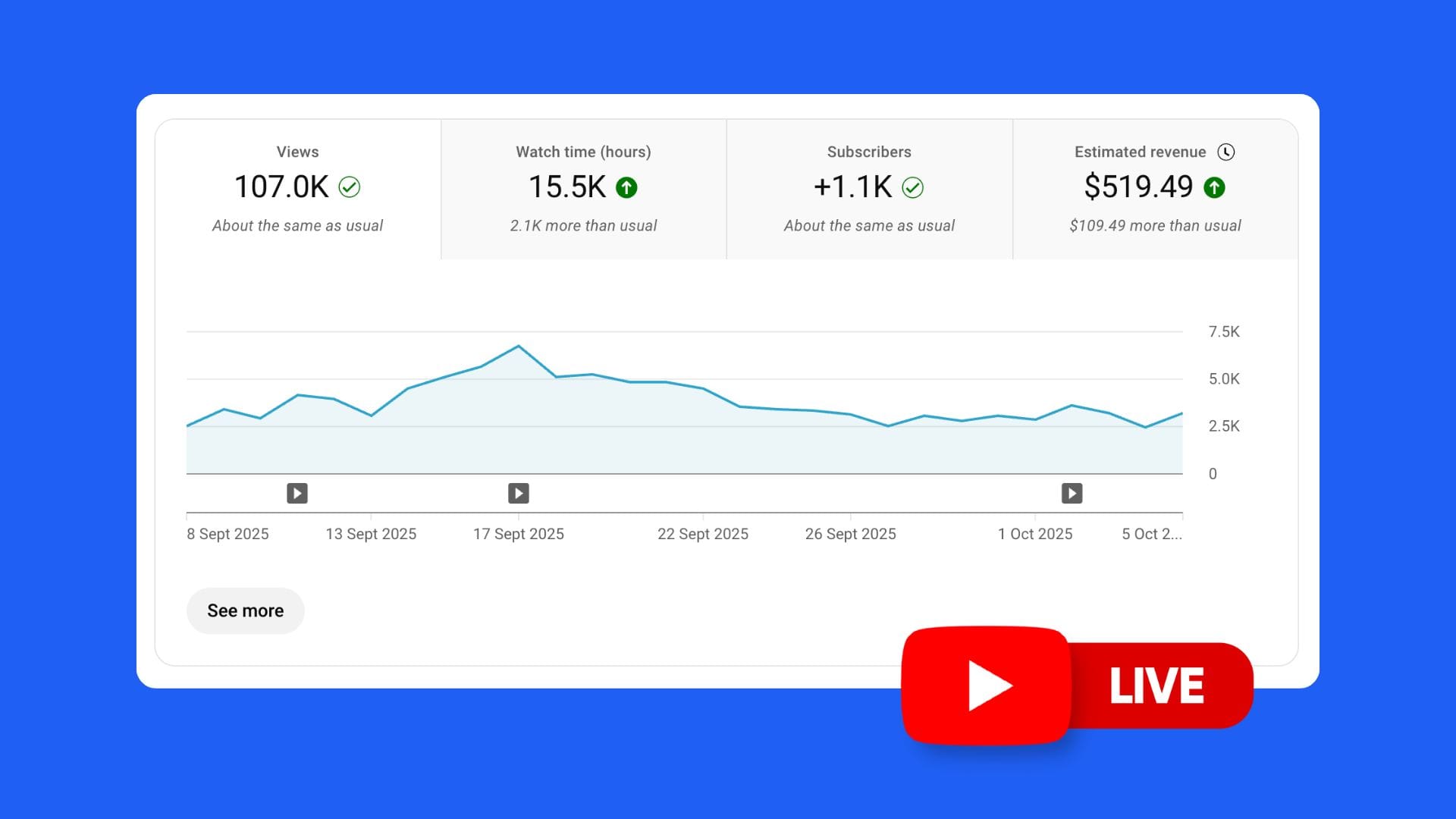
One of the most powerful parts of streaming on YouTube is the data. YouTube Studio gives creators deep insights into how live streams perform, both during the event and after. Reading this data correctly can turn a casual live streamer into a strategic creator who grows faster and monetizes smarter.
This section covers the analytics that matter for YouTube Live, what they mean in practice, and how to act on them.
1. Real-Time Analytics
When you’re live, you have access to immediate performance metrics. These help you make on-the-fly adjustments.
Concurrent Viewers
- The number of people watching at a single moment.
- Peaks usually happen in the first 15–30 minutes or during big moments.
- A rising curve means strong engagement and shareability. A falling curve signals boredom or technical issues.
Optimization tip:
If concurrents drop, re-engage chat with polls, Q&A, or a new topic.
Chat Rate
- Measures how active your chat is per minute.
- A higher chat rate signals stronger community engagement.
- Too low = viewers are passive. Too high = chaotic, consider slow mode.
Likes During Live
- Likes boost algorithmic distribution even during the stream.
- Encourage viewers to hit like at least once per session.
Super Chats & Stickers
- Track how much revenue you’re earning in real time.
- Pay attention to donation spikes, what triggered them? (e.g., answering questions, exciting gameplay, emotional moments).
2. Post-Stream Analytics
Once the stream ends, the replay’s performance becomes just as important.
Total Views vs Peak Concurrents
- A stream with 200 concurrent viewers may end up with 10,000+ total views after replay distribution.
- Indicates replay optimization potential.
Average Watch Time
- The average time viewers spend watching your stream or replay.
- High averages (20+ minutes) are excellent for algorithm signals.
- If average watch time is low, consider shortening streams or restructuring pacing.
Replay Retention Graphs
- Shows drop-off points during the replay.
- Use this to spot when people lose interest (e.g., long intros, dead air).
Optimization tip:
Trim replays to remove the first 5 minutes if people consistently drop early.
Click-Through Rate (CTR)
- Percentage of people who clicked your live thumbnail.
- Thumbnails and titles matter even for live streams.
- CTR below 4% = weak packaging. Above 8% = strong.
Traffic Sources
- Shows how people found your stream: Home, Suggested, Search, External.
- If “Home” and “Suggested” are low, focus on better thumbnails and titles.
- If “Search” is high, your topic is SEO-friendly, double down.
3. Audience Engagement Metrics
Engagement determines whether your live streams grow the channel or fade into obscurity.
Chat Participation Rate
- Percentage of viewers who commented during live.
- A higher rate means stronger loyalty and higher chances they return.
Poll Engagement
- How many viewers responded to polls.
- Low poll participation means you need to simplify questions.
Subscriber Conversions
- How many new subs came directly from the stream.
- If conversions are low, you’re not asking clearly enough.
- Example CTA: “If you’re new here, hit subscribe, I stream every Tuesday.”
4. Revenue Analytics
YouTube Studio separates live monetization into detailed categories.
Super Chat Reports
- Shows top contributors and total earnings.
- Track which stream formats earn the most donations.
Membership Growth
- View spikes in new memberships after specific streams.
- Correlate with perks offered, are members joining during live Q&As or giveaways?
Ad Revenue
- Compare ad performance between live replays and standard uploads.
- Ads often underperform during live but catch up in replay.
5. Benchmarking Your Performance
To grow, you need to compare your metrics against benchmarks.
Small Channels (<10k subs)
- Peak concurrents: 10–50
- Watch time: 15–25 min average
- CTR: 3–5%
Mid Channels (10k–100k subs)
- Peak concurrents: 100–1,000
- Watch time: 20–35 min
- CTR: 5–7%
Large Channels (100k+)
- Peak concurrents: 1,000–10,000+
- Watch time: 25–40 min
- CTR: 6–10%+
Note: Success is relative. A 50-viewer stream can outperform a 5,000-viewer stream if engagement and conversions are higher.
6. Improving with Analytics
The real value comes from acting on data.
If Concurrents Plateau Low
- Increase pre-stream promotion.
- Collaborate with another creator to borrow audiences.
If Watch Time is Weak
- Cut stream length.
- Add mid-stream hooks (“Stay tuned, giveaway in 10 minutes”).
If CTR is Low
- Redesign thumbnails with bold text and strong images.
- Re-test titles with urgency or keyword alignment.
If Super Chats are Weak
- Introduce rituals (thank donors with sound effects, show name on screen).
- Create donation goals visible on stream.
7. Using Analytics Beyond YouTube
Don’t limit yourself to Studio. Pair YouTube data with:
- Google Analytics: Track clicks from streams to websites.
- Discord/Community stats: Cross-measure live engagement with community growth.
8. Long-Term Strategy with Analytics
The goal isn’t perfect numbers in one stream, it’s improving each time.
- Track concurrent growth monthly.
- Set watch time targets (e.g., 20 min → 25 min).
- Test different stream lengths and formats.
- Compare revenue per stream over quarters.
Over time, analytics reveal what your unique audience responds to best.
9. Common Mistakes in Reading Analytics
- Overvaluing peak concurrents: Total replay views often matter more long term.
- Ignoring engagement rate: 1,000 silent viewers can be less valuable than 100 active chatters.
- Focusing only on revenue: Monetization grows with community, not the other way around.
- Neglecting replays: Many creators treat lives as one-and-done, missing the replay growth curve.
10. Turning Analytics into Action
Analytics are useless if you don’t adjust behavior. The loop looks like this:
- Stream.
- Review analytics.
- Identify strengths and weaknesses.
- Adjust format, length, promotion, or CTA.
- Stream again with the changes.
This continuous loop is how small creators scale into big ones.
YouTube Live FAQs
Creators often have the same questions before they start streaming. Answering these clearly not only helps new streamers but also ensures you’re not leaving easy growth opportunities on the table.

1. How often should you go live on YouTube?
There’s no universal rule. It depends on your niche and audience.
- Beginners: 1 stream per week is enough to test interest.
- Mid-tier creators: 2–3 streams per week balances reach and energy.
- Large creators: Stream as often as your audience demands, but only if you can sustain quality.
2. How long should a YouTube Live be?
- Minimum: 30–45 minutes to give viewers time to discover and join.
- Optimal: 1–3 hours. Long enough to build engagement without exhausting the host.
- Marathon streams (6–12 hours): Work only for gaming, charity events, or special launches.
3. Do YouTube Live views count toward monetization?
Yes. Watch time from public live streams counts toward the 4,000-hour requirement. Replay views also contribute. Private or unlisted streams do not.
4. Can small channels succeed with live?
Yes, but it’s harder. If you have fewer than 500–1,000 subscribers, lives often struggle with turnout. Best approach:
- Use searchable uploads to grow your base.
- Add occasional lives for Q&A or testing ideas.
- Expand once your community is active.
5. Should you schedule a live or go live spontaneously?
- Scheduled streams: Better for turnout and promotion. YouTube sends reminders.
- Spontaneous streams: Work best during breaking events or trending moments.
A hybrid approach works, schedule regular sessions but jump in live when something urgent happens.
6. Are YouTube Lives better than uploads?
Not better, different.
- Uploads: Great for discovery and evergreen traffic.
- Lives: Great for engagement and monetization.
Most successful creators mix both.
7. Do Lives get recommended like uploads?
Yes. Live streams appear in:
- Home feed
- Live Now shelf
- Search results
- Suggested videos
Replay versions continue to get recommended long after the stream ends if optimized correctly.
8. Do YouTube Lives help grow subscribers?
Yes. Lives are highly effective for conversions if you remind people mid-stream.
- Add clear CTAs: “Subscribe if you’re new.”
- Offer value incentives like Q&As for subscribers only.
9. Can you monetize without 1,000 subs?
No, Super Chats, Stickers, and Memberships require YPP approval. However, you can still build community and drive off-platform support (Patreon, Ko-fi, PayPal) before that milestone.
10. Do YouTube Lives stay on your channel?
Yes, unless you delete them. They appear as replays after ending. You can edit, trim, and optimize them like normal videos.
11. Can you go live from mobile?
Yes, but you need at least 50 subscribers. For under 50, you can go live from desktop only.
12. What is the best time to go live?
Depends on your audience. Use YouTube Analytics → “When your viewers are on YouTube.”
General benchmarks:
- Weekdays: 6–9 PM in your audience’s timezone.
- Weekends: Late mornings or early evenings.
13. Do Lives hurt your channel if they underperform?
Not directly. A weak live won’t ruin your channel, but frequent underperforming streams can signal low engagement. Use them strategically.
14. Can you edit a live stream after it ends?
Yes. In YouTube Studio you can:
- Trim beginnings and endings.
- Add chapters.
- Replace thumbnail and update title/description.
15. Do Lives work in every niche?
No. Best niches for live are:
- Gaming
- Education
- Music
- Commentary/News
- Lifestyle/Community-driven creators
Less effective for cinematic, scripted, or highly edited niches.
16. Do Lives count for YouTube Shorts monetization?
No, Shorts monetization is separate. But live can complement Shorts by driving long-form watch time and vice versa.
17. Can you test live streams privately?
Yes. Set stream visibility to “Private” or “Unlisted” for test runs. This avoids public mistakes.
18. Do live streams help with brand deals?
Yes. Sponsors love live for engagement. You can sell segments, product shoutouts, or co-branded events.
19. Can live streams go viral?
Yes, especially if tied to trending events. Example: reacting to a major sports event or product launch. Viral potential is higher during real-time moments.
20. Do you need expensive gear to succeed?
No. Many creators grow with a webcam, USB mic, and ring light. Good audio and stable internet matter most.
Conclusion: Action Plan for YouTube Live
YouTube Live is one of the most underused growth tools in 2025. While uploads and Shorts build discovery, live creates loyalty and revenue. The key is knowing how to integrate it into your strategy without burning out or confusing your audience.
Step 1: Decide If Live Fits Your Channel
- Works if your niche values real-time interaction (gaming, education, music, news).
- Less effective for heavily scripted or cinematic creators.
Step 2: Build a Setup You Trust
- Camera, mic, lighting, stable internet.
- OBS or Streamlabs for customization.
- Branded overlays and strong thumbnails.
Step 3: Promote and Schedule
- Always schedule in advance.
- Use Shorts, Community posts, and social channels to drive turnout.
Step 4: Engage Like Crazy
- Respond to chat by name.
- Run polls and answer questions.
- Build rituals around Super Chats or milestones.
Step 5: Repurpose Content
- Clip highlights into Shorts.
- Optimize replays with thumbnails and SEO.
- Embed streams into blogs or newsletters.
Step 6: Monetize Smartly
- Start with Super Chats and Stickers.
- Add Membership perks once demand exists.
- Drop limited merch during live for urgency.
- Explore sponsorships once your streams hit 500+ concurrents.
Step 7: Track Analytics
- Review concurrent trends, watch time, CTR, and revenue after every stream.
- Double down on what works, cut what doesn’t.
Step 8: Stay Consistent Without Burning Out
- Choose a sustainable cadence (e.g., 1–2 streams per week).
- Mix with uploads and Shorts for a hybrid growth model.
Final Thought
YouTube Live isn’t for everyone, but for creators who lean into community, interaction, and real-time content, it’s a growth and monetization powerhouse. Use it as a complement to uploads, repurpose every stream, and track your data relentlessly. The creators who do this in 2025 won’t just grow faster, they’ll build fan bases that stick around for years.