
YouTube Thumbnail Ideas for Artists - STOP the Scroll
Your art deserves more clicks.
You're pouring days into your videos. The time-lapses are smooth, the tutorials are helpful, and your style is genuinely unique. But when you check your analytics, the views tell a different story.
Here's the thing: YouTube doesn't care how good your content is if nobody clicks on it. And for artists, the thumbnail game is different. Generic YouTube advice doesn't always apply when your whole channel is visual.
Your thumbnails need to stand out in a sea of other creators, catch attention on tiny mobile screens, and actually communicate what makes your art worth watching.
That's what this post is about. I'm going to walk you through thumbnail ideas that work specifically for art channels, so your videos finally get the views they deserve.
Before vs After Art Thumbnails
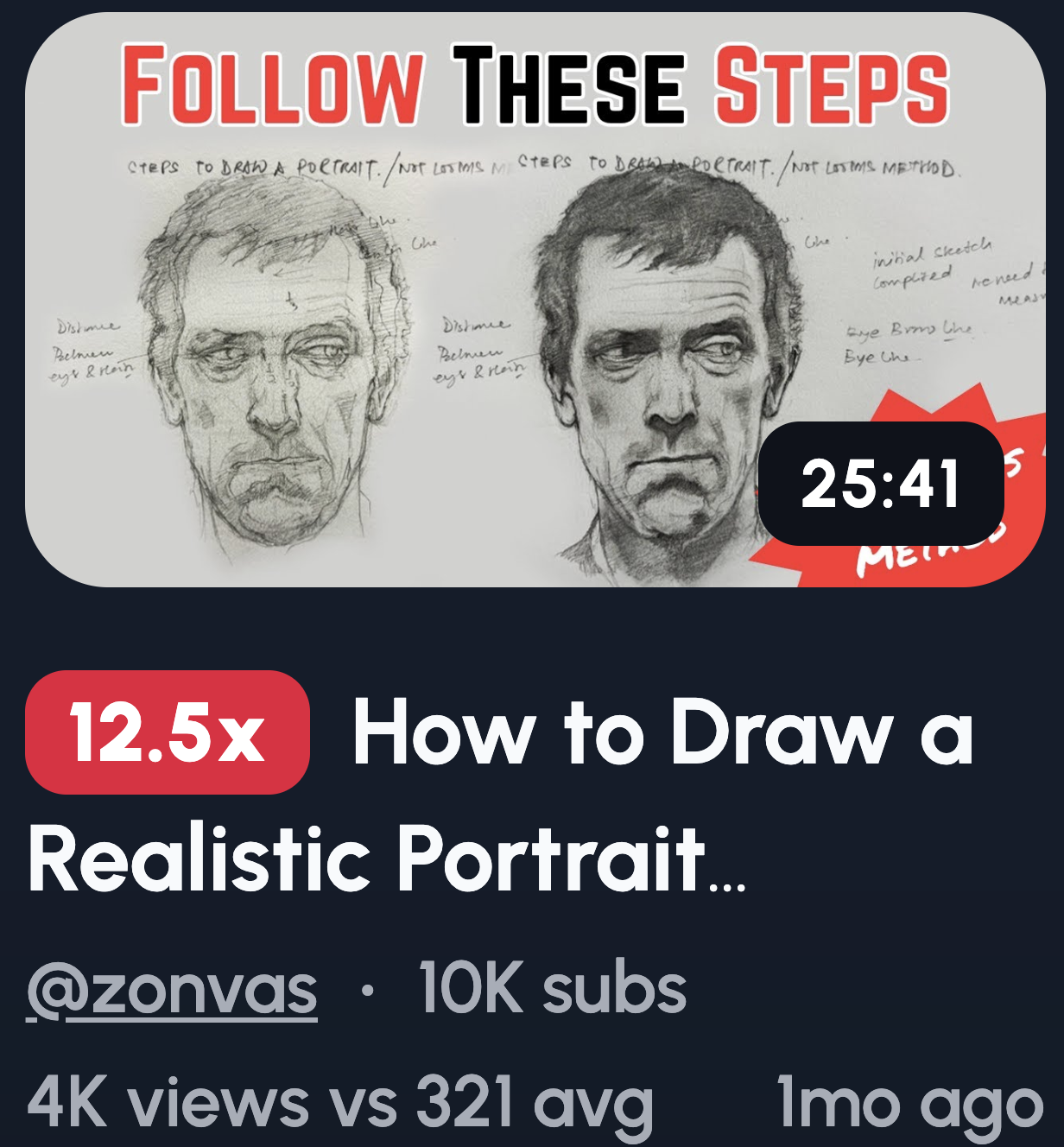
Nothing grabs attention like a glow-up. Before vs after thumbnails work because our brains are wired to spot change, and transformation feels satisfying.
Here are some ideas to try:
- Messy sketch → finished artwork
- Flat colors → fully shaded version
- Old artwork → redraw years later
- 10 minutes vs 10 hours
- Beginner drawing → improved redraw
The key is pushing the contrast hard. Subtle differences get lost on small screens.
Process & Progress Thumbnails
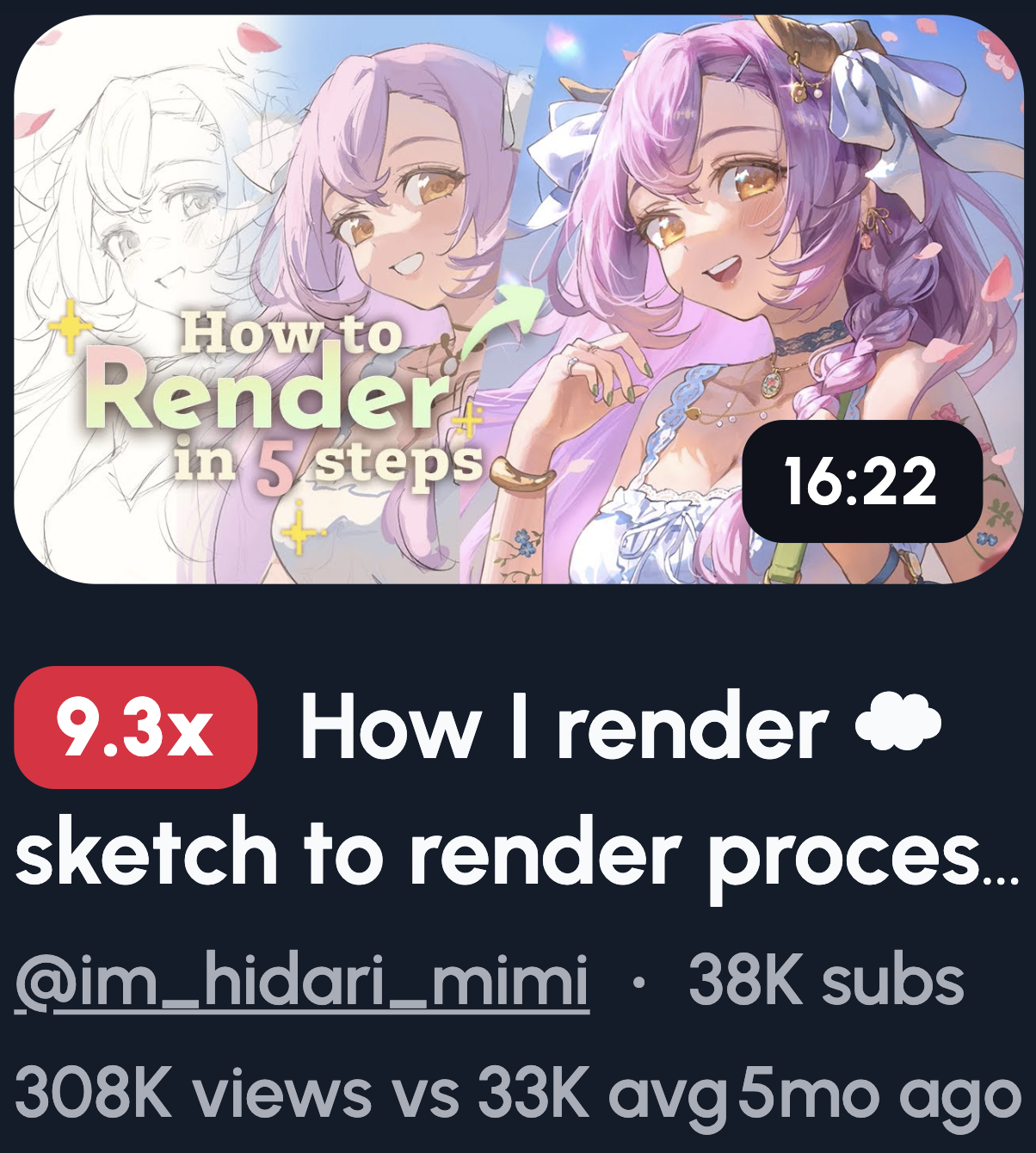
People are nosy. They want to see how you made something, not just the polished result.
Here are some ideas to try:
- Blank canvas → half-done → finished piece
- Close-up of brush strokes mid-work
- Layer stack reveal from your software
- Sketch fading into full color
- Progress bar timeline overlay
Keep each step visually distinct so viewers can read it at a glance. Clutter kills clarity, so strip out anything that doesn't add to the story.
Reaction-Based Artist Thumbnails
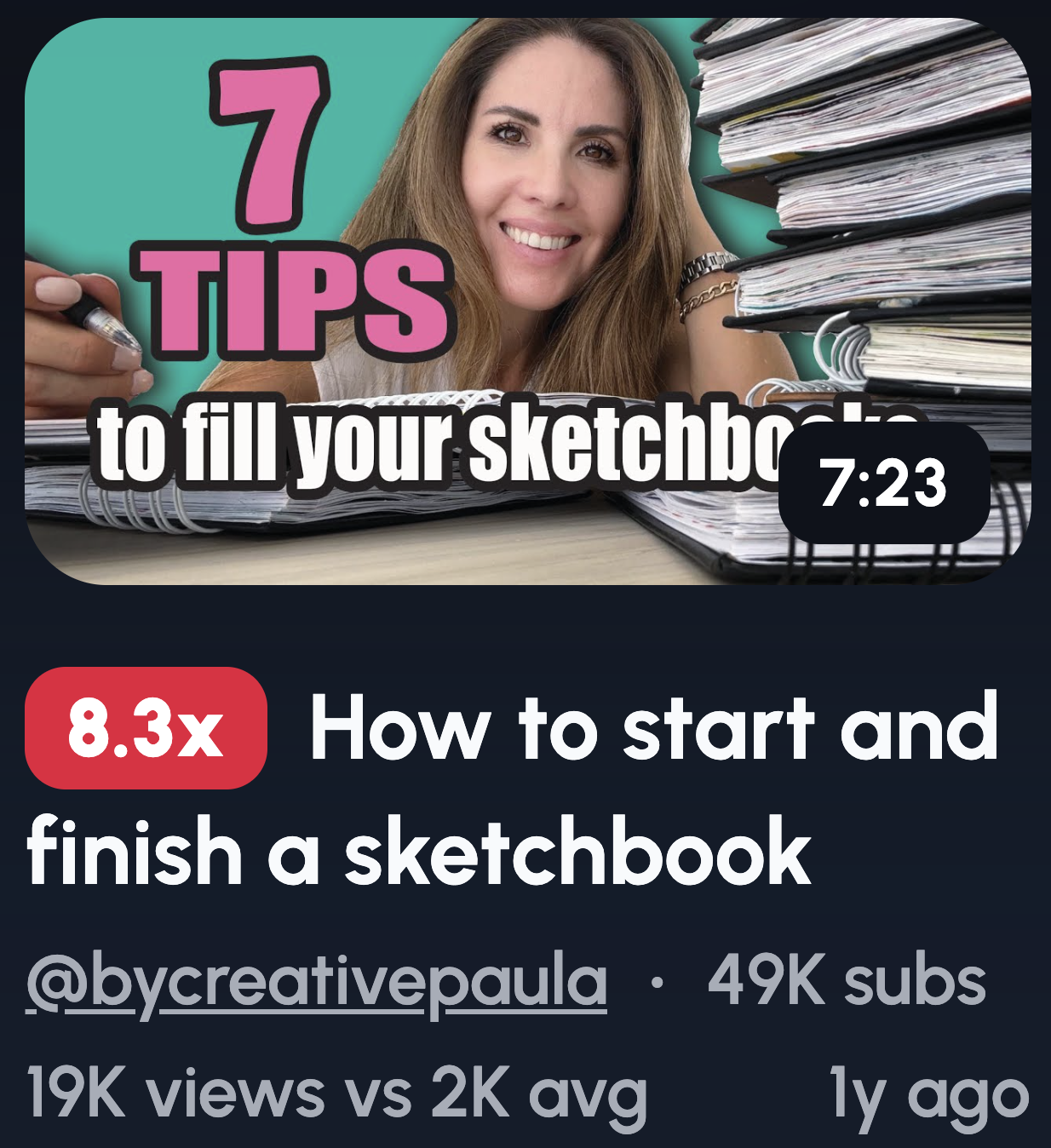
Faces are click magnets. Our brains are hardwired to look at them, and emotions are contagious, even in a tiny thumbnail.
Here are some ideas to try:
- Shocked reaction next to your artwork
- Proud smile with the final piece
- "Did not expect this" expression
- Eyes looking directly at the art
- Hand-over-mouth surprise
Make sure your eyes point toward the artwork. It sounds small, but it guides the viewer's attention exactly where you want it. Go big with expressions too. Exaggeration beats realism here, and neutral faces get scrolled past.
Create Art Thumbnails in 1-Click
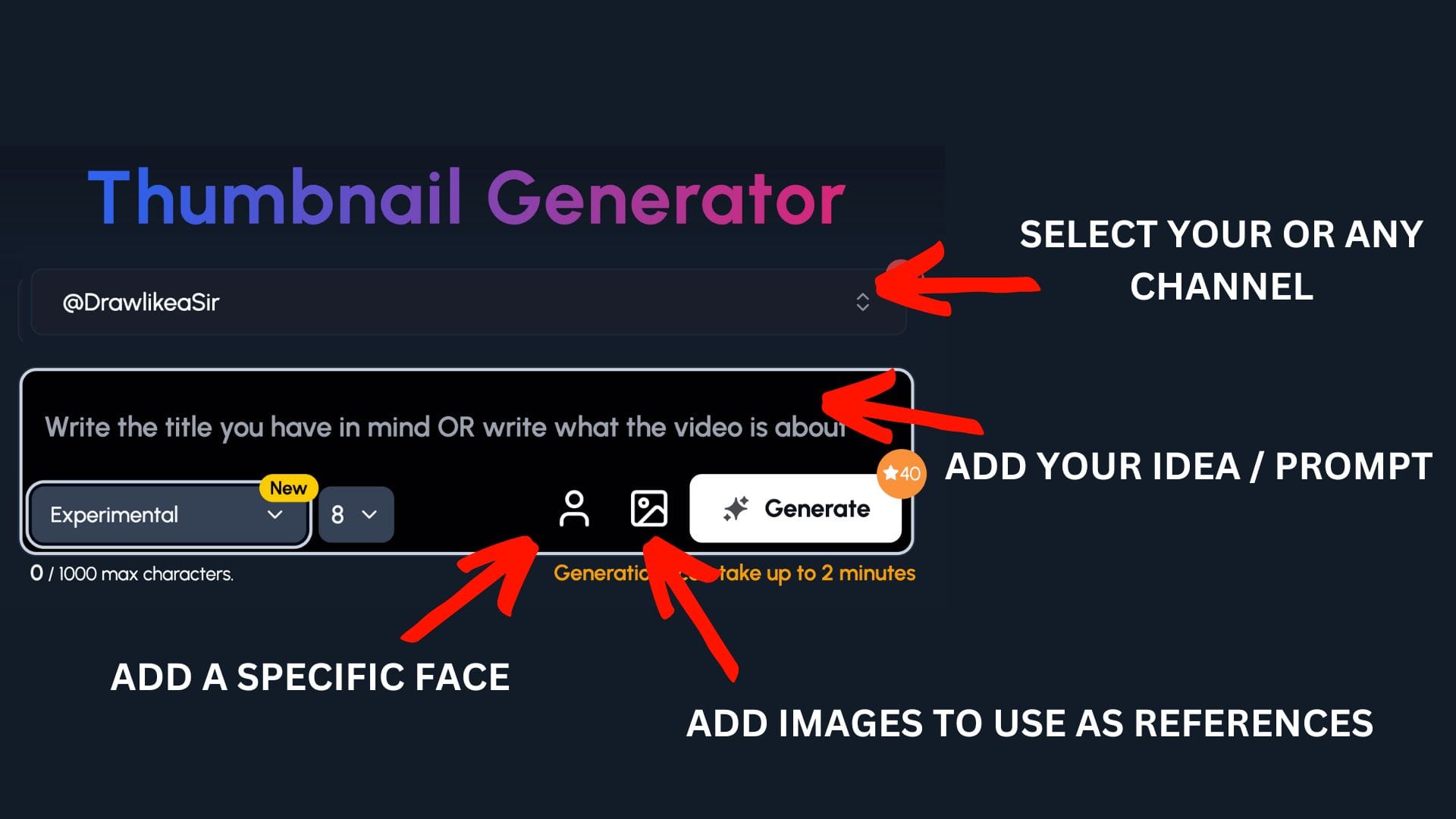
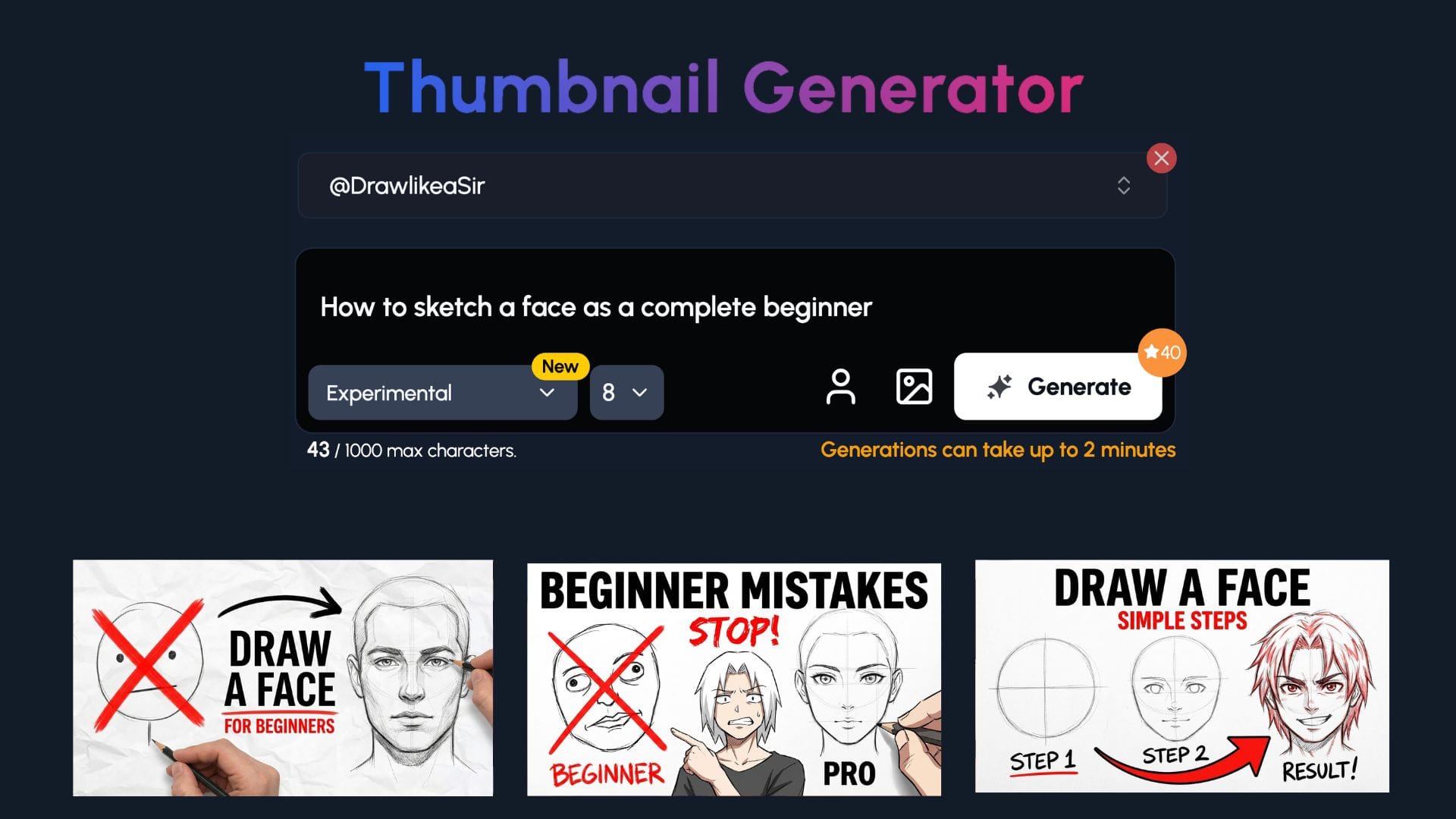
You've got the ideas. Now you need a fast way to bring them to life. 1of10 lets you create scroll-stopping thumbnails without the usual hassle. It's built specifically for art YouTube creators who want thumbnails that actually get clicked.
Step 1: Select your channel or a competitor's channel to help 1of10 get inspiration
Step 2: Decide if you want to upload your specific face or add images to use as a reference - perfect for art channels to upload themselves and their art
Step 3: Write the title or describe your idea
Now watch you ideas come to life.
Art Mistakes & Fixes Thumbnails
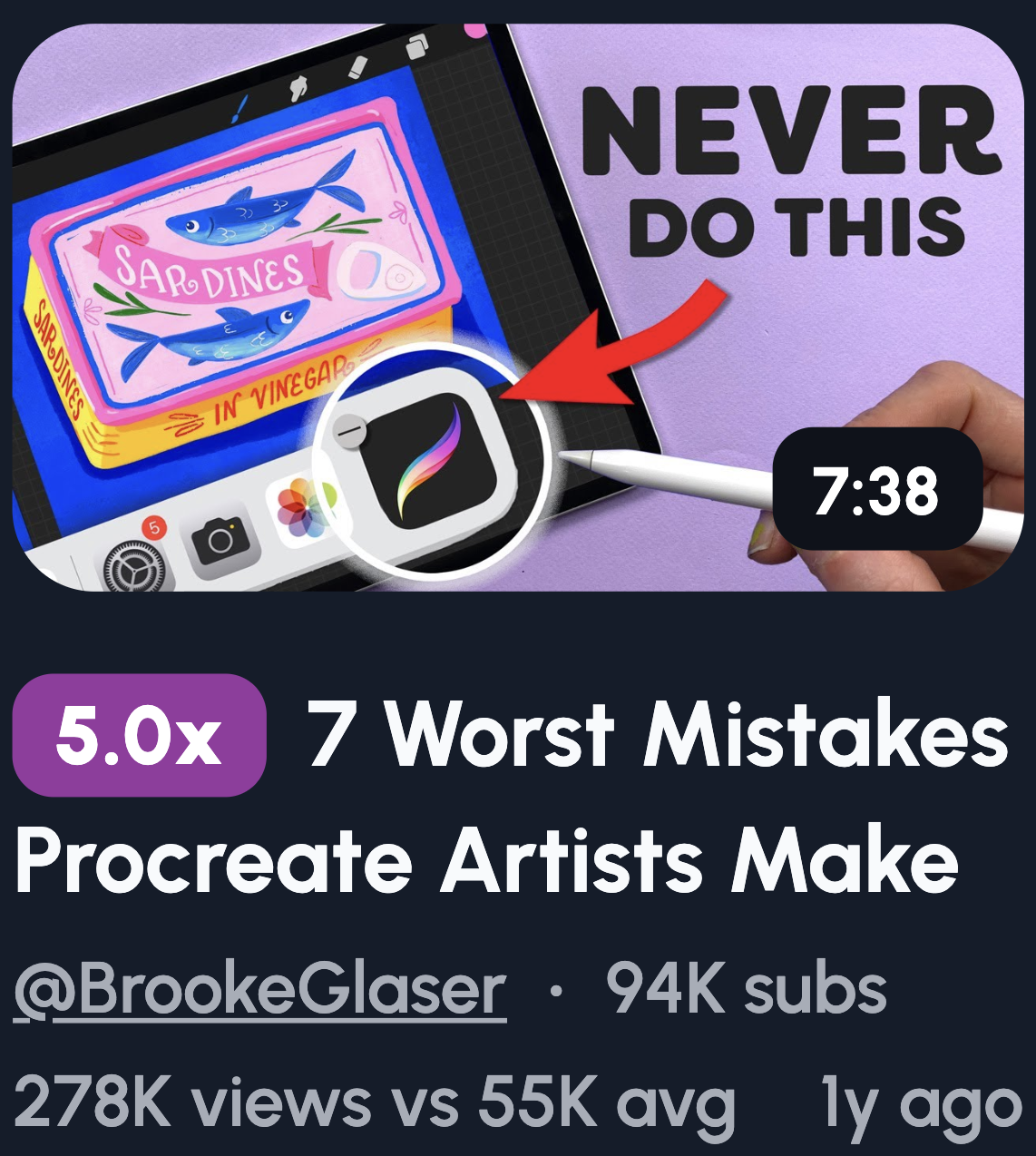
Nobody wants to make the same mistake twice. That's why "what not to do" content gets clicks, it promises a shortcut to getting better.
Here are some ideas to try:
- "STOP doing this" with a bad example
- Anatomy mistake circled in red
- Flat shading vs depth shading comparison
- Color theory error highlighted
- Before vs fixed version side by side
Make the mistake impossible to miss. Use circles, arrows, or red crosses to draw attention. If someone can't spot the error without reading the title, the thumbnail isn't doing its job.
Skill Improvement & Mastery Thumbnails
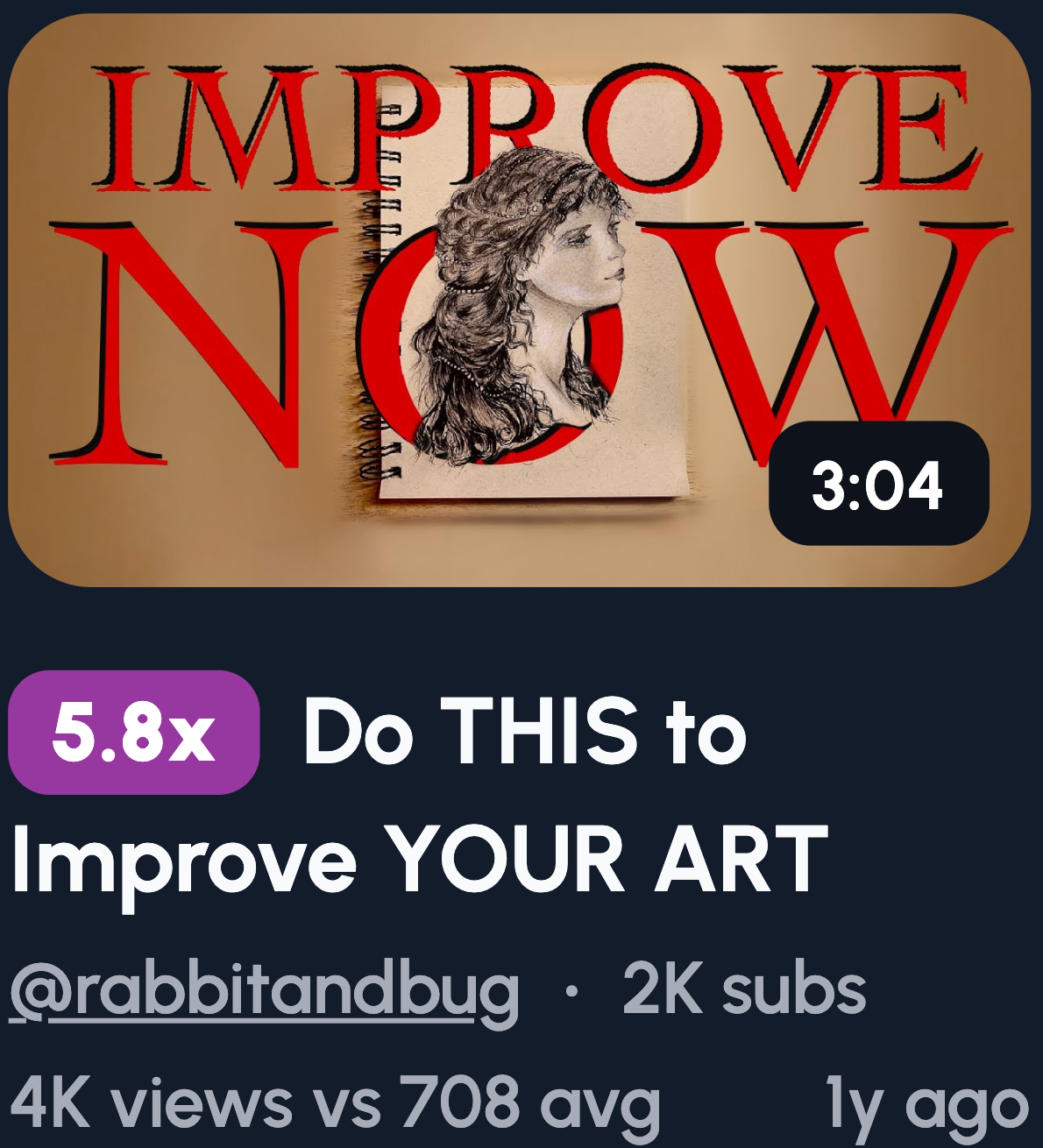
Everyone wants to get better, faster. These thumbnails tap into that desire by showing what's possible with the right technique or mindset shift.
Here are some ideas to try:
- "This changed my art" with a standout example
- Skill ladder graphic showing levels
- Weak vs strong linework comparison
- Amateur vs pro side by side
- One technique spotlight with clear results
The promise here is growth. Make that payoff visible in the thumbnail itself. If viewers can see the improvement at a glance, they'll click to find out how you got there.
Art Challenges & Constraints
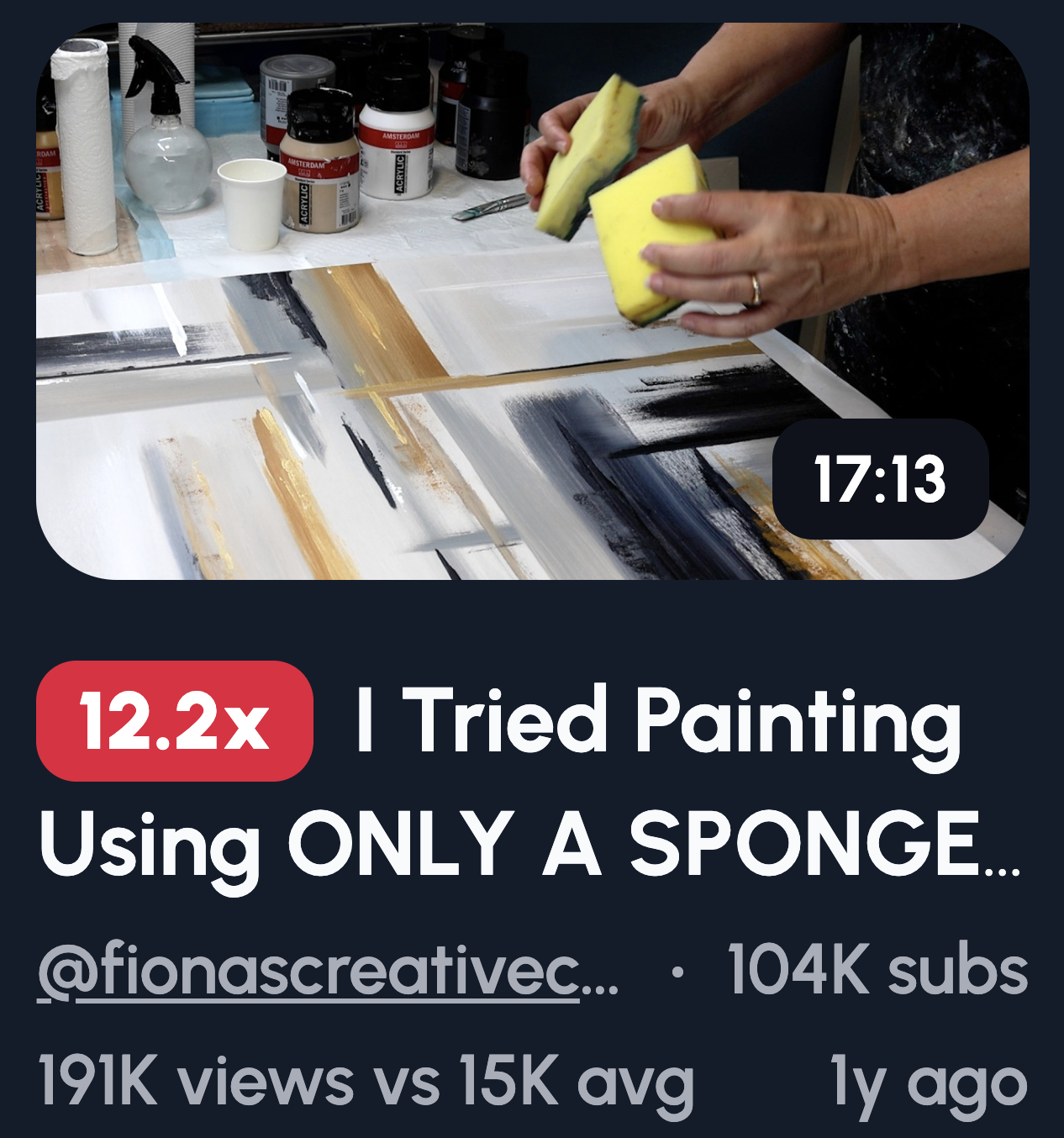
Limits make things interesting. When viewers see a constraint, they want to know if you pulled it off, and that curiosity drives clicks.
Here are some ideas to try:
- "30 MINUTES ONLY" with a timer graphic
- One brush challenge result
- No undo challenge final piece
- Drawing with eyes closed
- Random tool challenge outcome
Show the constraint clearly in the thumbnail. A timer, a crossed-out tool, or a blindfold tells the story instantly. The tension between the limit and the finished art is what hooks people in.
Style Experiments & Art Challenges
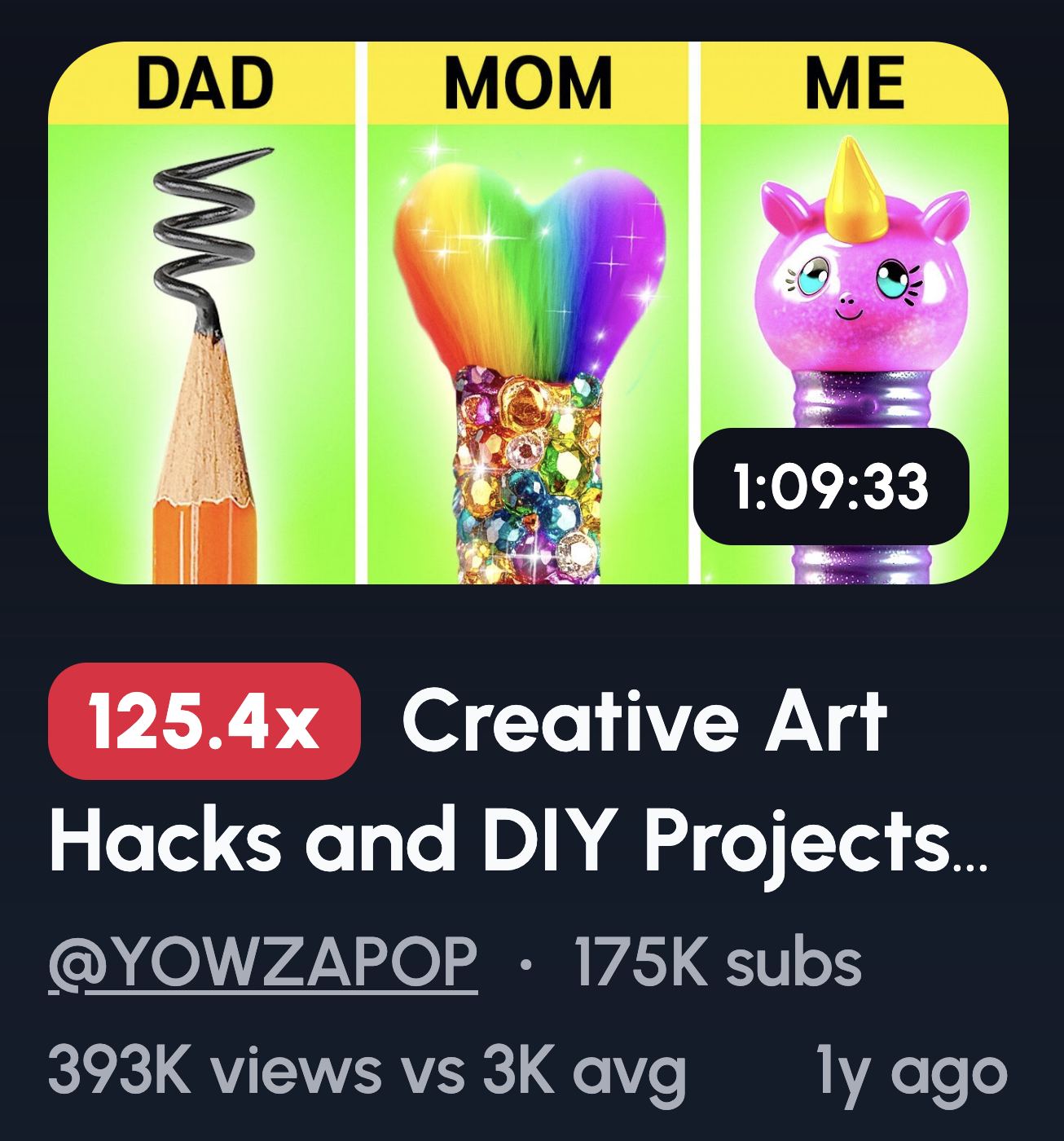
Something different stops the scroll. When viewers see a familiar subject drawn in an unexpected way, curiosity kicks in.
Here are some ideas to try:
- Same subject in 3 different styles
- Realism vs cartoon side by side
- Anime vs realism split
- Color palette swap comparison
- "What if I drew this as..." concept
Lean into the contrast between styles. The bigger the visual gap, the more it grabs attention. Put the styles next to each other so the difference hits immediately, no reading required.
Minimalist Thumbnails for Artists
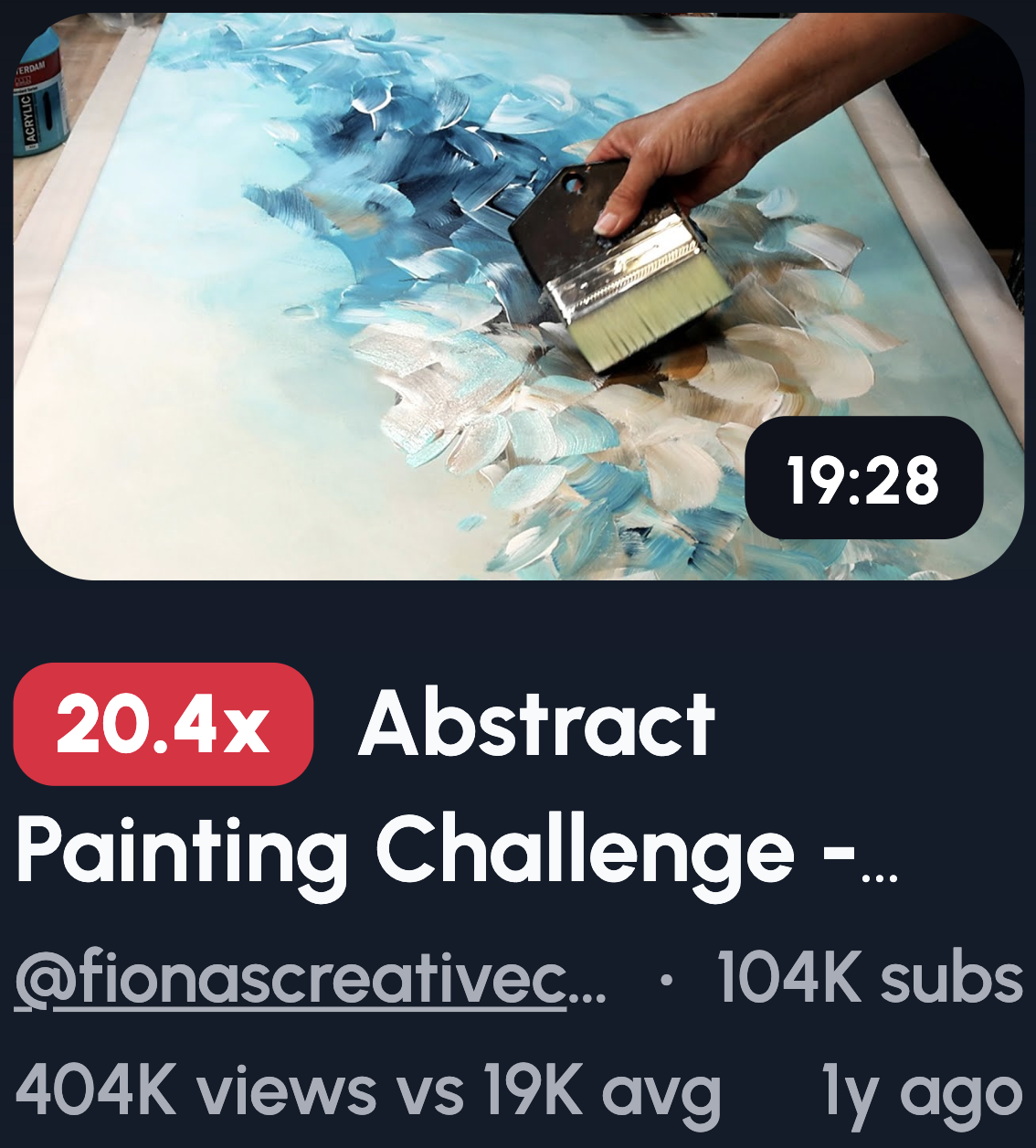
Sometimes less really is more. A clean thumbnail can cut through the noise when everyone else is cramming theirs with text and graphics.
Here are some ideas to try:
- Single artwork with nothing else
- Zoomed-in focal point of your piece
- White background with art front and center
- No text, just strong contrast
- One emotion as the entire focus
Resist the urge to fill every corner. Let your art breathe. If your work is striking enough, it doesn't need bells and whistles to earn the click.