
Tech Thumbnail Ideas that Stand out on YouTube
Your tech videos deserve more clicks.
You've spent hours researching, scripting, and editing. The content is solid. But when you check your analytics, the click-through rate tells a different story.
Here's the frustrating part: your thumbnail is probably the problem.
In the tech niche, you're going up against channels with millions of subscribers and professional design teams. Their thumbnails look clean, polished, and impossible to ignore.
Yours? Maybe not so much.
But here's the good news. You don't need a design degree or a big budget to fix this. You just need to know what actually works.
In this post, I'll break down the best tech thumbnail ideas that grab attention and get clicks. These are proven styles used by top creators, and you can steal every single one of them.
Not to mention, our 1-click tech thumbnail maker can do this with absolute ease, saving you countless time.
Let's get into it.
Comparison & Versus Thumbnails

Comparison thumbnails work because they create instant tension. Your brain sees two options and immediately wants to know which one wins. That curiosity drives clicks.
Ideas to try:
- New vs old device
- Cheap vs expensive tech
- Device A ❌ Device B
- AI tool vs human workflow
The key is keeping it clean. Use a clear split down the middle with strong contrast between both sides. If your thumbnail looks cluttered, the comparison gets lost, and so does your click.
Reaction-Driven Tech Thumbnails
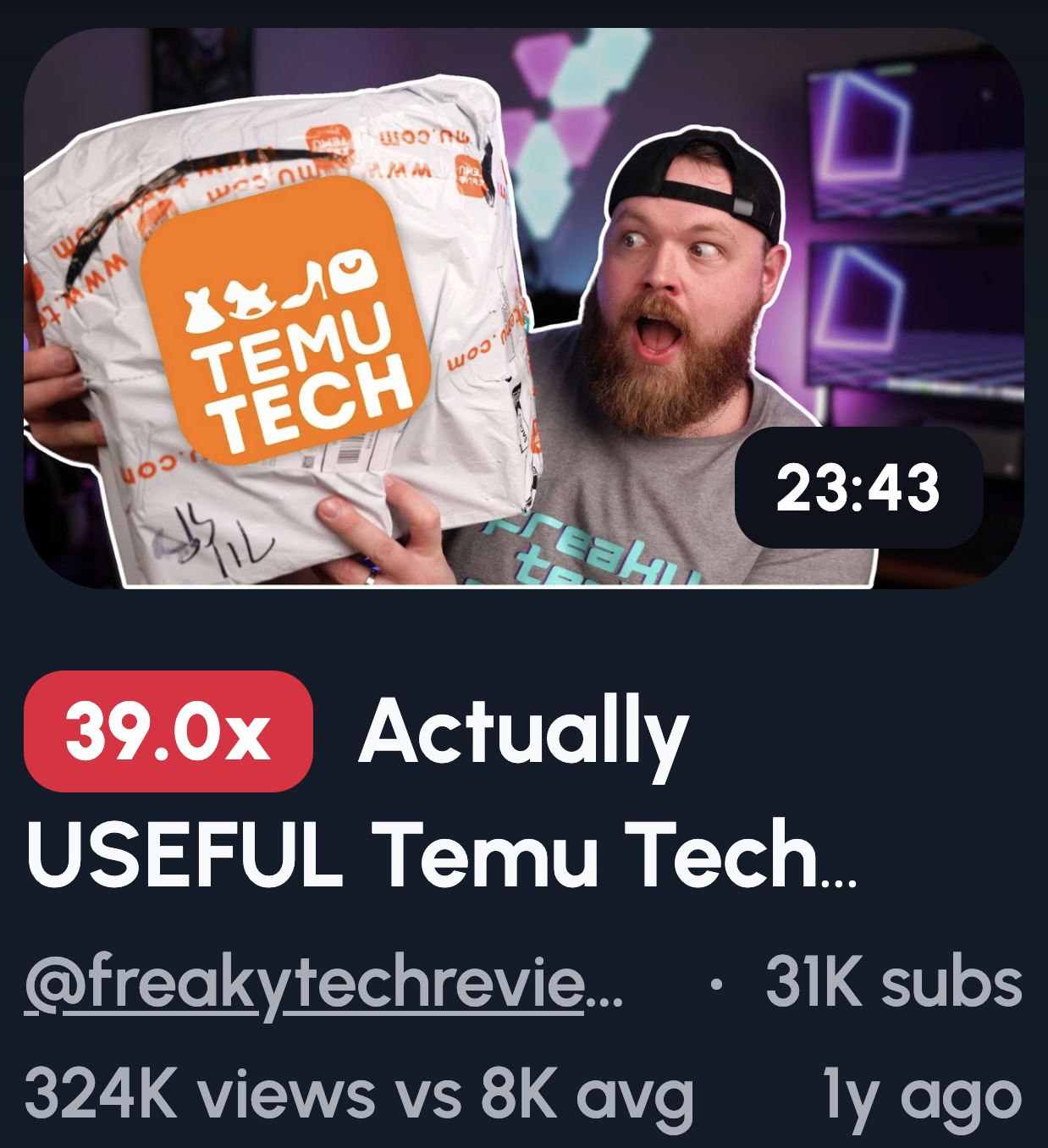
People click faces before products. It's hardwired into us. When you pair a strong emotional expression with a gadget, it signals that something important or surprising happened. Viewers want to know why.
Ideas to try:
- Shocked face + gadget close-up
- Confused expression + question marks
- "Did not expect this" reaction
- Pointing at screen or device
Pro Tip: exaggerate the emotion. Thumbnails are tiny, especially on mobile. If your expression looks subtle on a big screen, it'll be invisible on a phone.
Before vs After Tech Thumbnails

Transformation sells itself. When viewers see a clear before and after, they instantly understand the value without needing any extra explanation. The promise of improvement is baked right into the image.
Ideas to try:
- Slow PC → Fast PC
- Messy desk → clean setup
- Bad audio → studio sound
- Stock device → upgraded device
Don't be subtle here. The change needs to be dramatic and obvious at a glance. If someone has to squint to spot the difference, your thumbnail isn't doing its job.
Create Tech Thumbnails in 1-Click
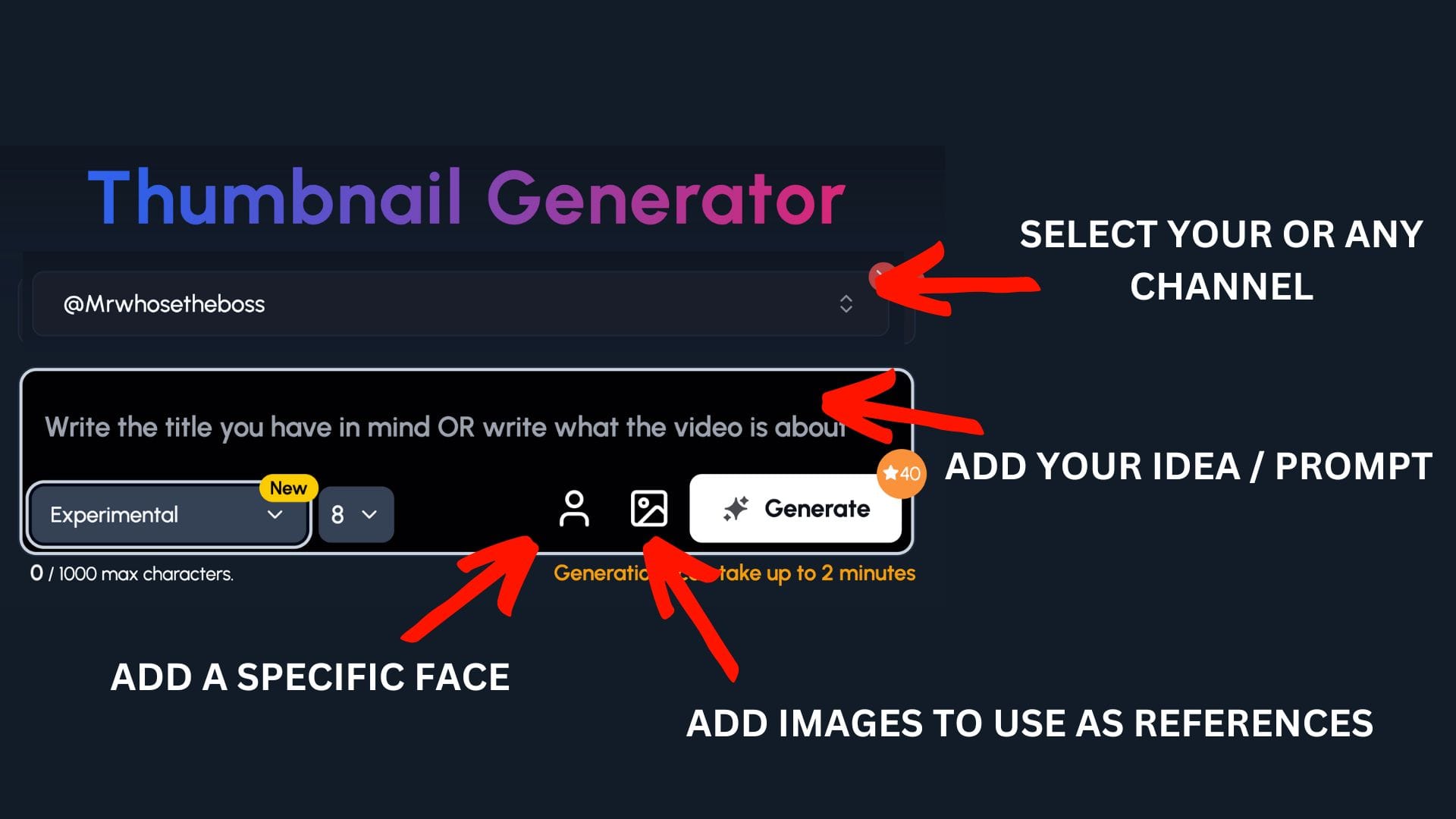
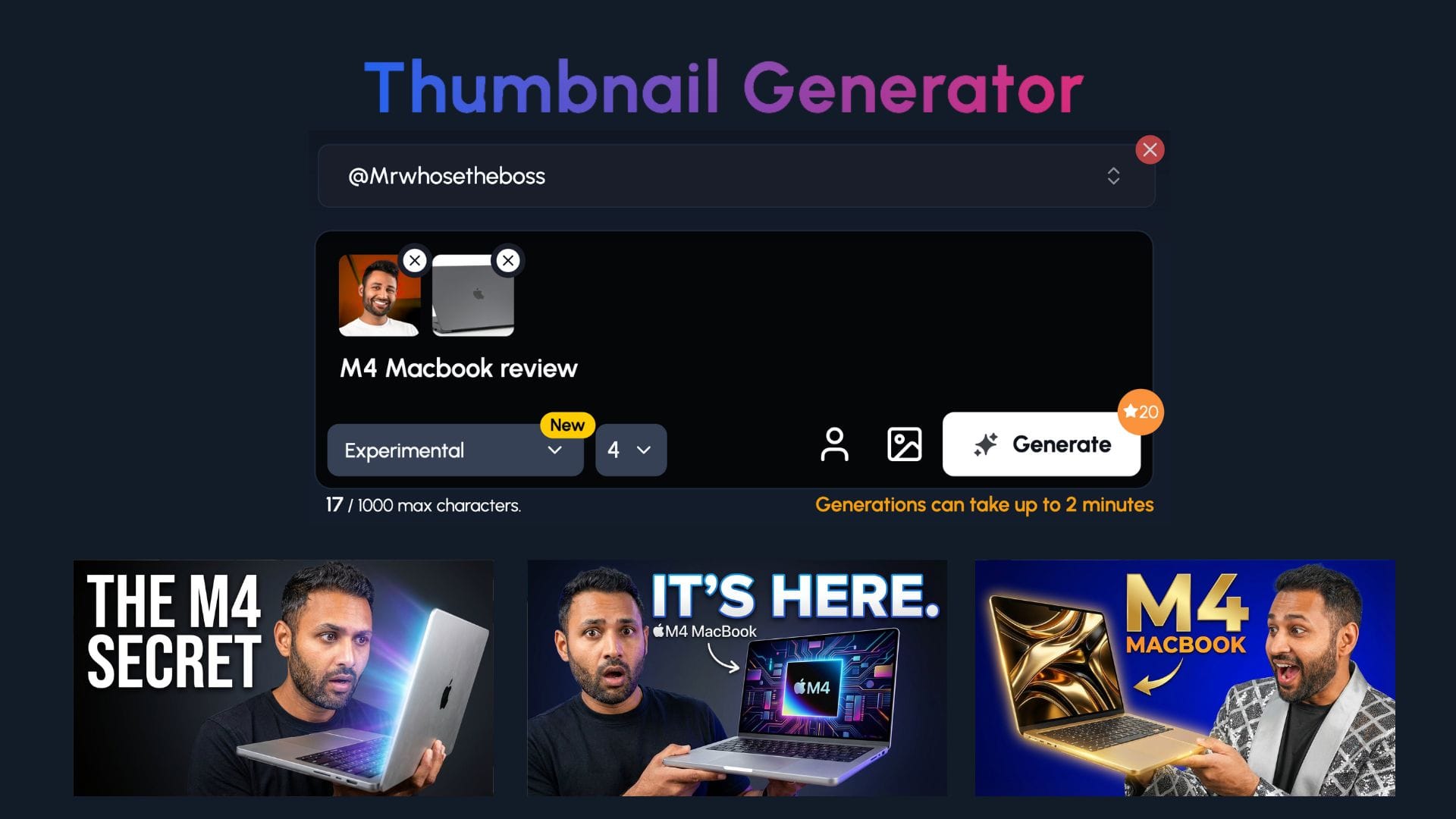
1of10's AI thumbnail maker takes the guesswork out of the process. Just describe what you want, and it generates scroll-stopping thumbnails in seconds. No design skills required.
Step 1: Select your channel or a competitor's channel to help 1of10 get inspiration
Step 2: Decide if you want to upload your specific face or add images to use as a reference - perfect for tech channels to upload themselves and devices
Step 3: Write the title or describe your idea
Now watch you ideas come to life.
Warning & Mistake Tech Thumbnails
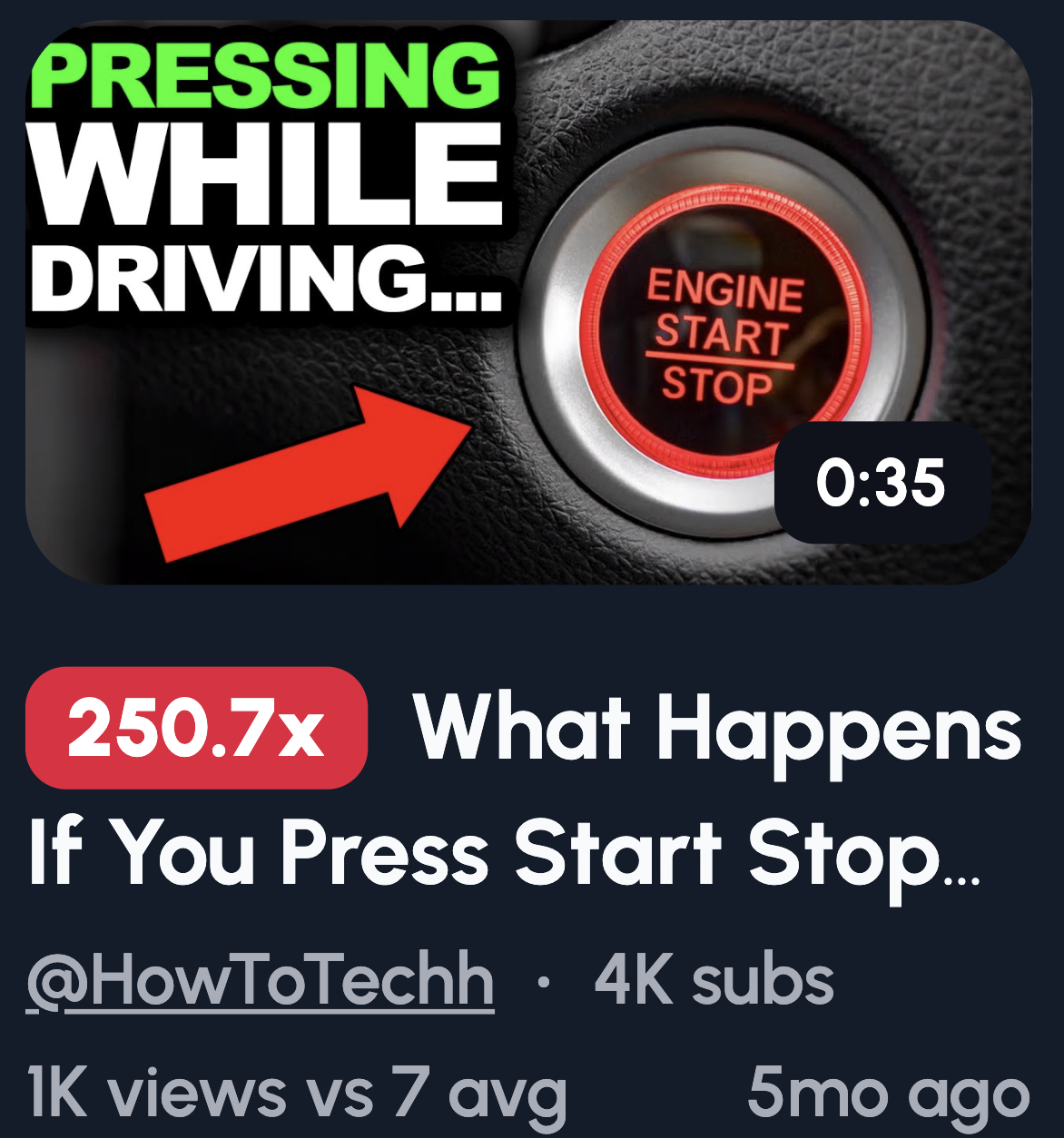
Loss hurts more than gain feels good. It's a psychological fact. When your thumbnail warns viewers about a mistake or hidden problem, they click because they don't want to be the one who messes up.
Ideas to try:
- Red ❌ over popular gadget
- "STOP" text + device
- Arrow pointing at hidden issue
- Broken tech in hand
A word of caution: don't go full clickbait. If your thumbnail promises a scandal and your video doesn't deliver, viewers will bounce and your retention tanks. Keep the warning real.
Hidden Feature & Secret Tech Thumbnails
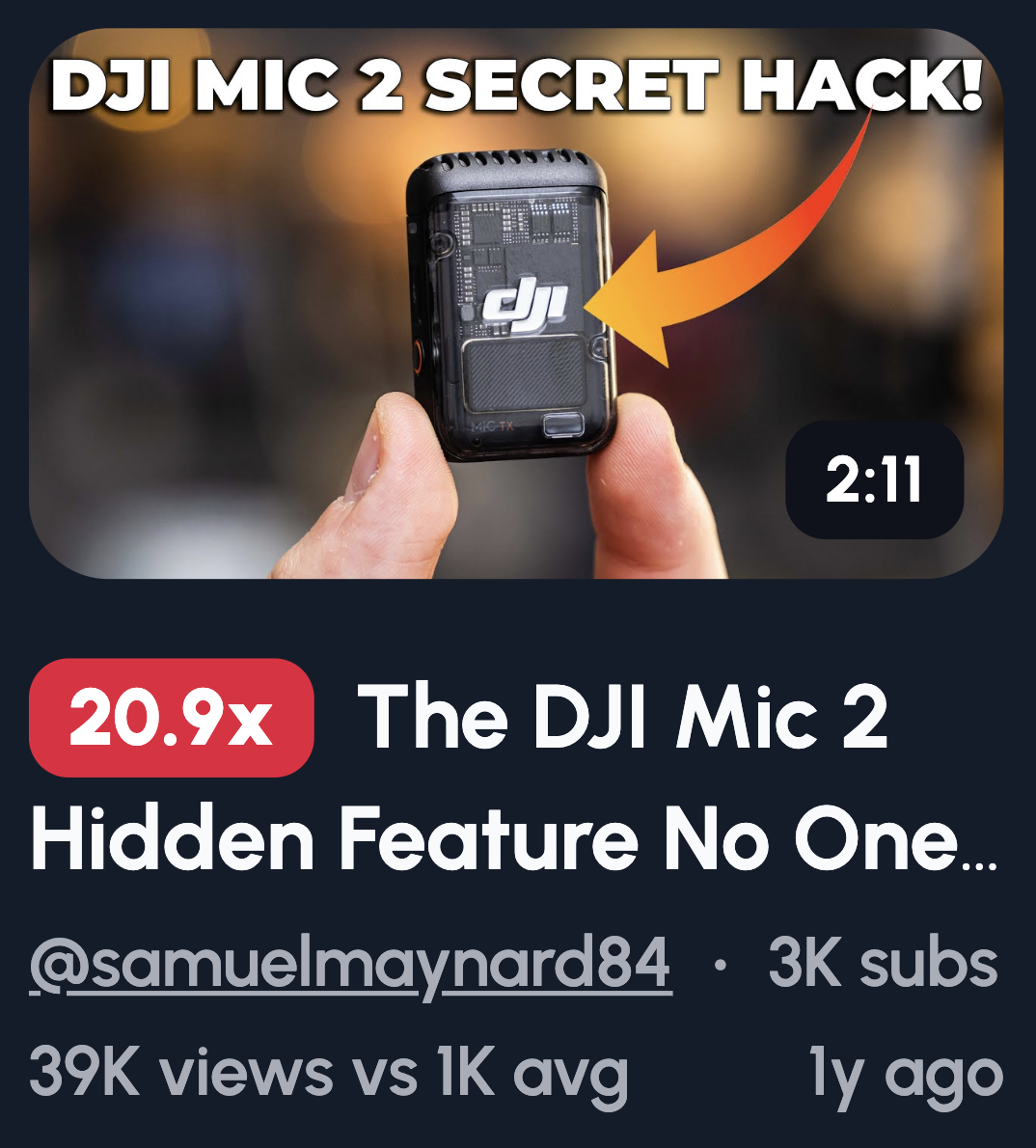
These thumbnails trigger fear of missing out. When viewers see a hidden detail or secret feature, they feel like everyone else knows something they don't. That FOMO is a powerful click magnet.
Ideas to try:
- Arrow pointing to tiny detail
- Highlighted settings toggle
- Zoomed-in UI element
- "You missed this" text
Here's a trick: blur or partially hide the feature in your thumbnail. Don't give it all away. When something looks deliberately concealed, curiosity kicks in and viewers click to find out what they're missing.
AI & Future Tech Thumbnails

AI grabs attention because it implies speed, power, and an unfair advantage. Viewers want to know if they're missing out on a tool that could make their life easier or their work faster.
Ideas to try:
- Human face vs robot face
- "AI did this?" text
- Laptop glowing with code
- Before AI / After AI
One thing to watch out for: generic robot imagery is overused and easy to scroll past. If you're going to use a robot, make it stylised or unique. Otherwise, focus on the results AI delivers instead.
Value, Money & Savings Tech Thumbnails

Money talks. When viewers see a thumbnail about cost, value, or savings, they click fast because it directly affects their wallet. Financial decisions feel urgent, and that urgency drives action.
Ideas to try:
- $ symbol + shocked face
- Cheap price tag vs premium device
- "Worth it?" expression
- One device replacing many
Make your price visuals big and bold. If someone can't read the numbers on a phone screen, the thumbnail loses its punch. Large text and clear pricing are non-negotiable here.
Unboxing & First Look Thumbnails

Newness sparks curiosity. When viewers see a fresh unboxing, they want to experience that "first look" moment with you. It taps into the excitement of getting something new without spending a penny.
Ideas to try:
- Hands opening box
- Product floating effect
- Minimal background
- First reaction face
Forget fancy backgrounds. Lighting is what makes or breaks an unboxing thumbnail. Clean, bright lighting makes the product pop and look premium. Poor lighting makes even expensive tech look cheap and forgettable.
Speed, Power & Performance Thumbnails
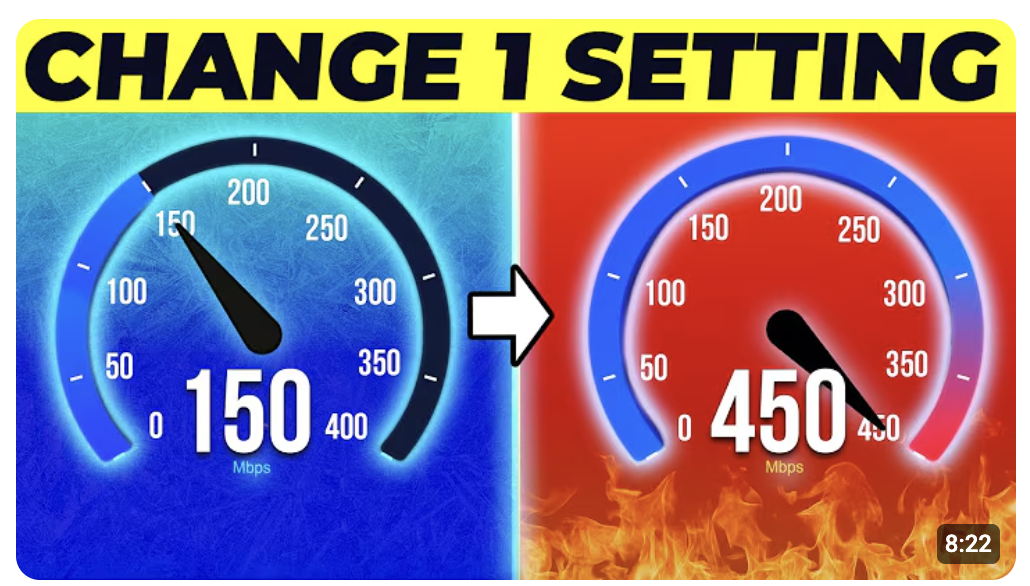
Speed and power promise results. When viewers see a thumbnail about performance, they're imagining their own experience getting faster and smoother. That promise of a better outcome is hard to scroll past.
Ideas to try:
- Speed lines around device
- Big benchmark numbers
- "FAST" or "SMOOTH" text
- Performance glow effects
If you're using numbers, keep them bold and simple. A cluttered benchmark screenshot won't register at thumbnail size. Pick one standout number and make it impossible to miss.
What Makes a Tech Thumbnail Get Clicks?
A tech thumbnail gets clicks when it communicates one clear idea instantly. People scroll YouTube fast, so your thumbnail has about one second to register. Emotion and clarity will always beat fancy design skills. You don't need to be a Photoshop pro to win clicks.
Here's what's actually happening when someone browses YouTube. They're scanning dozens of thumbnails in seconds. Their brain is looking for something that stands out and makes sense immediately. If your thumbnail needs explaining, it's already lost.
The good news? Simplicity works in your favor.
Stick to these three rules:
- One main object: Don't cram multiple gadgets into one thumbnail. Pick the star of the show and let it breathe.
- One clear emotion: Whether it's shock, confusion, or excitement, make sure viewers can read it instantly.
- One obvious idea: Your thumbnail should tell a mini-story at a glance. If the concept isn't clear in one second, strip it back.
Fancy effects and complex designs often hurt more than they help. When in doubt, go simpler. Your click-through rate will thank you.
It took me years of testing tech thumbnails to realise that simpler thumbnails consistently perform better than busy ones.