
Should You Use Your Face in Your YouTube Thumbnails?
Should You Use Your Face in Your YouTube Thumbnails?
It’s one of the biggest debates in YouTube packaging: does showing your face in a thumbnail actually improve click-through rate?
The short answer? Sometimes.
The better answer? It depends on your niche, the emotion in your face, and how recognizable you are to your audience.
But the good news, you can test it in seconds now.
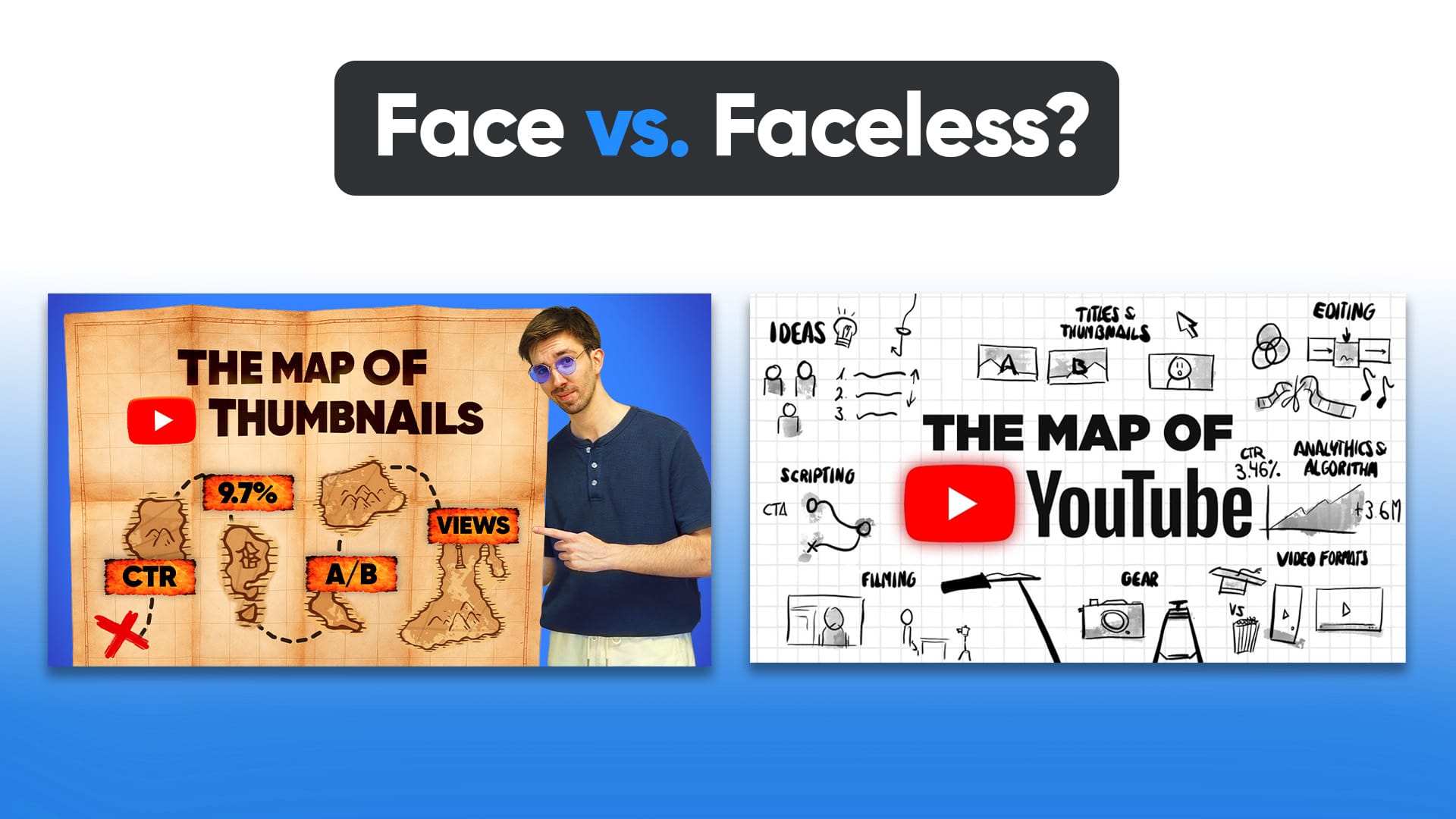
Why Faces Matter (and When They Don’t)
People are wired to look at faces. They trigger emotion, attention, and curiosity. That’s why so many of the top-performing thumbnails on YouTube feature big, expressive close-ups.
But that doesn’t mean every video needs one.
Use Your Face If:
- You are the brand (vlogger, coach, educator, entertainer)
- You want to amplify emotion (shock, awe, excitement, fear)
- You’re trying to build parasocial connection with viewers
- Your channel thrives on personal storytelling
Skip the Face If:
- You’re an animation or commentary channel
- You want to drive curiosity with objects or scenes
- You use a character avatar or faceless persona
- You want a more polished, cinematic visual
What the Data Says About Faces in Thumbnails
While YouTube doesn’t give CTR benchmarks based on faces directly, we’ve pulled patterns from thousands of channels tracked inside 1of10:
- Vlog-style channels with expressive faces perform best when emotion is extreme or exaggerated
- Gaming channels often see better CTR using stylized character thumbnails than webcam-style images
- Tech, education, and news tend to lean neutral, it’s the packaging and text that drive the click, not the face
Bottom line: faces aren’t a guaranteed CTR boost. They're a tool, and like any tool, it’s about how you use them.
Test It Yourself with FaceSwap in 1of10
We built FaceSwap into the 1of10 Thumbnail Editor for this exact reason, so you can test your face, someone else’s, or no face at all, without needing Photoshop or a full reshoot.
Here’s how it works:
- Drop in your title to generate a thumbnail
- Open the editor and use FaceSwap to replace or remove the face
- Compare versions to see which one you like best
- Download and upload, ready to test on your channel
Want to go even further? Use 1of10’s trackers to bookmark similar channels in your niche and study what they do with faces. You’ll see patterns faster than guessing.
Packaging Isn’t Just About the Face
A face can grab attention. But what holds it, and gets the click, is everything around it.
That’s why 1of10 doesn’t stop at faces. With our YouTube Thumbnail Maker, you can:
- Generate click-worthy thumbnails in seconds
- Edit with full control using the AI-powered Thumbnail Editor
- Prompt the Title Generator to get dozens of ideas in one go
- Use our Chrome Extension to detect outliers, track competitors, and bookmark videos as you browse
Packaging is the combo of title, thumbnail, and context. Nail all three, and you’ve got a winning formula.
Final Take: Should You Use Your Face?
If you’re the face of your brand -> test it.
If your face tells a story that the video delivers on -> use it.
But don’t force it just because “MrBeast does it.” High-CTR thumbnails work because of emotional alignment, contrast, story, and clarity, not just a face slapped on.
And the easiest way to find out what works for you?
Build two versions. With 1of10, it takes less than a minute.